Product Updates: September 23, 2026
Last updated: September 23, 2026

Hypercore MCP (Beta) and Headless Hypercore is Live!
Move from asking questions to getting work done. Connect Claude, ChatGPT, or another compatible AI assistant to Hypercore and use write mode to prepare loan updates directly from your conversation.
Update loan terms from a document, record transactions, or prepare new loans, fees, deposits, and OID changes—with approval guardrails built into the workflow.
AI does the preparation. Your team makes the call.
Every AI-generated change is saved as a draft change request, clearly marked with an AI indicator. Nothing takes effect until a user approves it.
Review before anything changes. Check the proposed updates before approving them.
Control Layer adds a second reviewer. When enabled, a different user must approve the request.
Pending changes are protected. The loan is locked to other edits while its change request is pending.
Available in Beta. This is an early release, and we welcome your feedback as we refine the experience.
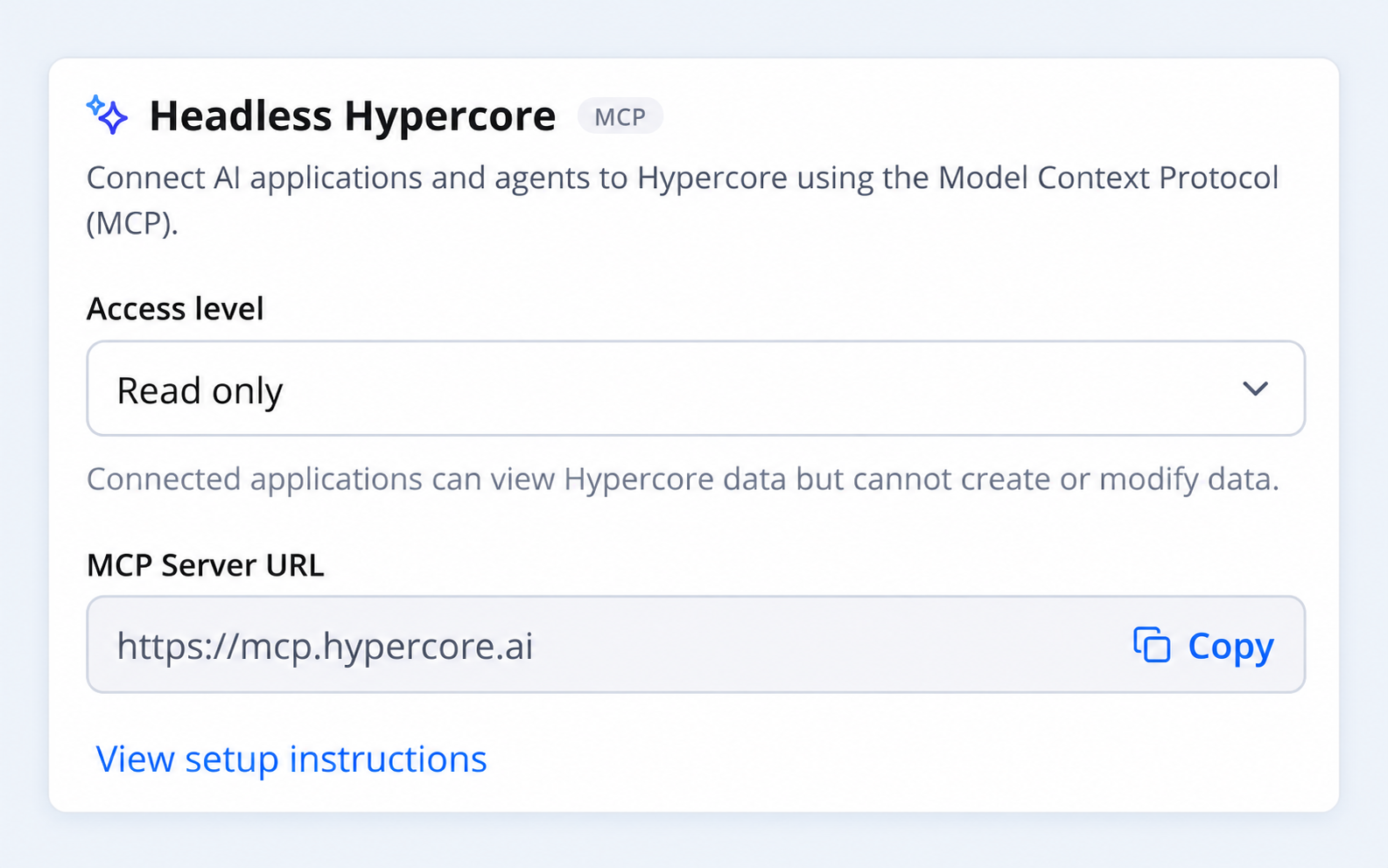
Learn More in the guide: 📄 Connecting to the Hypercore MCP
Bulk Actions Import for Rate Updates
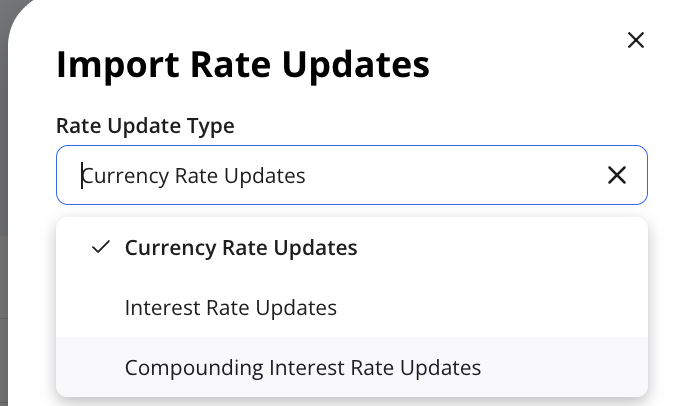
You can now bulk upload currency exchange rates updates, interest rate updates and compounding interest rate updates.
Go to Bulk Actions → Import →Loans→ Rate Updates and select your rate update type (see below)
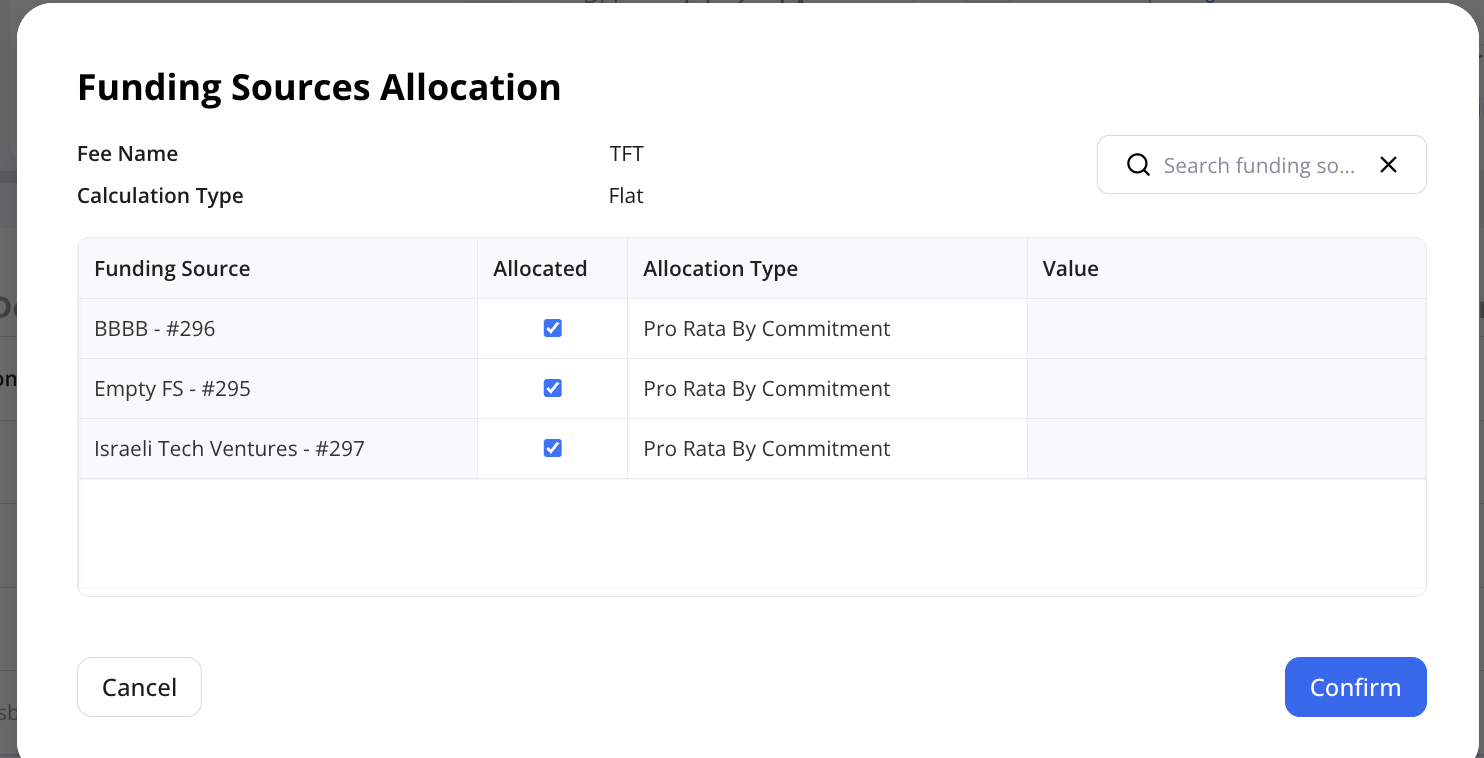
Fees, Deposits & OID: Funding Source Allocation
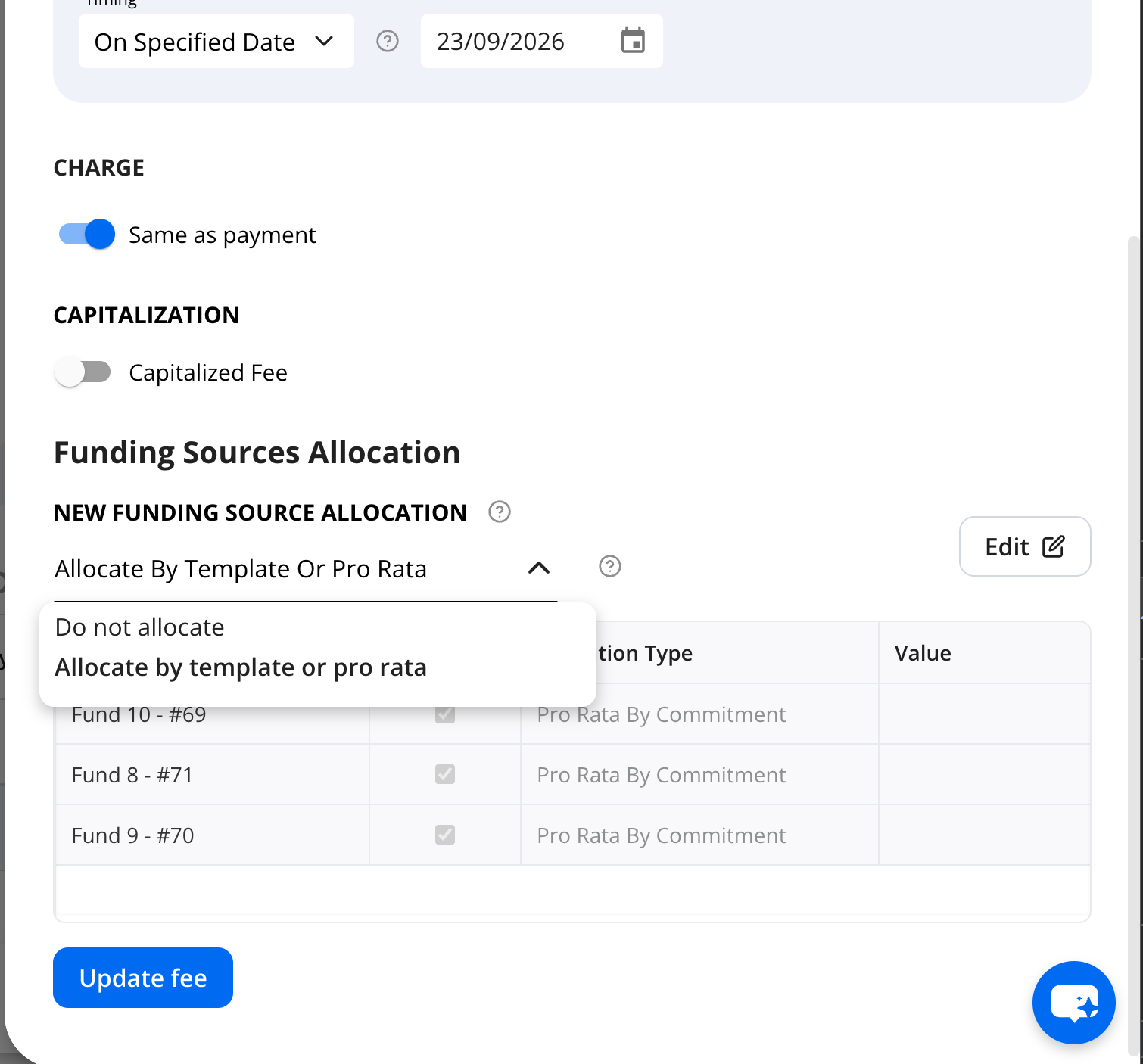
You can now view and configure funding source allocations directly on each fee, deposit, and OID form. Choose from:
No allocation
Allocation by template or pro rata
Manual allocation
You can also specify how the item is allocated to funding sources added later.
This lets you view and edit allocations at the loan level without opening each funding source’s terms.
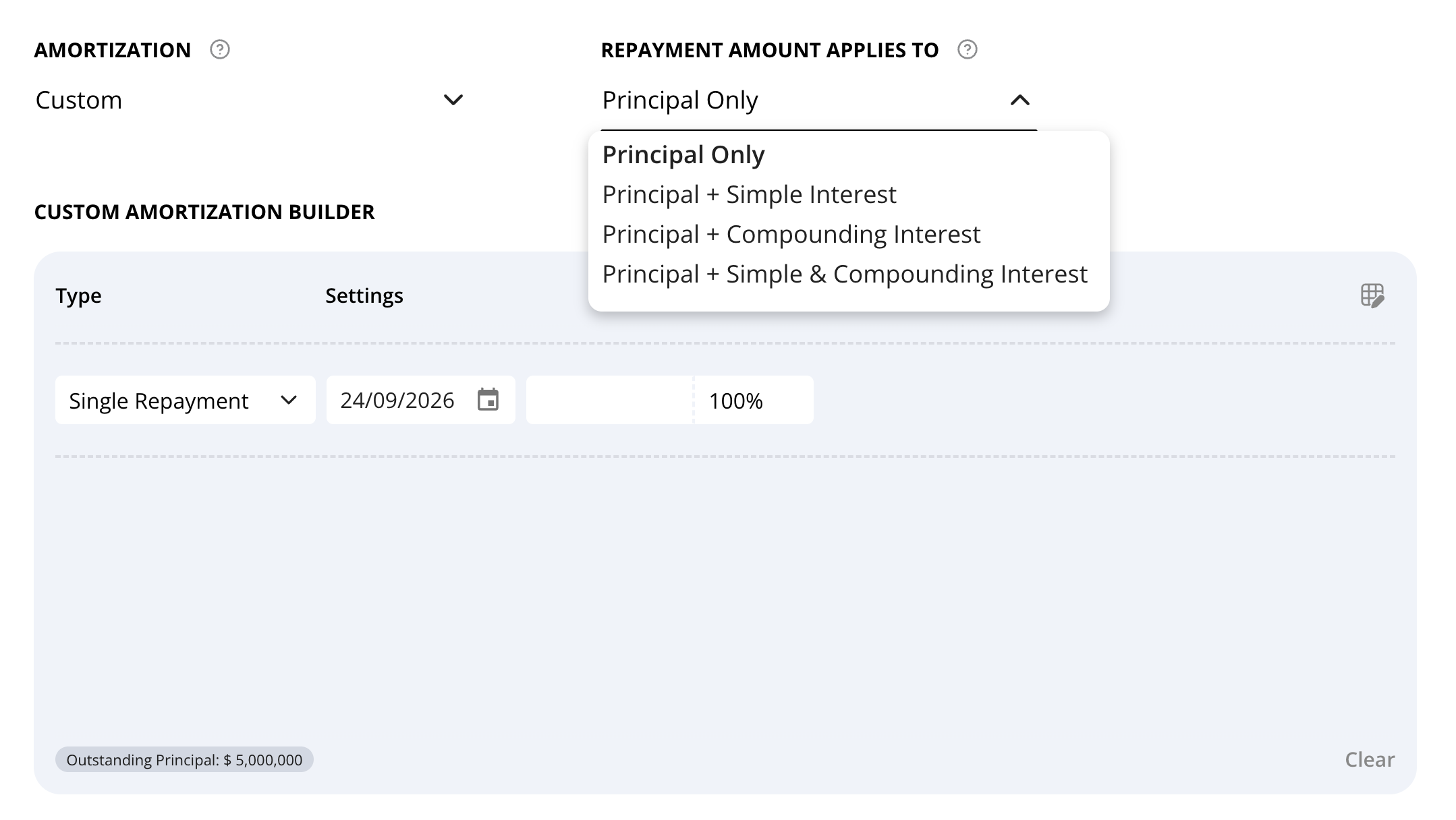
Loan Terms - Custom Amortization: Customize repayment components
When using the custom amortization builder, you can now choose what the repayment amount applies to:
Principal only
Principal + simple interest
Principal + compounding interest (PIK)
Principal + simple & compounding interest
This makes it easier to model structures such as bullet loans, where principal, interest, and PIK are all paid at maturity.
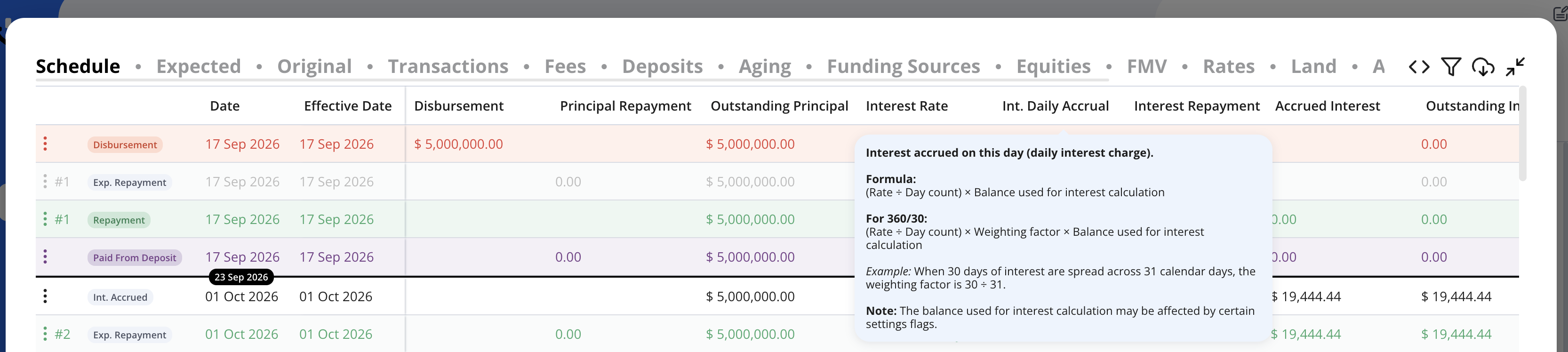
Schedule Column Tooltips
Hover over any column header in the loan schedule to see what it shows. Calculated columns, such as daily interest, also show the formula with a worked example.
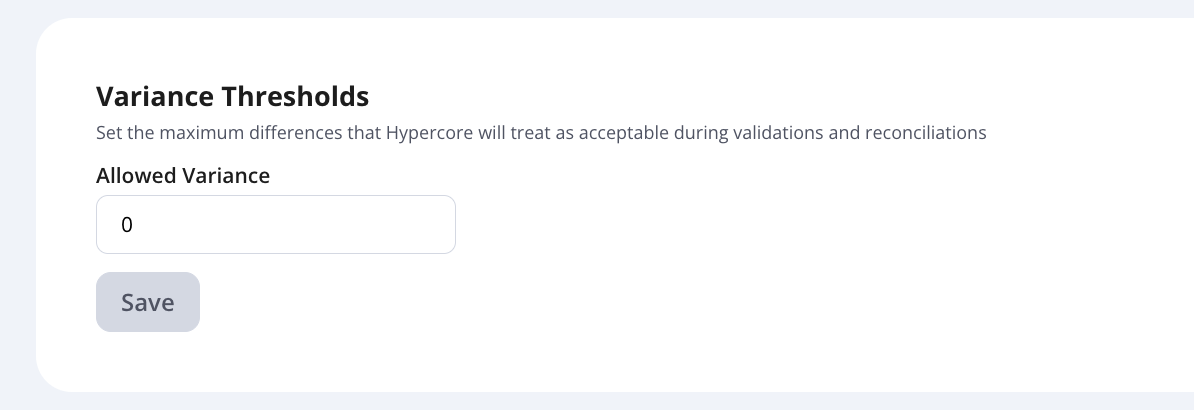
Variance Threshold Setting
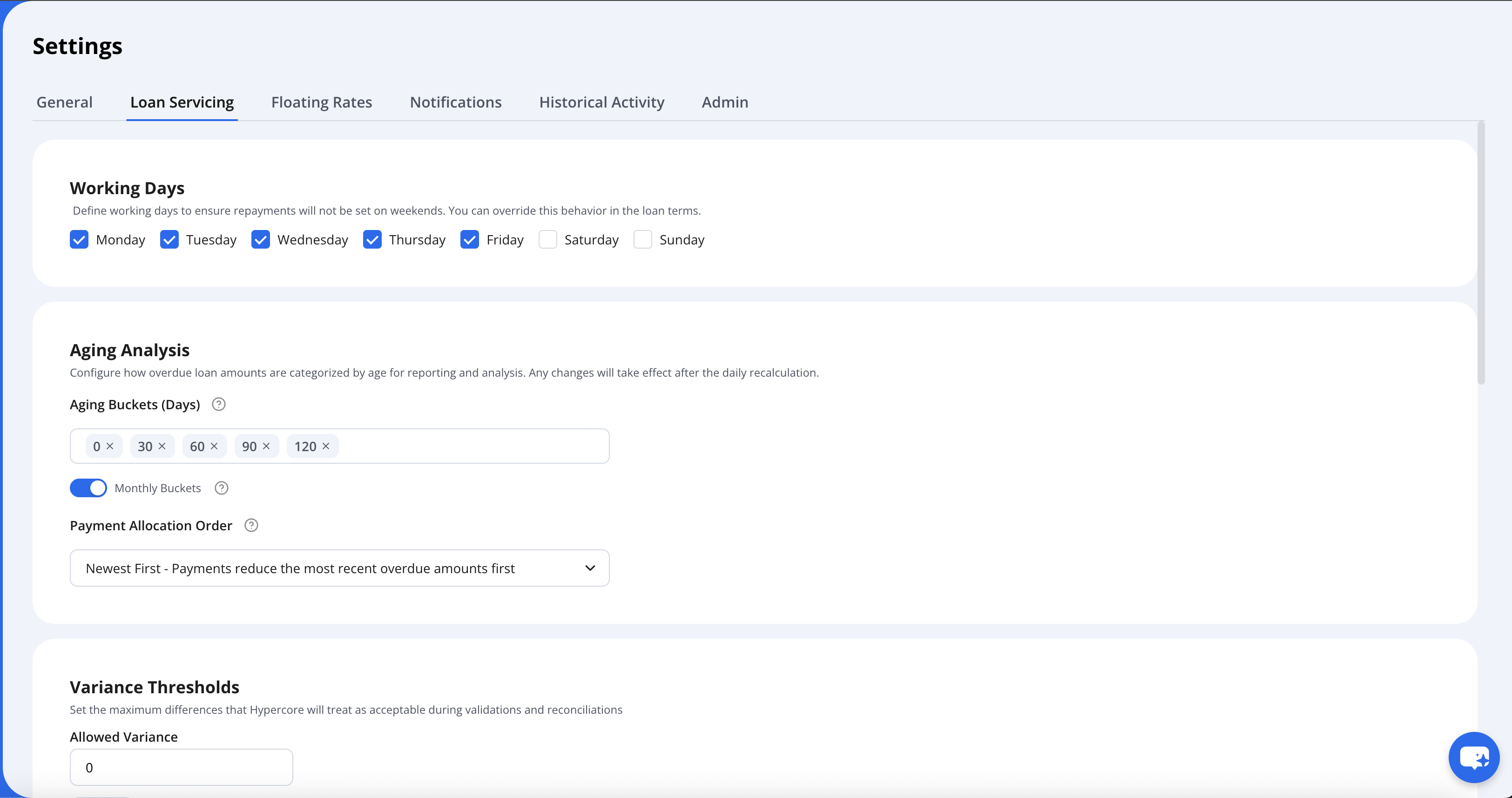
You can now set the tolerance for small rounding differences in one place, on the General settings tab. Any difference below the defined threshold is ignored when:
Checking whether a loan's funding sources are reconciled, so tiny differences no longer cause the reconciliation warning to appear.
Checking whether there's enough commitment for a disbursement, so a one-cent gap no longer blocks it.
Go to Settings→Loan Servicing
Reorganized Settings Tabs
Settings are now split into General and Loan Servicing (New) tabs, so each setting is easier to find.
Currency Tabs moved to the General Tab.