Product Updates: July 19, 2026
Last updated: July 20, 2026

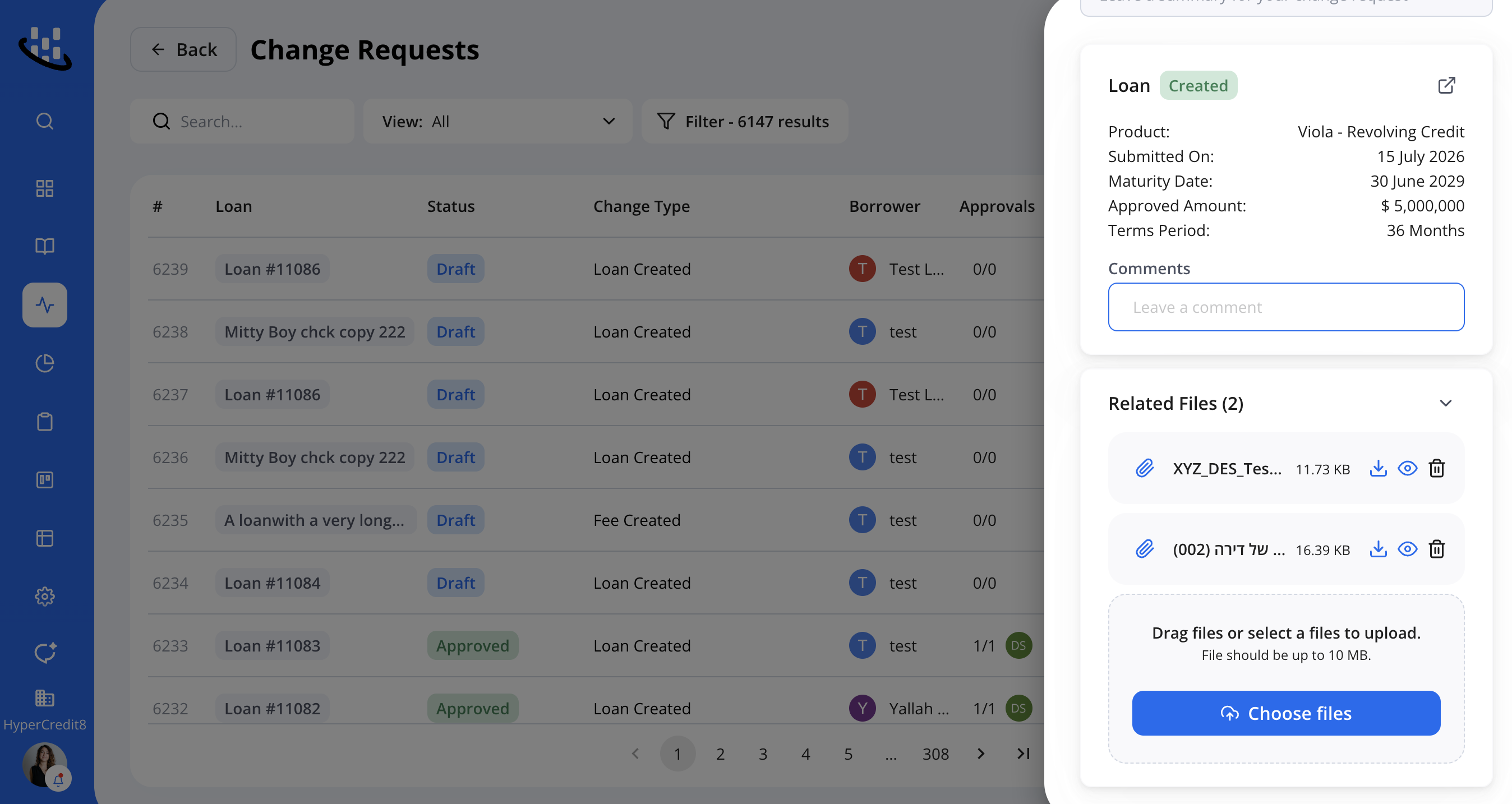
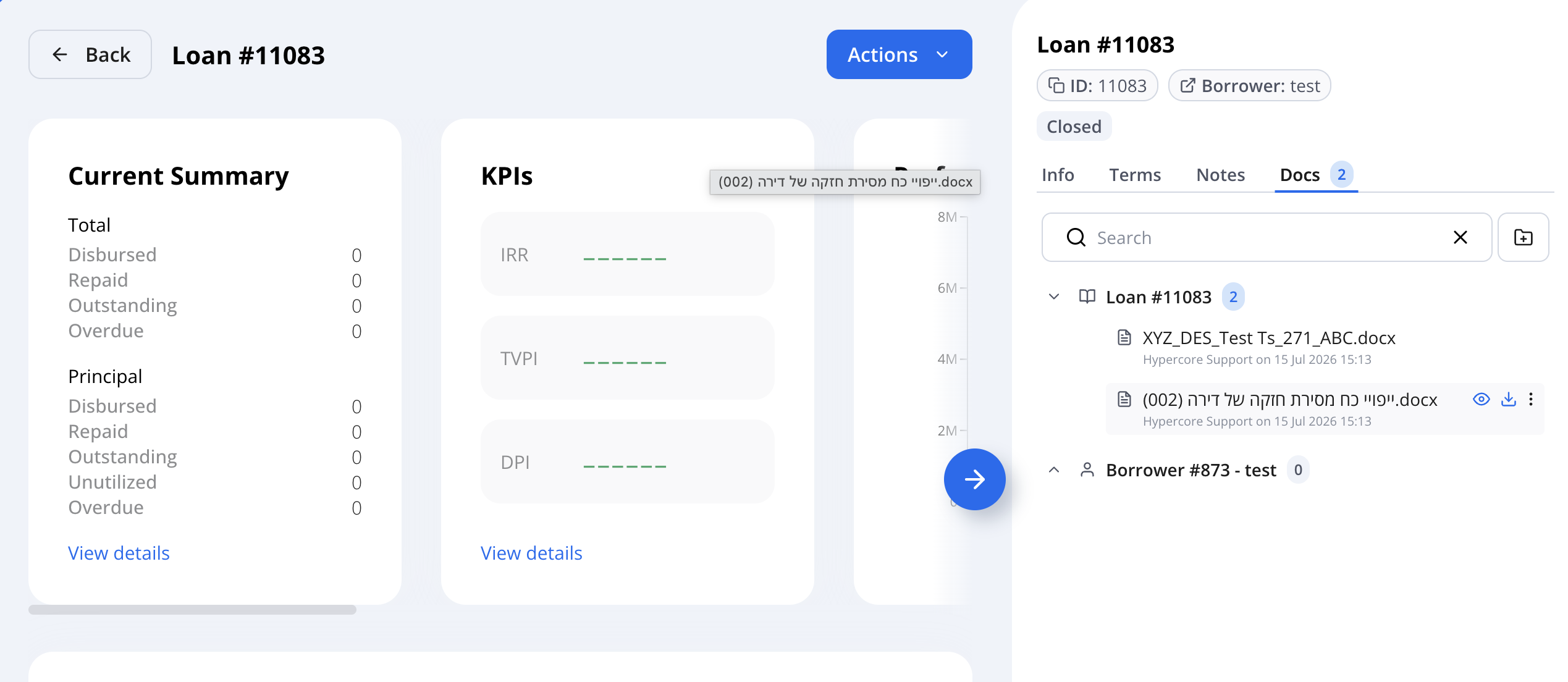
Change Requests
Any documents added to a change request will now be saved in the new Documents tab.
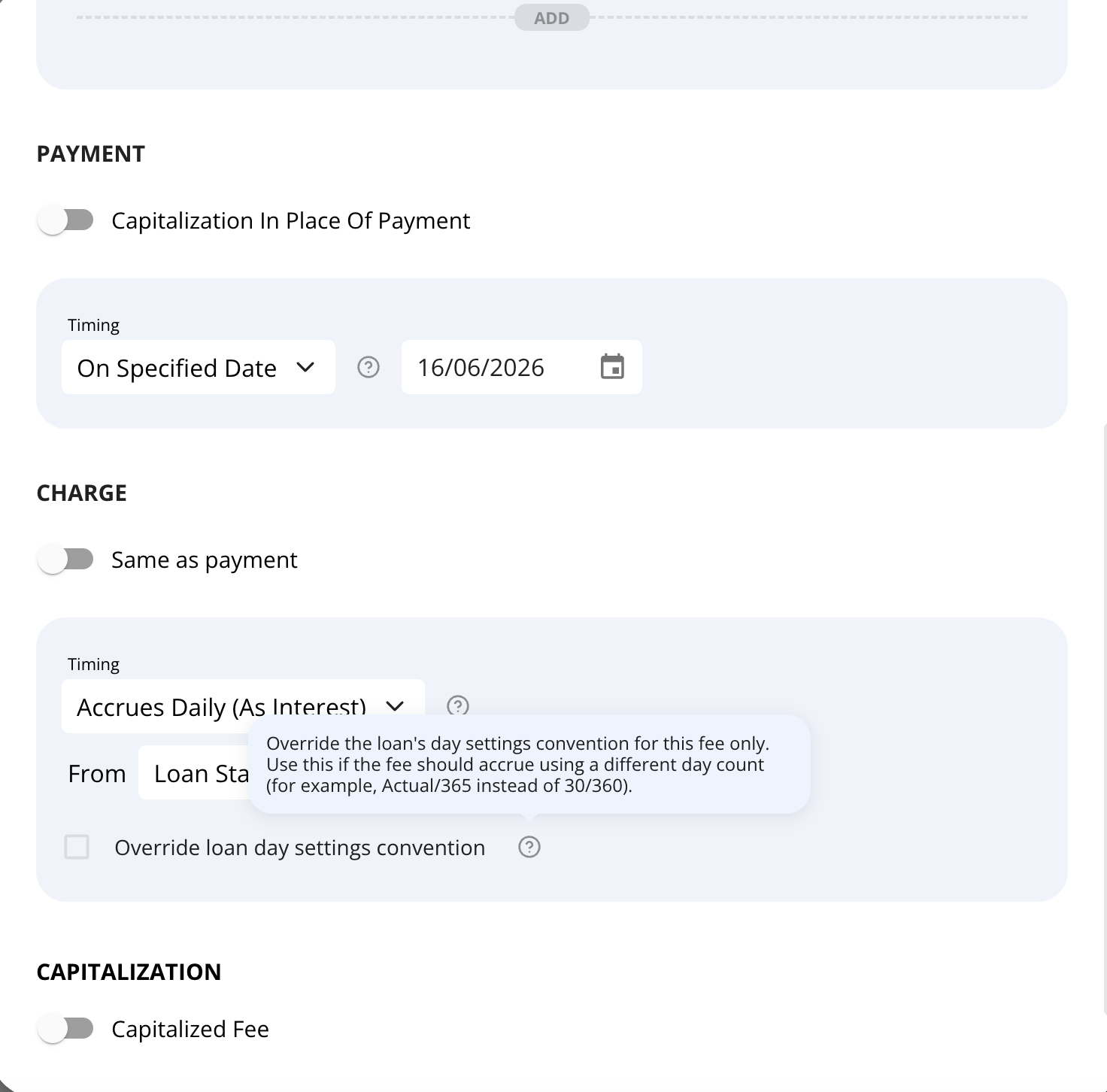
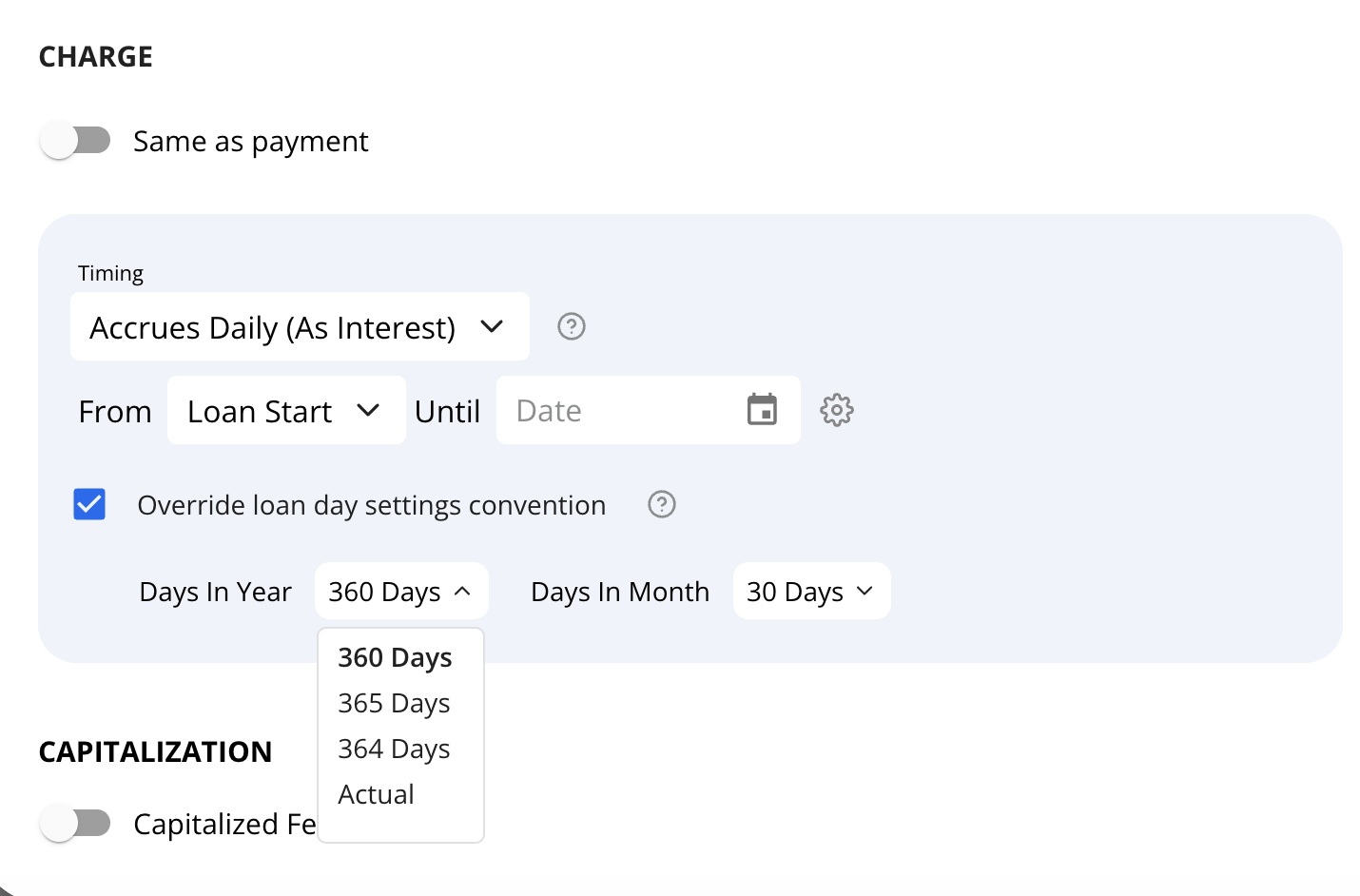
Day settings for Fees
You can now configure day-count settings individually for fees that accrue daily.
Generate Funding Entity Statements in Bulk
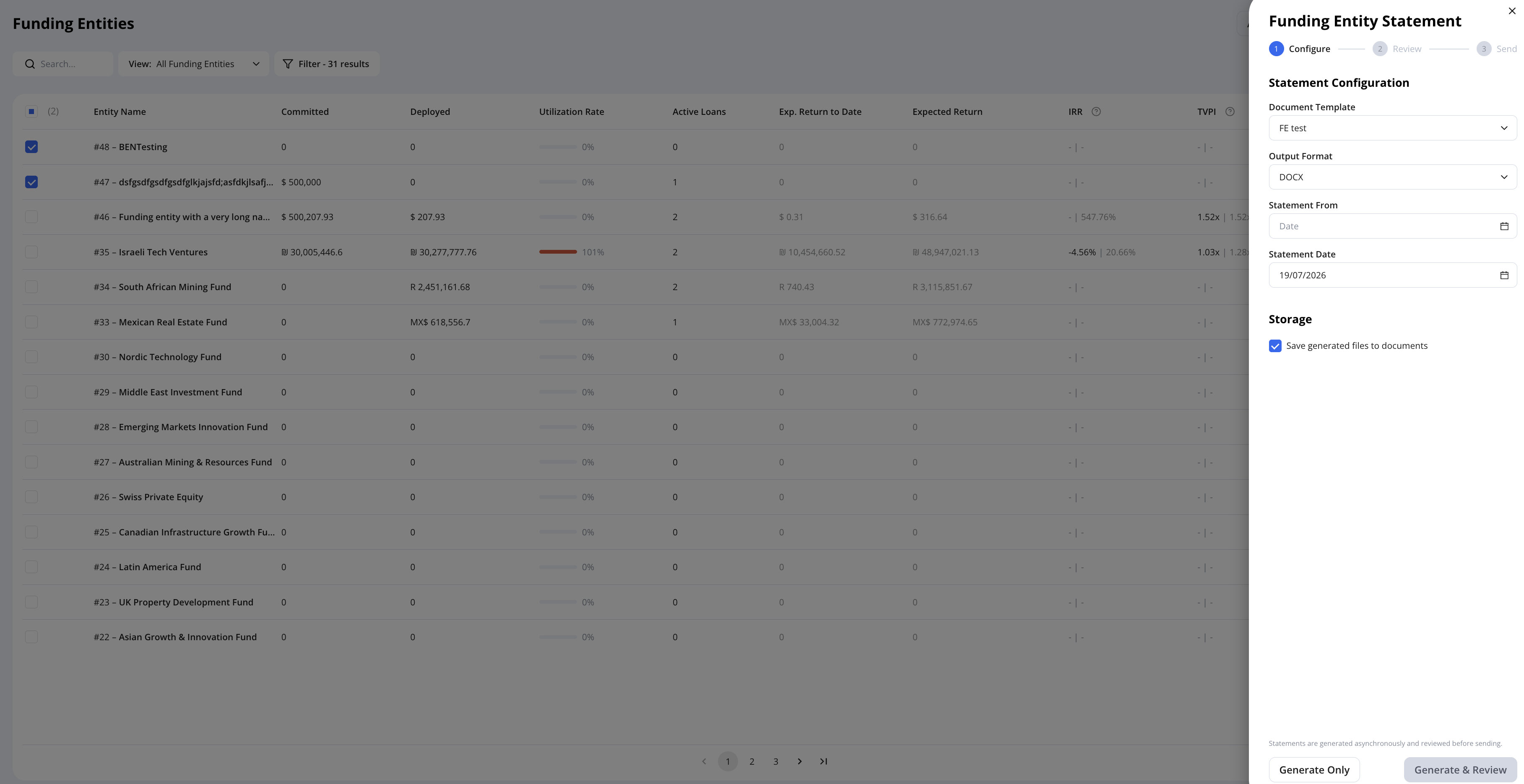
You can now generate statements for multiple funding entities at once, instead of doing it one at a time.
Navigate to the Funding Entities page, select the entities you want using the checkboxes, then go to Actions → Statements and choose the statement type (Funding Entity or Funded Loans) to generate and download for all selected entities in one action.

Funding Source Tab Update
The 'Funding Sources' tab within a loan now displays the same data view as the main Funding Sources overview page, so the figures shown (deployed, commitment, outstanding) are consistent in both places.

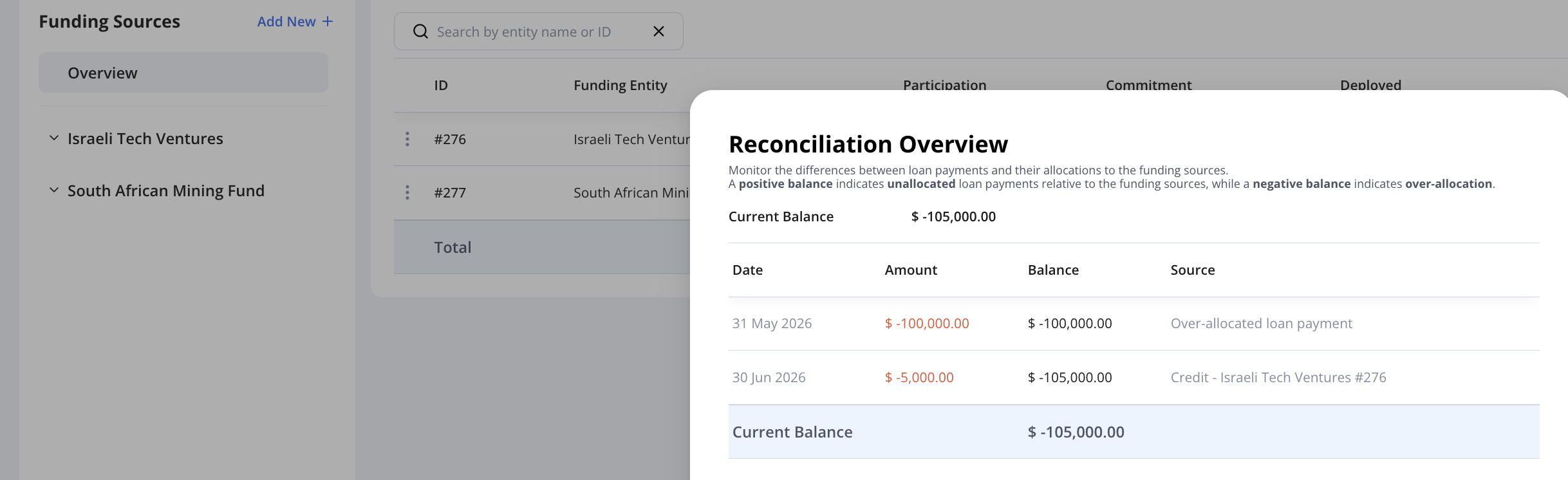
Funding Source Reconciliation Warning
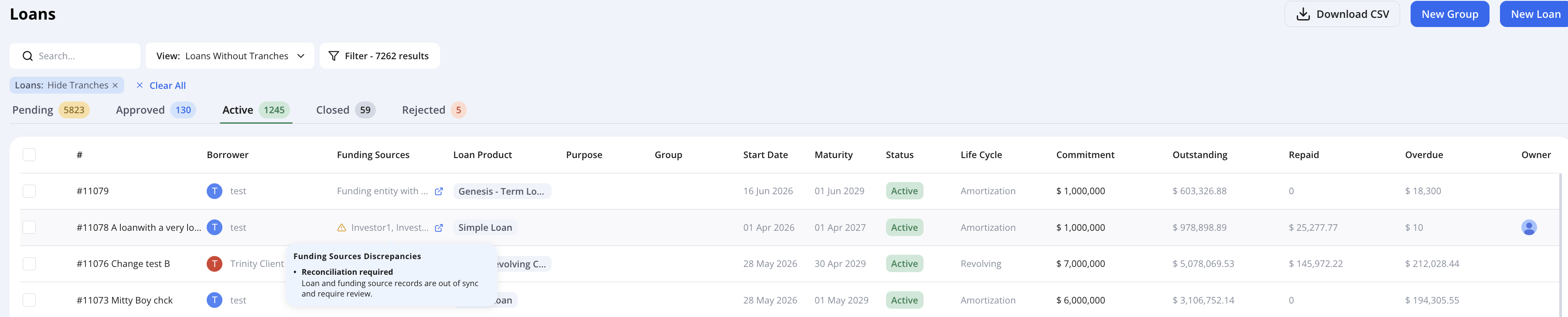
If a loan's funding sources become unreconciled (over- or under-allocated), Hypercore now displays a warning indicator directly in the Funding Sources column on the Loans list page. Hovering over the indicator shows a "Reconciliation required" tooltip.
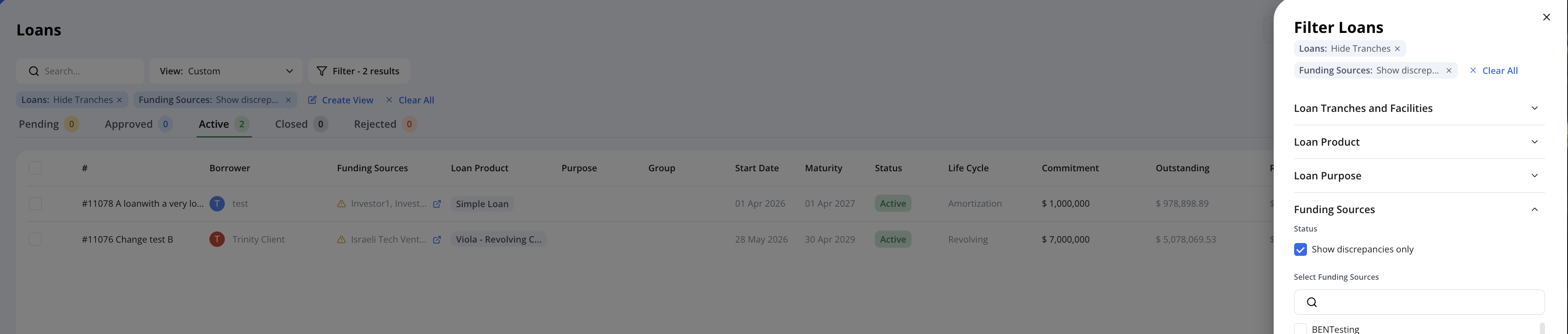
Filter Unreconciled Loans - You can also use the new Show discrepancies only filter to instantly view every unreconciled loan in your portfolio, giving you a single summarized view of all reconciliation issues for faster review and resolution.
Opening the loan displays a dedicated Funding Sources card highlighting the unreconciled balance. Select Review Reconciliation to investigate the issue.
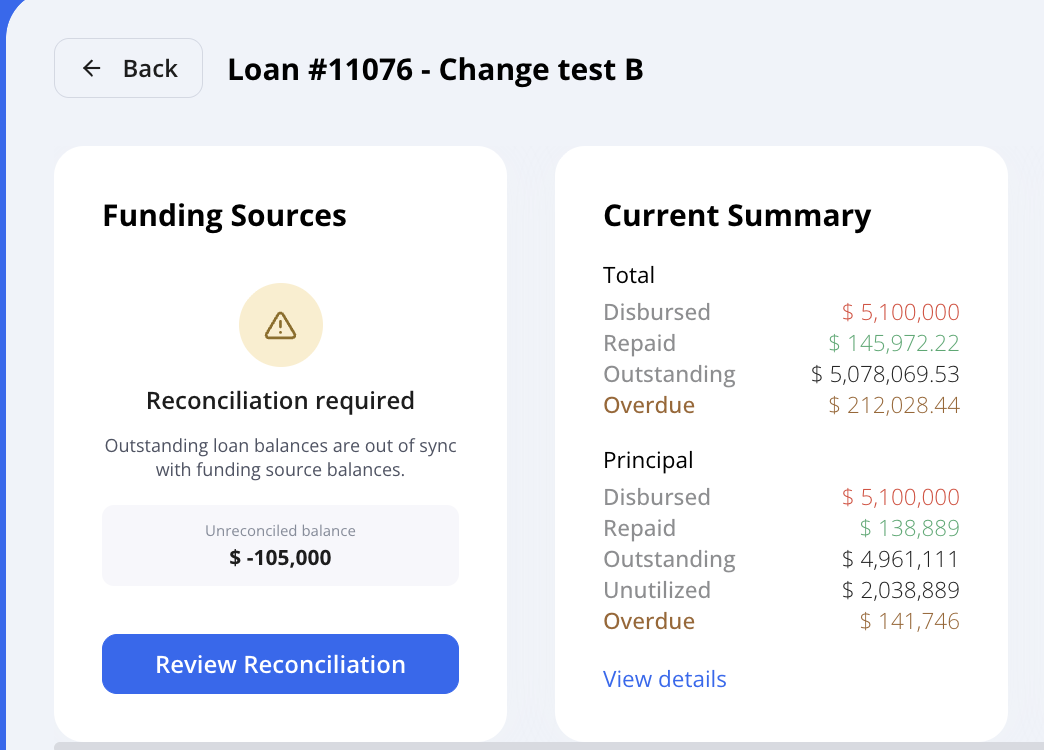
Selecting Review Reconciliation opens the Reconciliation Overview, where you can pinpoint exactly where the discrepancy originated by date, amount, and source.