Product Updates: Jan 19, 2026
Last updated: June 4, 2026

Funding Source Page Changes
The Funding source page has been enhanced!
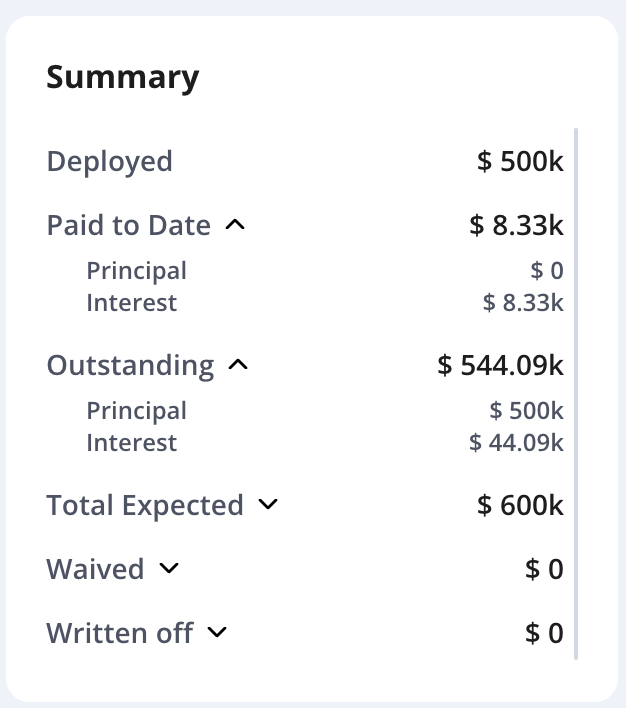
Funding Source Summary Card
You can now view the status of your capital in a single, improved card with richer detail and a cleaner experience.
Summary card items are now expandable, so you can drill into details-like exactly how much principal and interest has been paid to date.
Copy full values by clicking any individual number
Please note, summary values are calculated based on the funding source schedule.
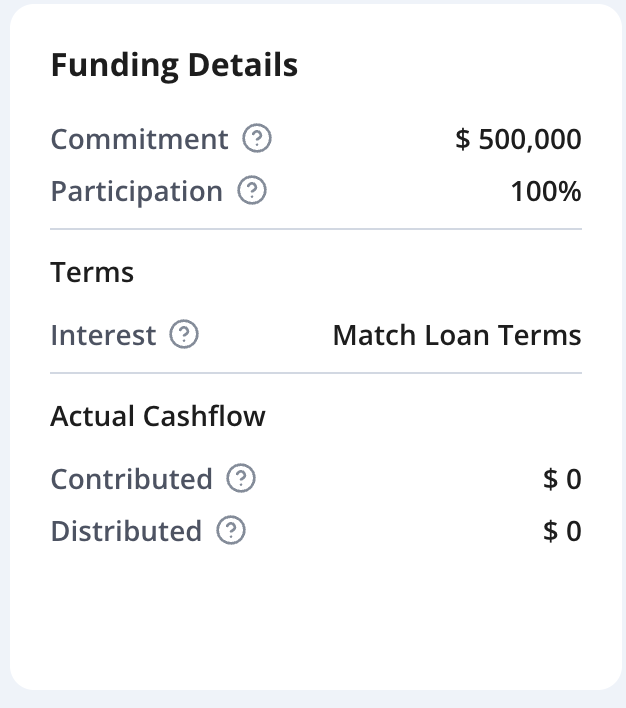
Funding Details
In one glance see the commitment, participation rate, Interest, and actual cashflow.
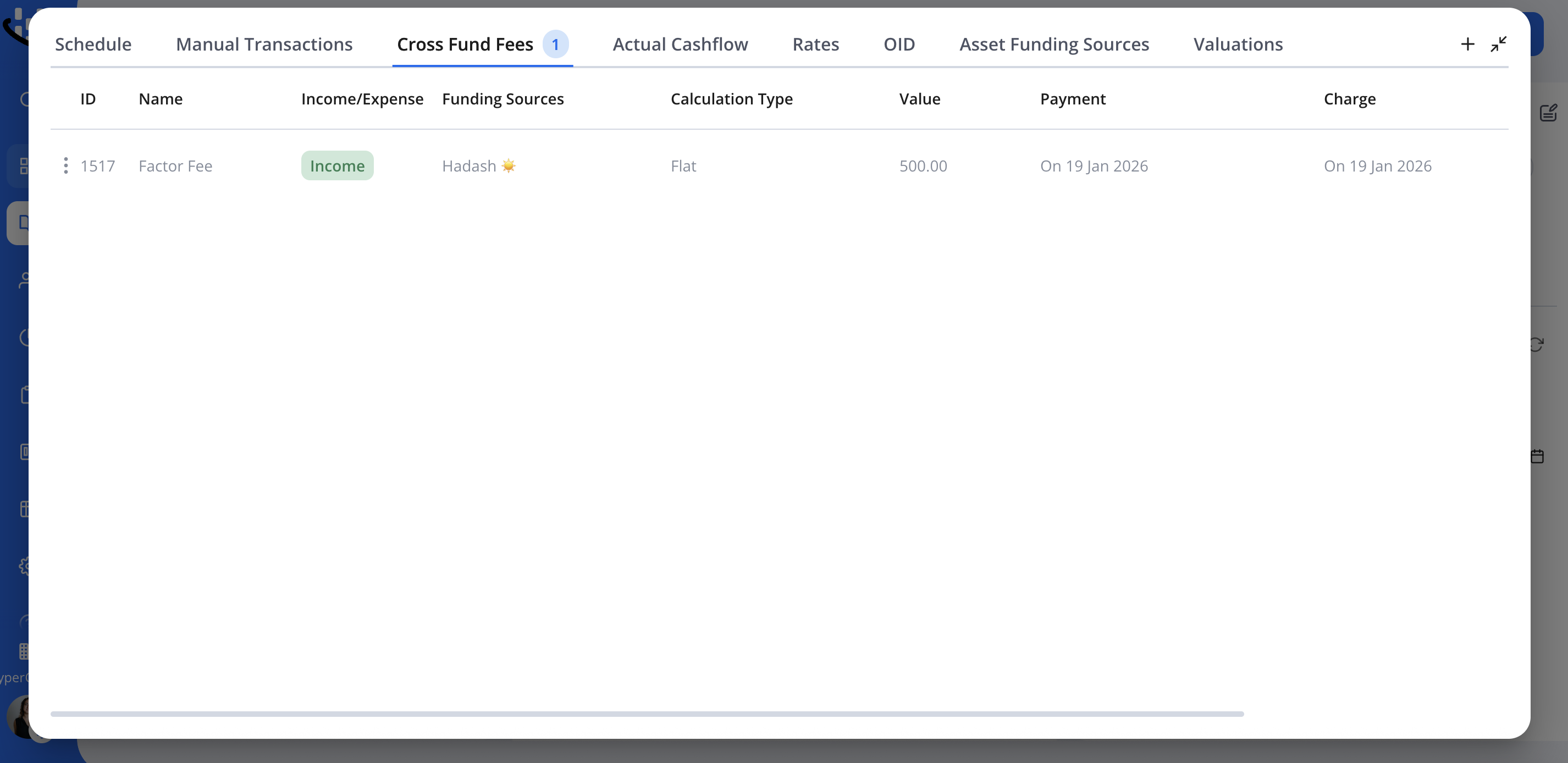
Funding Source Tabs Redesign
For clarity, the "Income Expense" tab has been renamed to "Cross Fund Fees".
You can also now see the number of items in each relevant tab, including:
Transactions
Cross Fund Fees
OID
Debt Sale
Control Layer: Changes Approval
Change Requests page now displays both:
Created date
Approved date
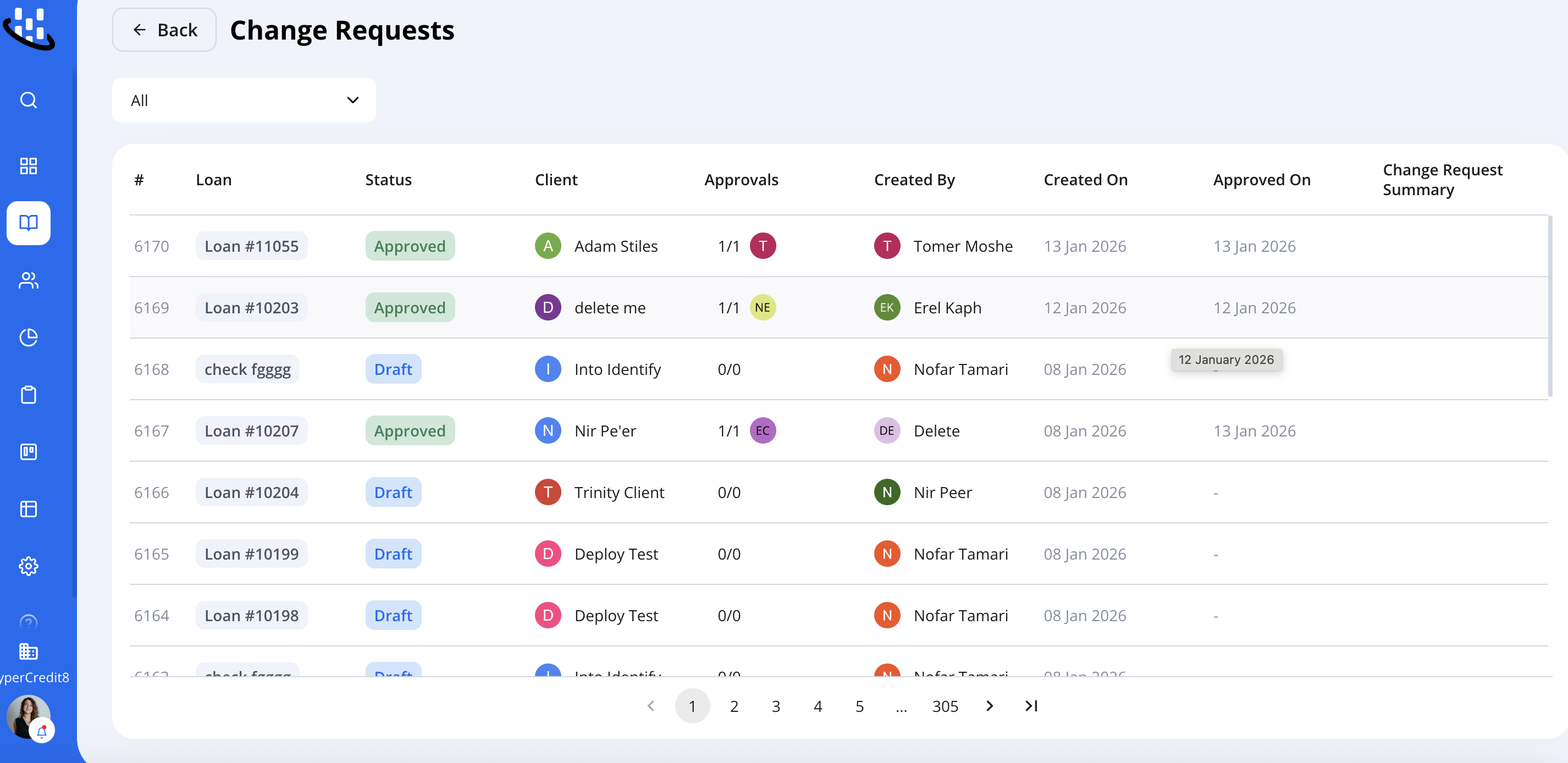
If a request's initiator or approver is deleted, you'll be notified and prompted to reassign it so the workflow isn't blocked.
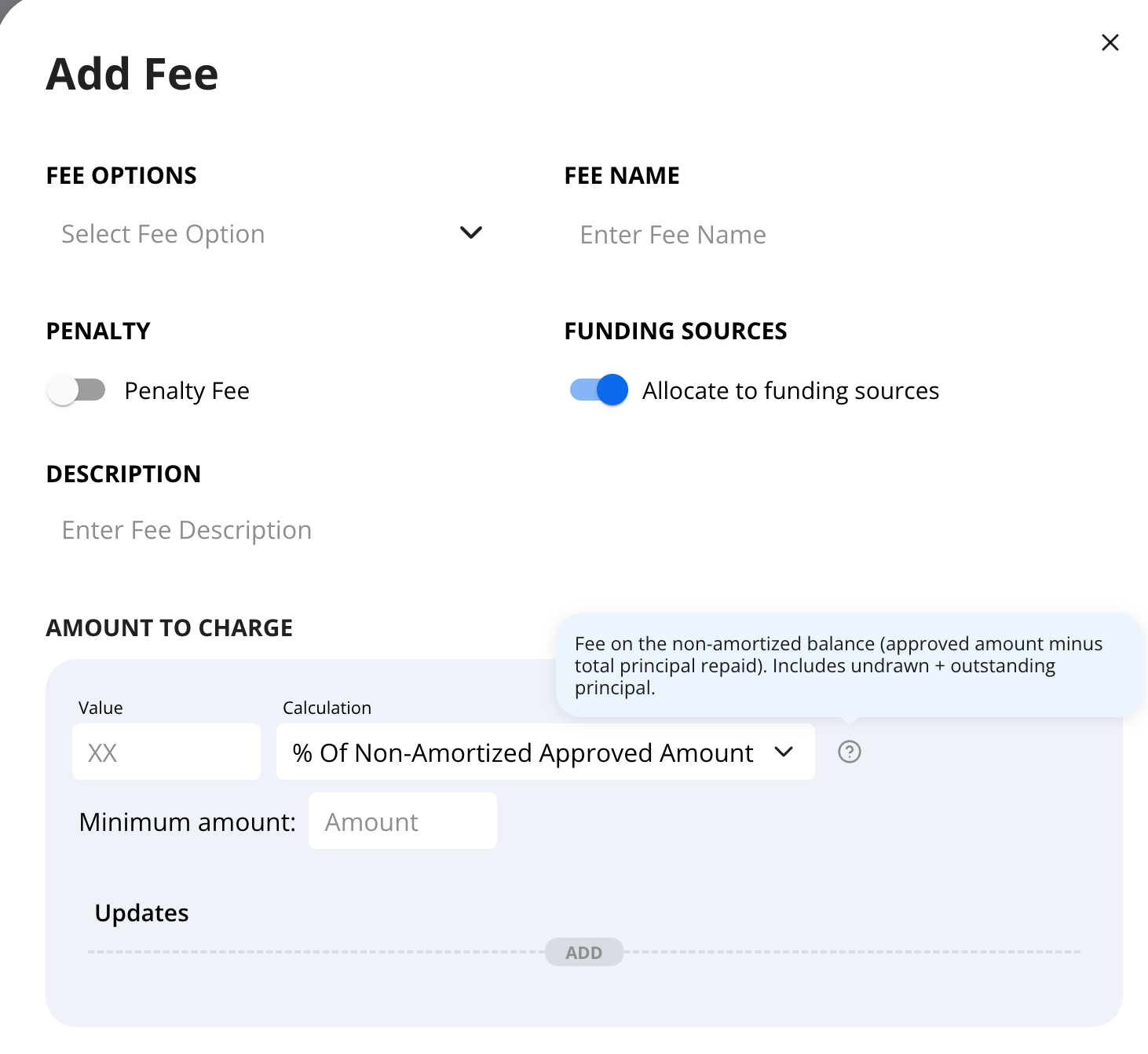
Fees Now Explained
When configuring a fee, you'll now see a tooltip explaining what to expect from the system for each calculation method-making it easier to choose the right setup and understand the output.
New Import: Import Funding Entities
You can now bulk-import funding entities using the new Import Funding Entities flow.
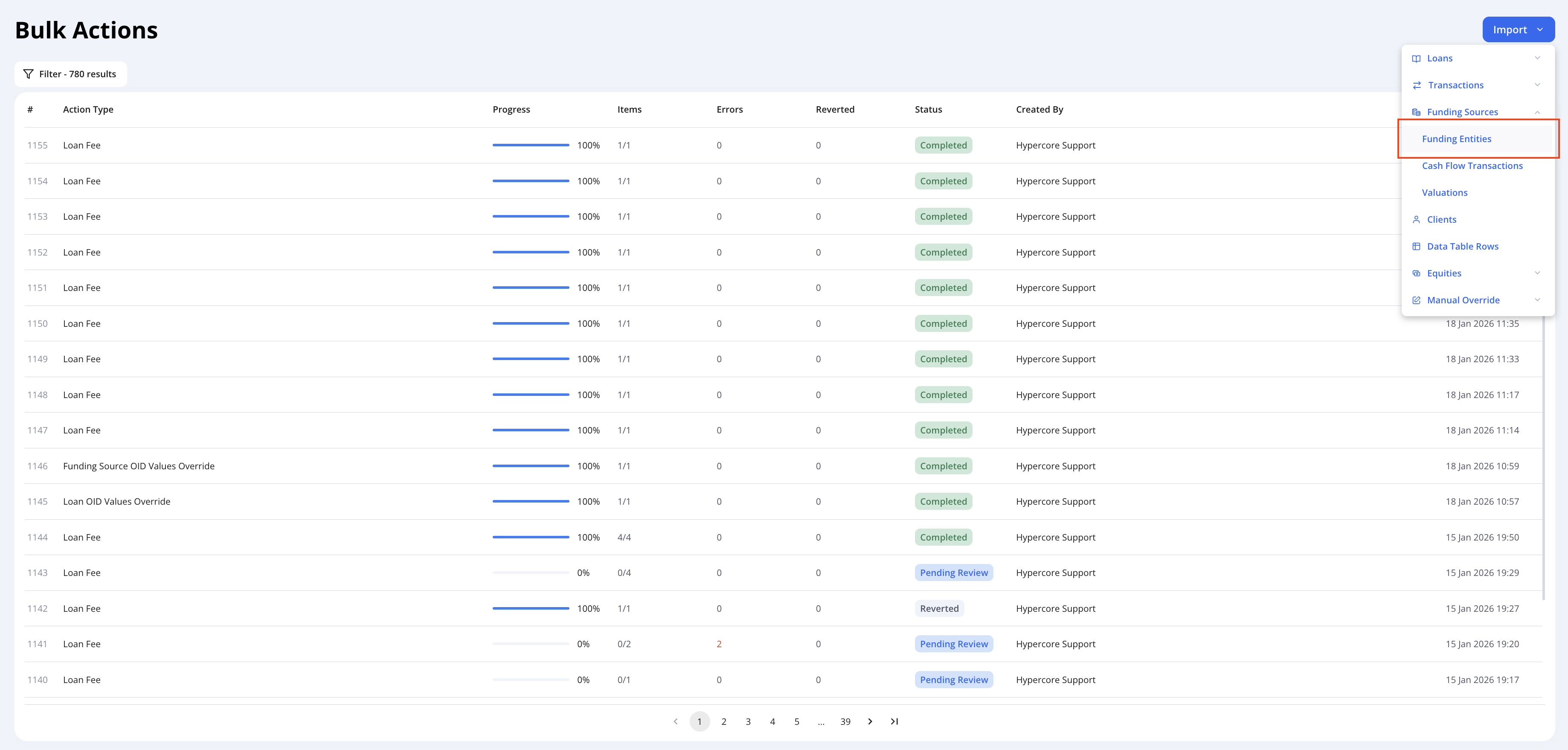
This import behaves consistently with our existing import tools, allowing you to:
Preview data before applying changes
Review validation results
Export the processed CSV
In addition to creating new funding entities, this import also supports updating existing funding entity data at scale.
Common use case: Updating banking details across all (or multiple) funding entities in a single import
Important note: Updates to existing funding entities cannot be undone.
Please carefully review and validate your data during the preview step before completing the import.
Funding Sources Historical KPIs
The system now supports Historical KPIs at the funding source level.
This means KPI values are stored over time and can be:
Reviewed directly using BI tools
Used in reports that track funding source performance historically
Once a report is built using Funding Source KPIs, you can analyze how these metrics evolve over time - supporting trend analysis, performance reviews, and management reporting.
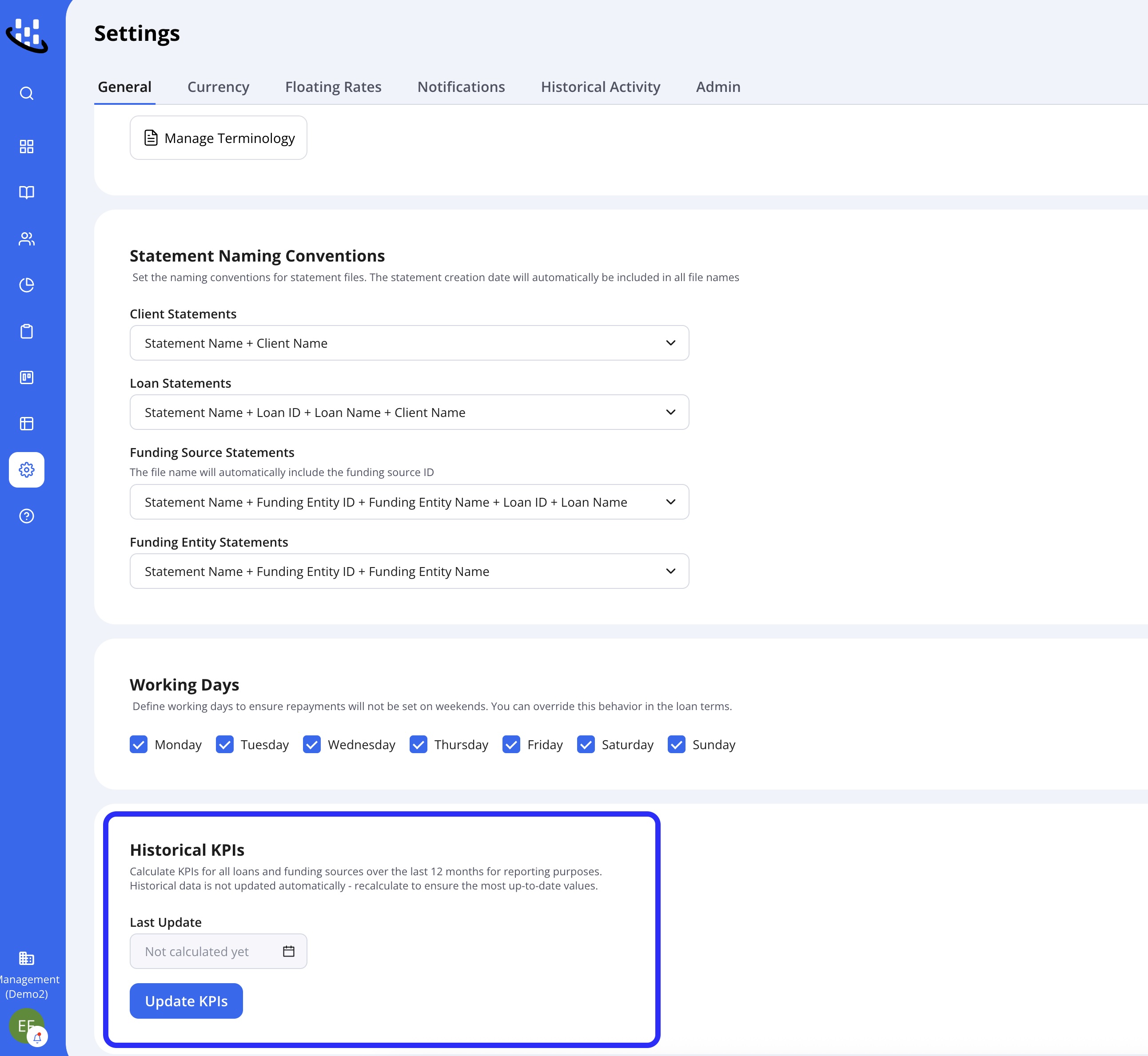
Note: Historical KPIs are no longer updated automatically and are now calculated on demand.
This is a change from the previous behavior.
When you click Update KPIs, the system recalculates and stores KPI values for all loans and funding sources over the last 12 months based on current data.
We recommend updating KPIs after historical data changes and before running historical KPIs reports.
Depending on your portfolio, this process can take more than 30 minutes to update.