OID & Effective Interest Rate Guide
Last updated: September 9, 2026
A comprehensive guide to understanding and managing OID (Original Issue Discount), Effective Interest Rate (EIR), Restructure scenarios, and troubleshooting tips in Hypercore.
1. What is OID?
Original Issue Discount (OID) represents the difference between the initial loan amount received by the borrower and the face value to be repaid at maturity.
This discount is amortized over time and contributes to the Effective Interest Rate (EIR) - the true cost of the loan, including fees, warrants, and discounts.
In Hypercore, the system automatically calculates:
OID rate – Derived from the loan’s cash flow structure.
Derived from the loan's cash flow structure. Hypercore goal-seeks the rate that amortizes all non-cash OID components to zero by maturity; it recalculates whenever cash flow changes (rate resets, restructures) without restating prior periods.
OID cost – The total discount amount to be amortized over the loan’s life.
The total discount/premium amount to be amortized over the loan's life, i.e. the sum of all non-cash OID components (e.g. $50K fee + $30K warrant = $80K), setting the initial gap between face value and true cost. At any point in time, each component's OID cost splits into an amortized portion (recognized so far) and an unamortized portion (still to be recognized), and both should converge to fully amortized / zero by maturity. Each period's amortized amount is calculated as the difference between OID interest (the goal-seeked effective yield applied to the remaining cost) and the loan's actual cash interest."
OID interest – The portion of OID amortized as income/expense in each period.
The portion of OID recognized each period, calculated as the discount rate × OID remaining cost.
OID remaining cost – The unamortized balance of the OID.
The OID remaining balance still owed, i.e. what the loan really costs on a given date. It goes up as OID is recognized and goes down when principal (or other interest-bearing amounts) gets paid off, ending at the final payment amount when the loan matures.

2. What is Effective Interest Rate (EIR)?
The Effective Interest Rate is the actual annual rate of return (or cost) on a loan, taking into account the timing and amount of all related cash flows, fees, and discounts. It often differs from the stated interest rate because it reflects the true economics of the transaction.
3. What Feeds Into OID?
All of the following affect OID and must be present for an accurate EIR:
Upfront fees (e.g. origination fees)
Recurring deferred fees
Non-cash income (e.g. warrants)
Origination cost offsets
PIK interest — capitalises into principal, changes future cash flow timing
Additional disbursements — trigger restructure events, affect OID rate
Repayments / early redemptions — change remaining cash flows
Capitalisations — alter outstanding principal, affect amortization base
Loan amendments (rate / term changes) — trigger restructure events
The Golden Rule
Every economic item that affects the loan yield must flow into OID — whether it is a cash fee (tagged Recognize for OID) or a non-cash item (added as an OID Component). Missing either will produce an incorrect EIR.
3.1 Fees vs OID Components
Fees | OID Components | |
|---|---|---|
Represents | A cash flow event | An accounting-only adjustment |
Examples | Origination fee, monitoring fee, backend fee | Warrants,origination cost offsets , commitment fee framed as a discount. |
How to add | Create fee → enable Recognize for OID | OID tab → Add Component |
Cash movement? | Yes | No |
When to use | Any time money changes hands | Non-cash items, accounting netting, cost offsets |
The general rule is simple:
Did cash move? → Fee.
Did it not? → OID Component.
Getting this wrong is the most common cause of an incorrect EIR.
3.1.1 Recognize for OID vs. Manual OID Recognition
When a cash fee should be treated as OID, there are two ways to get it there:
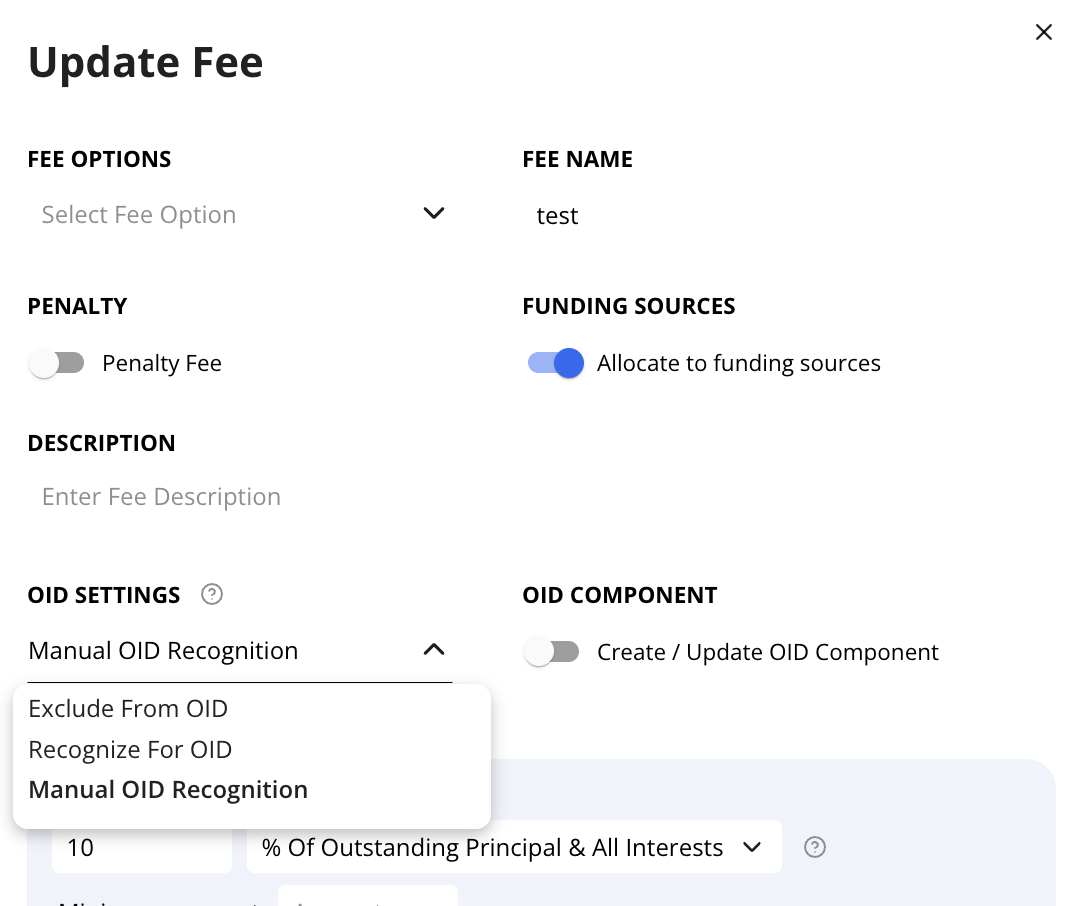
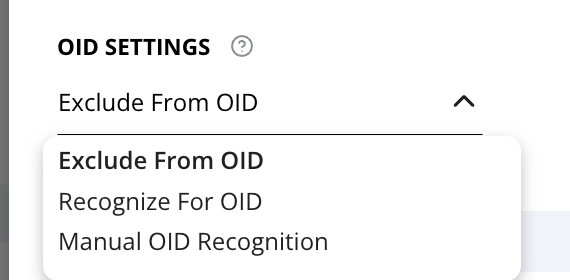
Recognize For OID (automatic) — Enable this when OID recognition should follow the standard, single continuous pattern. The system calculates OID directly from the fee terms — no separate component needed (as in the table above).
Manual OID Recognition — Use when the standard automatic logic doesn't fit. OID Settings is left blank, and Create / Update OID Component is toggled on. This generates a single matching OID Component — same name and value as the fee — dated to the fee's OID Recognition Start Date.
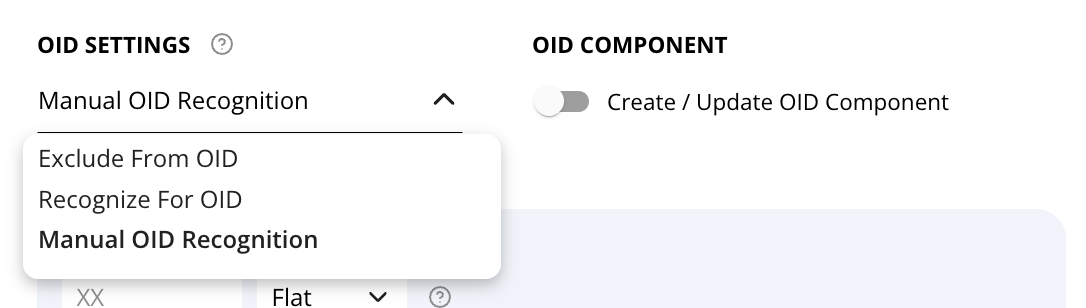
Manual OID Recognition isn't a stored value — a fee's OID Settings will only ever show "Recognize For OID," "Exclude From OID," or blank. Blank + Create/Update OID Component on is what Manual means.
Multiple pulses: the toggle only ever generates one component per fee, so it can't handle a fee that needs to be recognized in separate pulses — different amounts becoming recognizable at different dates or milestones. For that, set the fee to Exclude From OID instead (pure cash, toggle off), and add each pulse as a freestanding OID Component (OID tab → Add Component), entered independently of the fee.
Example: A $300,000 commitment fee is collected in cash at closing but recognized as OID in three pulses — $100,000 when Tranche 1 funds, $120,000 when Tranche 2 funds, $80,000 at an 18-month covenant milestone.
In Hypercore:
Create the $300,000 fee with OID Settings = Exclude From OID; leave Create/Update OID Component off.
OID tab → Add Component, three times: $100,000 / Tranche 1 date, $120,000 / Tranche 2 date, $80,000 / month-18 date (Type = Income). Allocate each to its specific funding source if the loan is multi-tranche.
Save. Each component stays out of the OID/EIR calculation until its own date arrives.
Note: components aren't linked back to the fee anywhere in the system — the cash collected and the components' total need to sum correctly, but Hypercore doesn't enforce it. A mismatch here is the same kind of drift the OID Components Management troubleshooting section flags as a common cause of remaining cost not reaching zero at maturity.
Scope: applies only to cash fees also treated as OID. Inherently non-cash items like warrants are never a fee — they're always added as freestanding components directly.
3. Locking OID Values
Hypercore includes a Lock Date feature that freezes OID calculations up to a certain date to protect reporting accuracy.
Default behavior: OID values are automatically locked for a configurable number of days (based on client preference), depending on the account’s configuration. This is defined in the Lock Date field under the loan’s general settings.
Manual change: You can update the Lock Date field manually if you wish to freeze calculations through a different cutoff date.
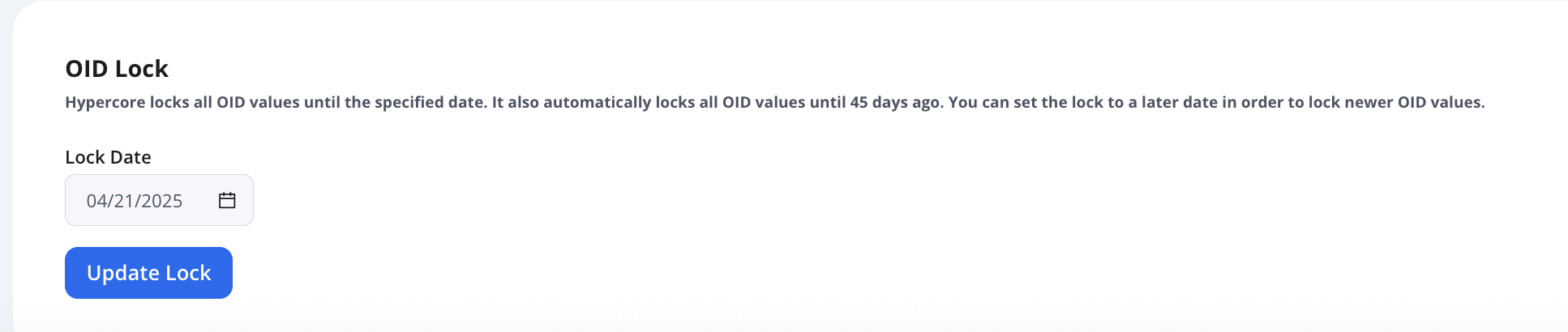
💡 Locking is based on financial reporting best practices and ensures that past values used in finalized reports remain unchanged, even if loan terms are later adjusted.
Note: Even if a lock is in place, you can still use the OID Restructure feature (see next section) to apply updated calculations from a designated Restructure Date forward. This allows for forward-looking accuracy while preserving past reporting.
4. OID Restructure Feature
What It Does
When historical loan data has changed (e.g., due to amendments, rate changes, or fee adjustments), OID calculations may become inaccurate.
OID Restructure recalculates OID values according to the current loan structure, treating the present terms as if they had always been in effect. The calculation also incorporates previous cash flow data.
See below for troubleshooting on OID restructuring
When to Use It
Use the Restructure feature when you want to allow the system to override previously locked OID values. This is particularly useful in scenarios where loan data wasn’t updated in a timely manner - for example, if the user continued managing loans outside of Hypercore (e.g., in Excel) and only later imported or updated the loan data in the system.
While changes such as interest rate updates, OID component edits, or historical uploads may prompt recalculations, a restructure is not always required for those actions unless the goal is to retroactively reflect them in locked period.
How It Works
Actions > Manual Entry > Restructure OID
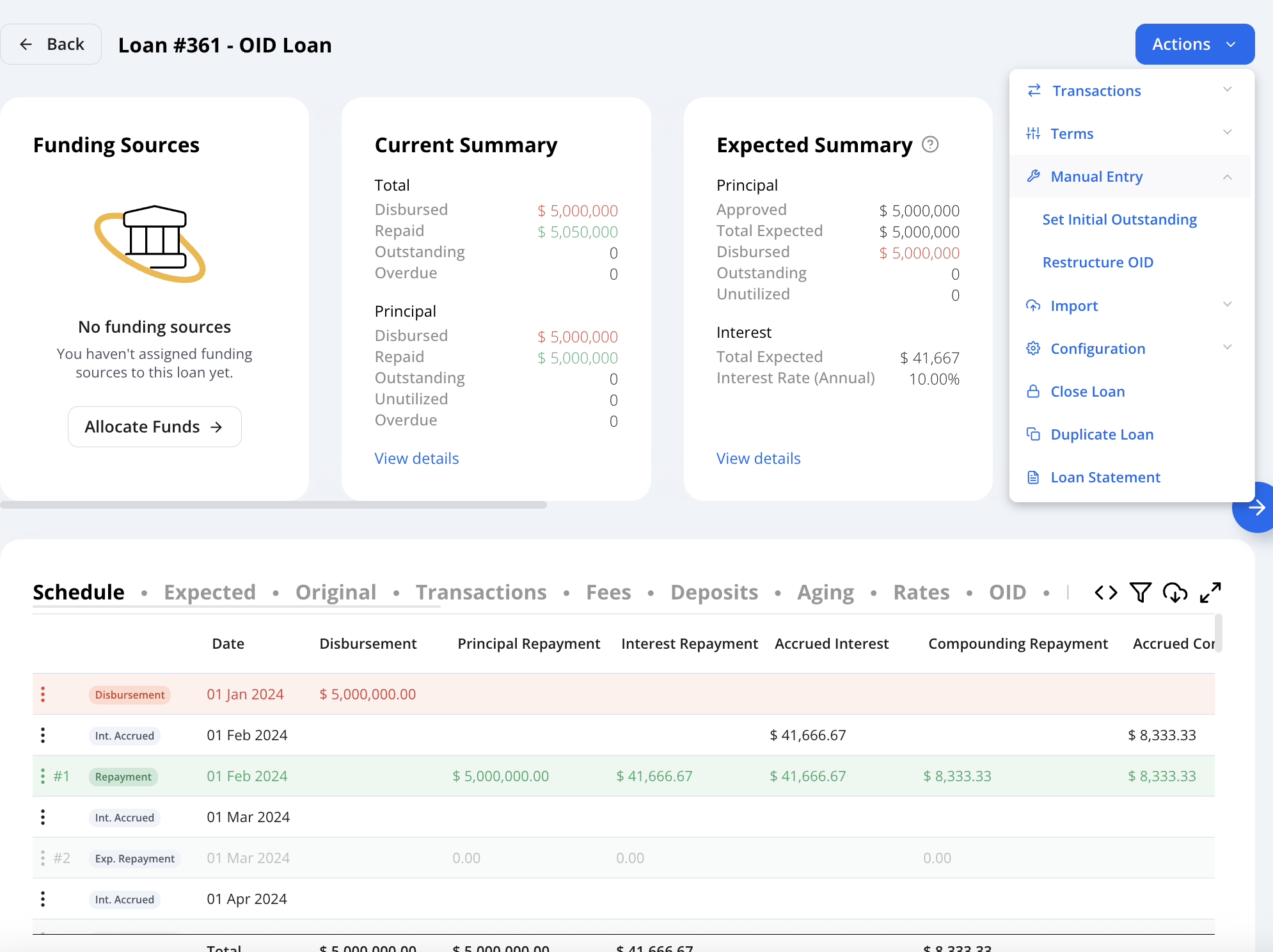
Set the Restructure Date, which determines when the system will begin recalculating OID based on previous changes
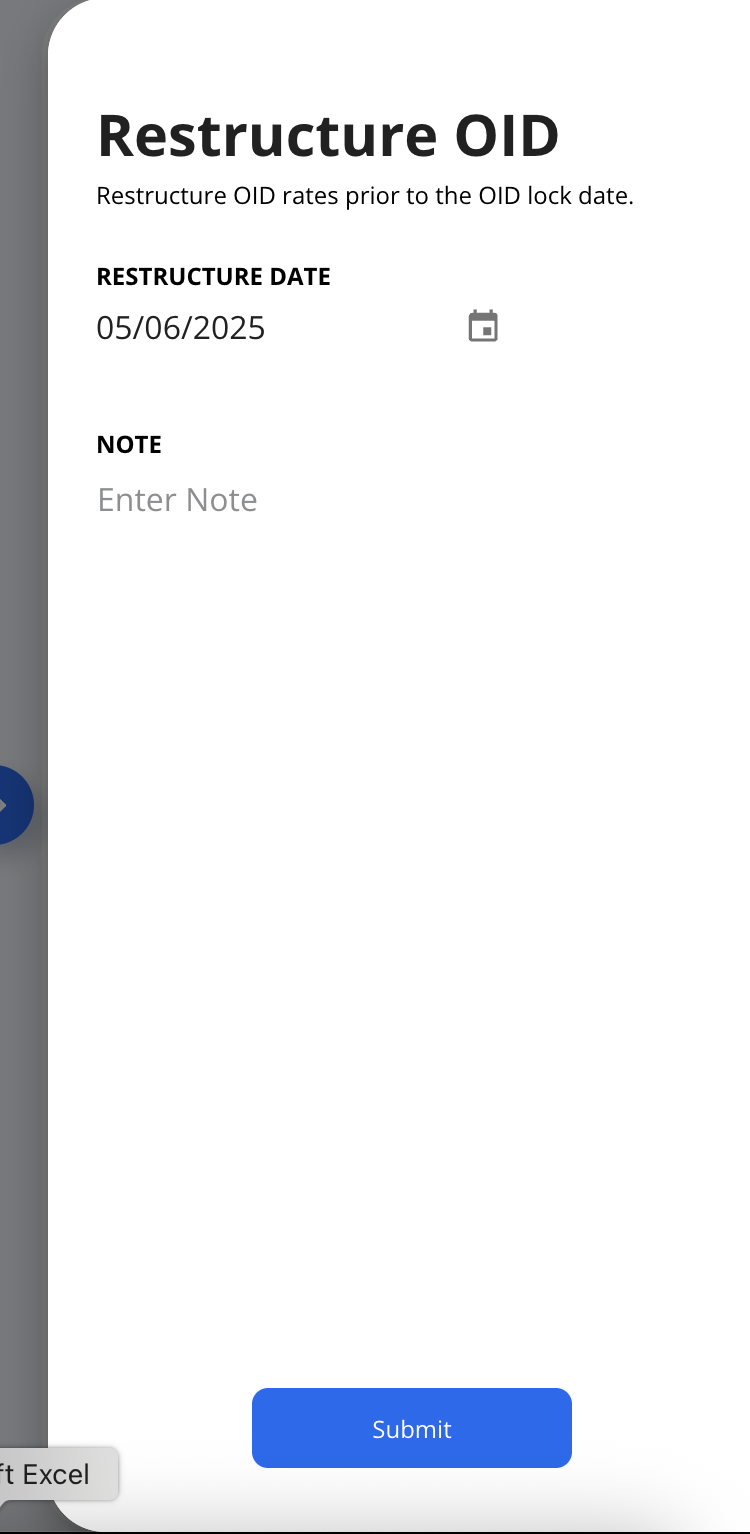
The system recalculates:
OID cost
OID interest
OID remaining cost
These recalculated values apply from the restructure date forward, ensuring consistency in future amortization.
Implications
Ensures accurate financial reporting
Maintains EIR consistency despite changes
Automates recalculations instead of requiring manual entries
Works independently of the Lock Date, so even if OID values are locked, a restructure will still recalculate forward from the specified restructure date
4. Calculation Methods
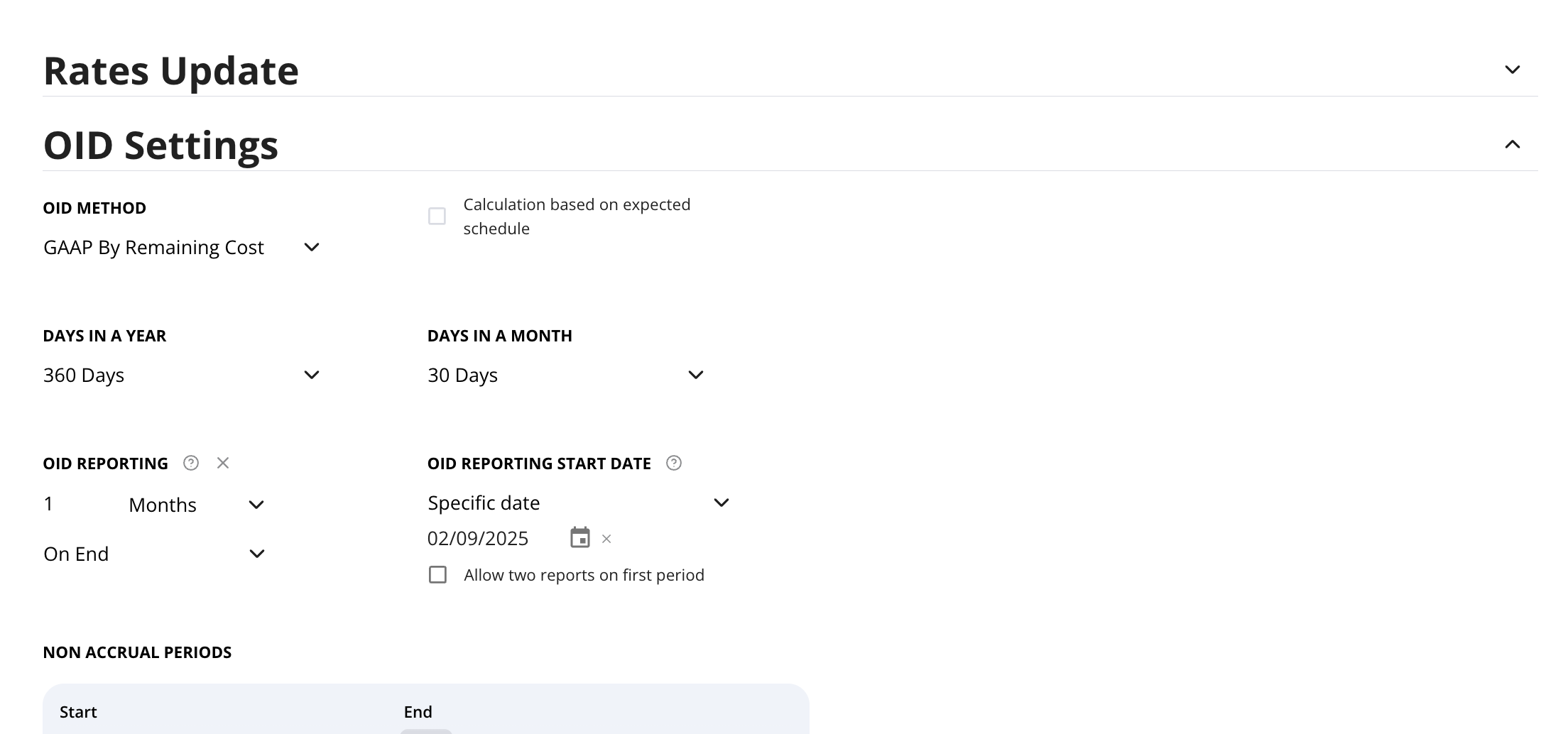
Always check the method first — it determines what "correct" looks like for OID Interest.
GAAP By Remaining Cost
Base: Unamortized OID remaining cost from the prior row
Formula: OID rate/ number of periods x remaining OID cost
As the OID balance amortizes, each period's base gets smaller, so the OID interest calculated off it also shrinks over time. It's largest early in the loan's life and gradually decreases as the balance approaches full amortization at maturity.
GAAP By Outstanding Principal
Base: The loan's outstanding principal balance at that row
Formula: OID rate/ number of periods x Outstanding Principal amount
OID interest drops in steps that align with principal repayments. This is expected and correct for this method.
5. OID Troubleshooting
OID not updating after a change to loan?
OID tab → Restructure Events sub-tab — confirm the change was actually logged as a restructure event.
If logged but the rate looks unchanged, check whether the change actually affects cash flow — e.g. a rate change (10% → 12%) moves the yield, but a higher late-payment fee % doesn't if no late payment ever occurs to trigger it.
Check if the affected component is locked/manually-entered rather than auto-linked to a fee — locked components don't auto-update; they need direct edits.
If the change falls inside an already-locked period, it won't flow through on its own — the Lock Date freezes those schedule rows, so nothing upstream recalculates them automatically:
Backdated fee amendment — the fee updates, but the locked periods still reflect the old fee terms.
OID Component added/edited with a date inside the lock — the component exists, but its effect never gets folded into the frozen rows.
Corrected historical transaction (draw, repayment, disbursement) — should shift the OID rate, but won't ripple through locked dates.
Historical data imported/corrected after the fact — same freeze applies, just via a data fix instead of a manual edit.
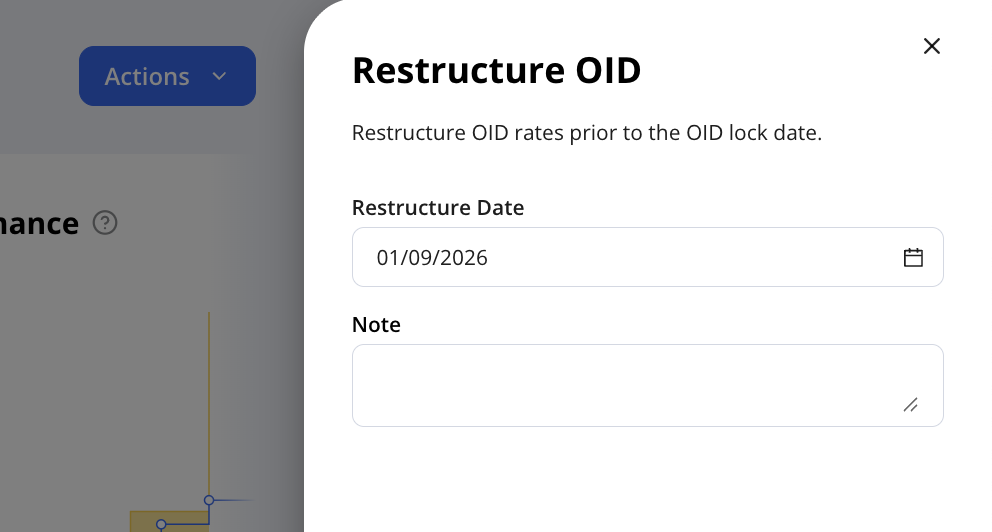
Fix: run an OID Restructure. Actions → Manual Entry → Restructure OID → set the Restructure Date to on or before the change's date → submit. This recalculates forward from that date, independent of the Lock.
Why are OID amounts negative?
Expense vs. income: Check whether the component is flagged as an expense (premium/OIP) or income (discount) — e.g. a factor fee charged upfront on an advance is income and shows positive, while legal fees the lender pays out of pocket to set up a loan are an expense and show negative.
Overallocation: Check each component's recorded value against the actual disbursed amount — e.g. if a second disbursement was added but the matching OID component wasn't updated, the pro-rata split can push a component negative even though that component itself is fine.
OID remaining cost not zero by end of loan. why?
Confirm every disbursement was captured — e.g. a second disbursement raised the loan's real OID cost, but the component was never updated, so remaining cost never fully closes.
Check whether the OID components were updated to reflect the loan's actual final payoff — e.g. if the components were originally set up expecting a full $1M repayment, but the loan actually paid off early with a $500K balloon, and the components were never updated to match, remaining cost will still show $500K left over instead of hitting zero.
Check for a mismatch between an OID Component and its related fee. Components aren't linked back to fees in the system, so if a fee's amount is later changed — an amendment, a recalculated payoff-based fee, a correction — the OID Component created for it doesn't update automatically. The two can drift out of alignment silently. Example: an Exit Fee has a manually-created OID Component set up with a matching amount at inception. The fee amount is later changed at the fee level, but the OID Component is never updated to match. OID continues amortizing based on the previous/stale component value, not the fee's current amount, until someone catches the mismatch and updates the component.
The fix in hypercore:
Go to the loan's OID tab, find the Component tied to the fee (matched by name — remember, there's no system-enforced link, so you're matching manually).
Update the Component's Value (and Date, if that changed too) to match the fee's current, correct amount.
If the affected period is already locked, or periods have already amortized off the stale value, run Actions → Manual Entry → Restructure OID, with the Restructure Date set to before the fee was changed — so OID recalculates forward using the corrected component value. This is the same restructure mechanic covered in section 4.
Check whether the loan's maturity payment amount was entered correctly in the system itself — e.g. if it was set up to expect a $500K final payment when the true payoff is $1M, the calculation will be off by that $500K gap instead of reaching zero.
Fee exists but not being recognized for OID?
Check the fee's OID setting — e.g. if it's set to "Exclude from OID" rather than "Manual OID recognition," it will never generate a component or affect remaining cost, no matter the fee amount.
Check the recognition start date against when the fee is actually charged — e.g. if the fee is charged at maturity but the recognition start date was left at the loan's start date, the OID breakdown can look mismatched or delayed.
Is the type (Income vs Expense) correct for each component?
OID rows missing for some periods
Check the OID reporting frequency setting — e.g. if it's set to a custom date instead of monthly/EOM, rows only generate on that cadence, which can look like missing periods if you're expecting month end rows.
Check for a restructure event around the gap — e.g. a mid-period term change splits the cash flow into separate segments, so the row right at that date may look different or missing compared to a normal period.