Product Updates: Nov 19, 2025
Last updated: May 7, 2026

Funding Entity Page Reimagined
The Funding page has been fully redesigned to give you clearer visibility into portfolio performance and capital deployment.
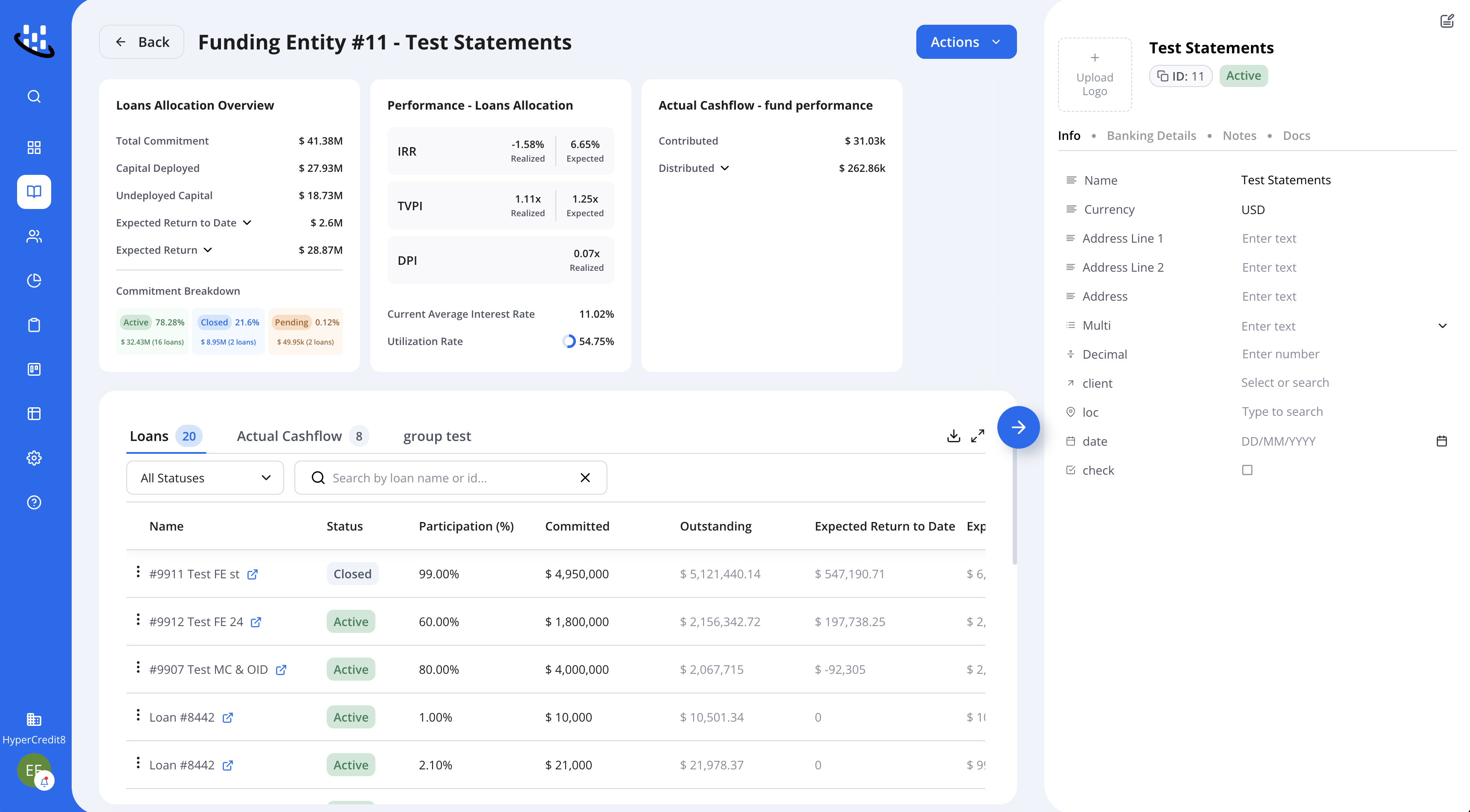
Summary cards
We've introduced new Summary Cards on the Funding Source page, giving you immediate visibility into key metrics, including:
Allocated Loans Overview
Total Commitment
Capital Deployed
Undeployed Capital
Expected Return to Date
Expected Return
KPIs
Realized and Expected IRR-
Realized and Expected TVPI
DPI
Average Interest Rate
Utilization Rate
Actual Cashflow Metrics
Total Contributed
Total Dsitributed
This redesign makes it easier to track performance, understand where capital is allocated, and evaluate fund-level returns- all from a single view.
Hover to see tooltips for broader explanation on each metric
Loans Tab
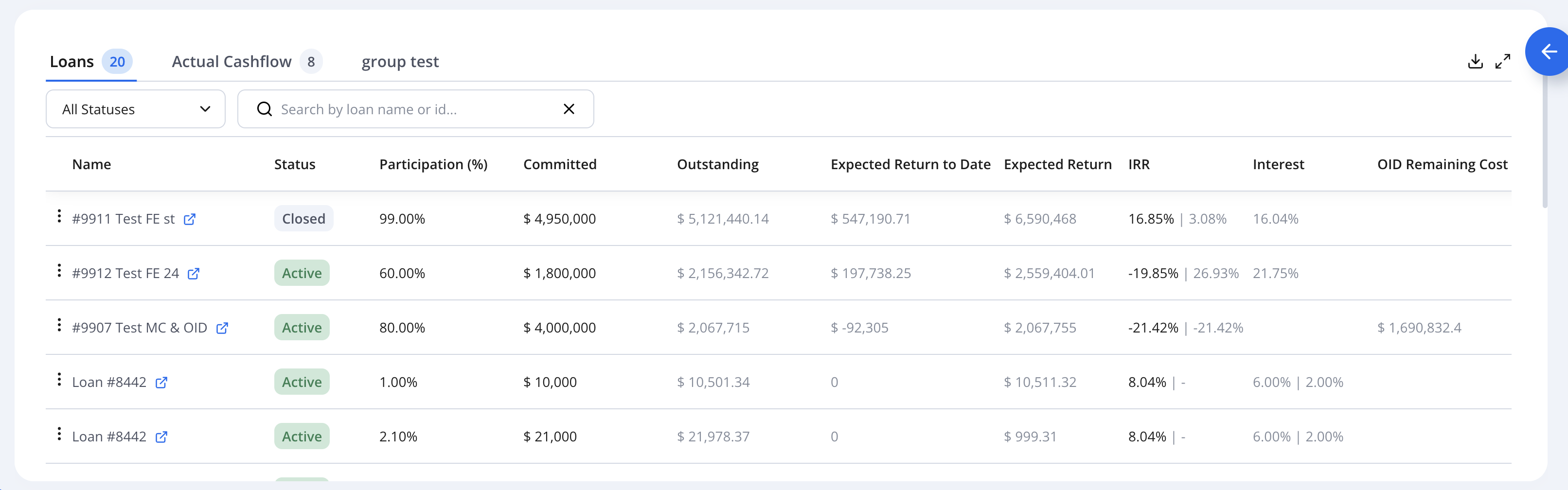
The redesigned Loans section gives you a clearer, faster way to review all allocated loans tied to the funding source. Key improvements include:
Search by Loan Name or Loan ID
Filter by loan status for quicker segmentation
More informative columns - including Committed, Outstanding, Expected Return and IRR figures
Column breakdowns on hover - hover over fields like Outstanding to see a detailed breakdown
This update makes it easier to navigate large portfolios and access the information you need with fewer clicks.
Loans reflect only this funding source's share of the loan.
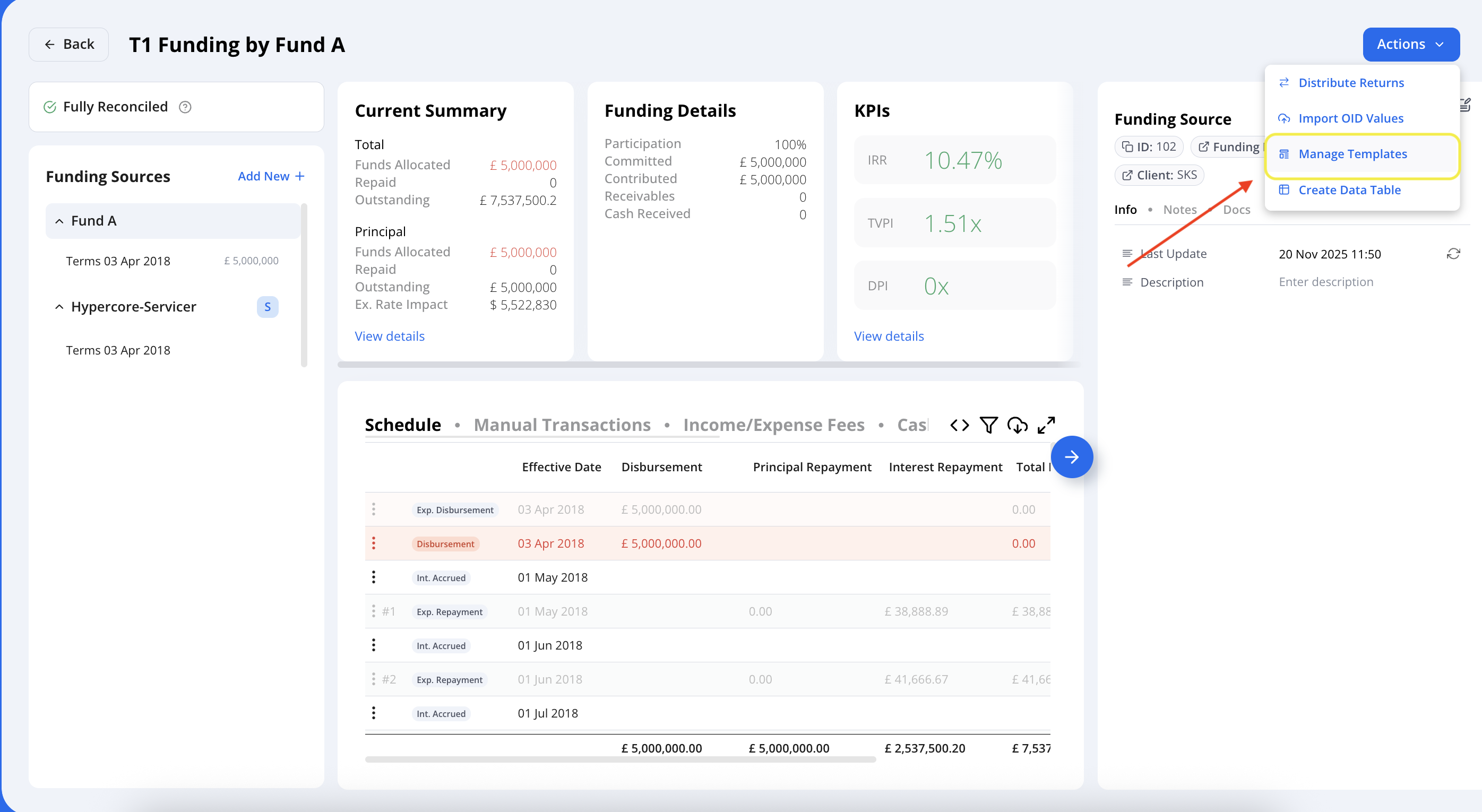
Funding Sources Templates
Funding source setup is now faster, more consistent, and less error-prone.
With Funding Source Templates, you can predefine standard configurations for your funding sources - so every time a funding entity is added to a loan, the system automatically applies the correct rules, flags, and settings.
Why it matters:
Ensures consistency across all loans
Reduces manual setup errors
Saves time for both onboarding and ongoing operations
Makes scaling to multiple entities easier and more controlled
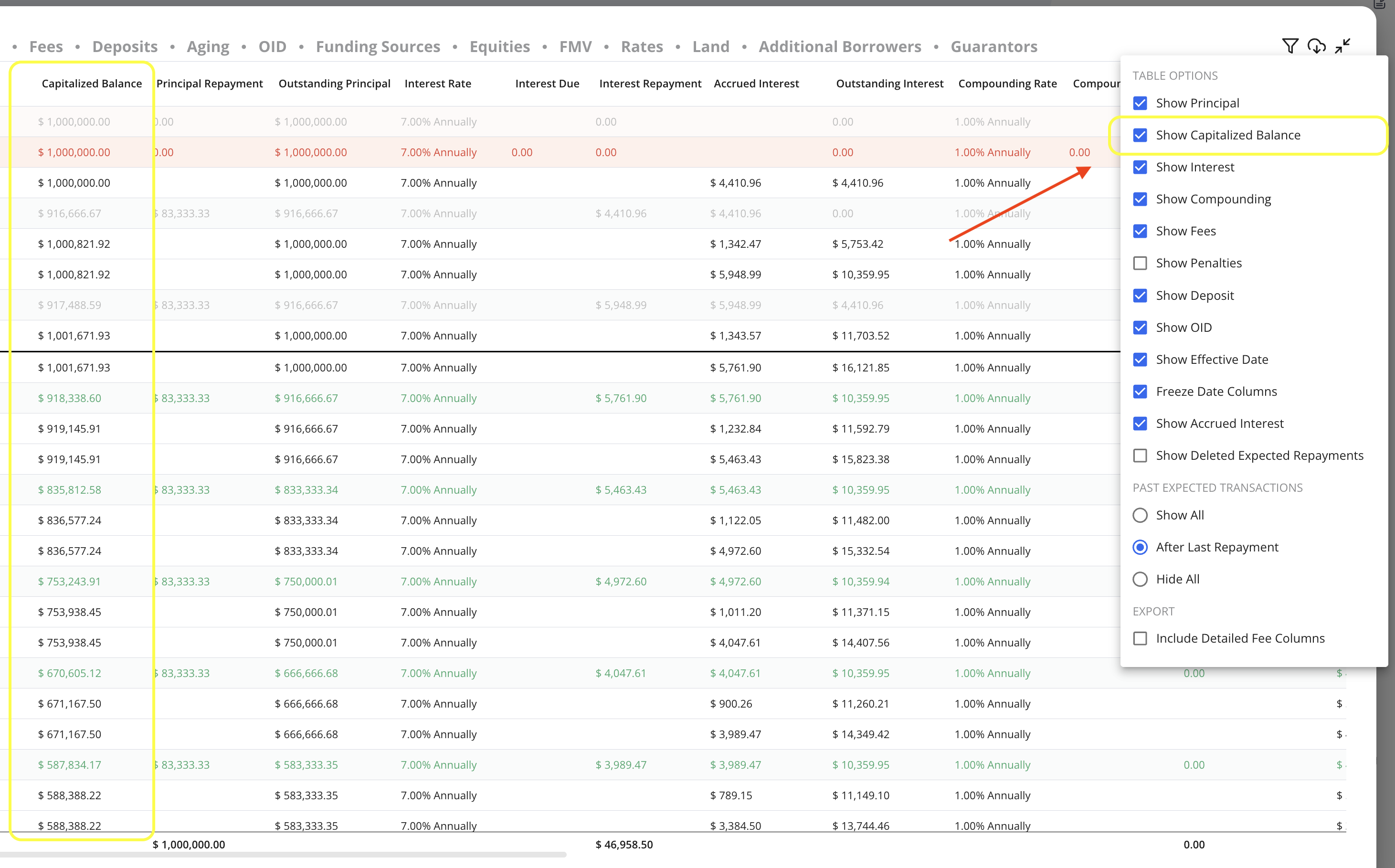
New Schedule Columns:
Capitalized Balance
A new optional schedule column is now available: Capitalized Balance.
Once enabled (via the filter icon in the schedule), it will appear by default on all loan schedules moving forward.
What it shows: The balance on which interest is currently accruing, including:
Outstanding principal
Capitalized fees
Outstanding compounding (capitalized)
Any other capitalized components
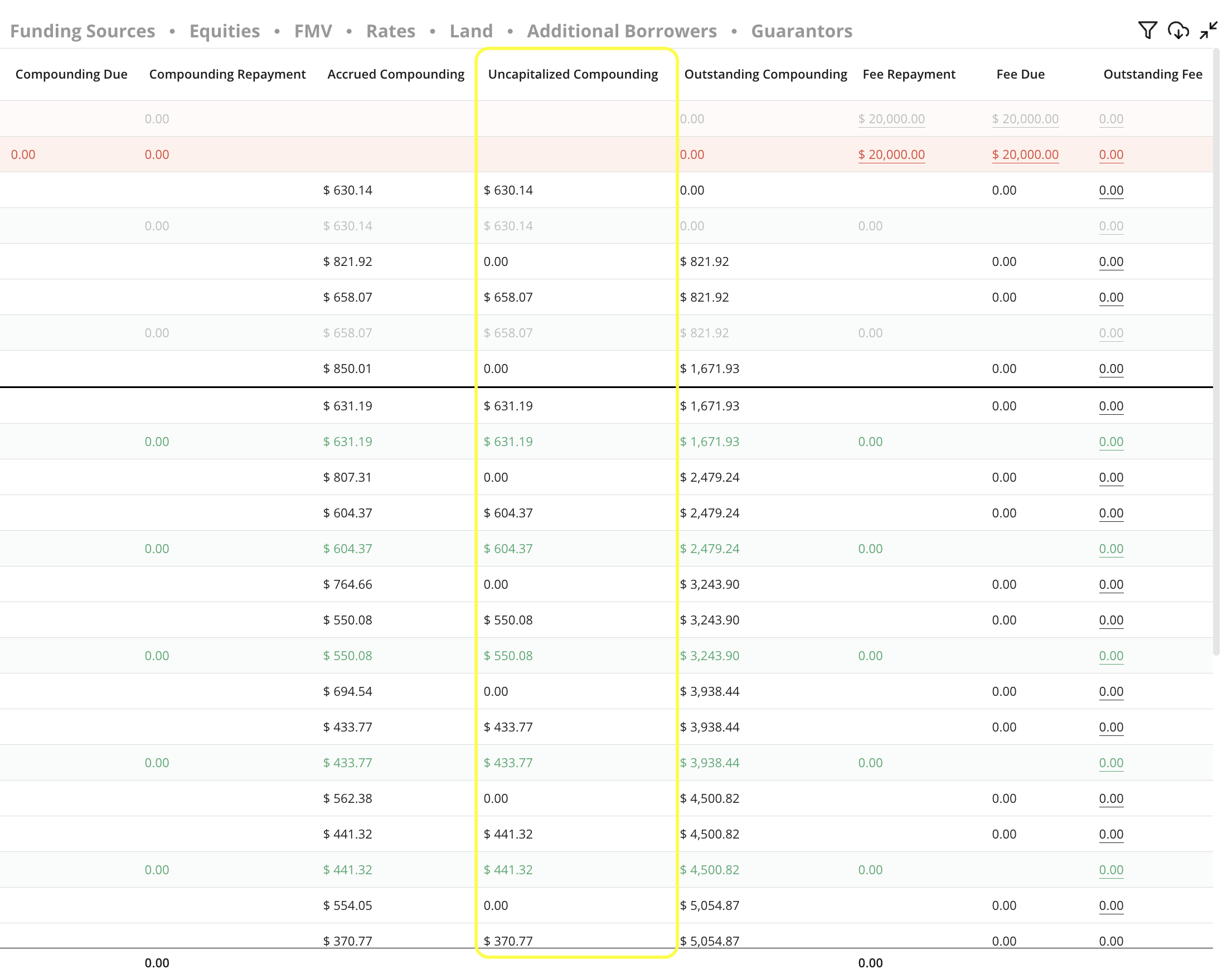
Uncapitalized Compounding
For loans with compounding interest, we’ve added another column: Uncapitalized Compounding.
What it shows: All compounding interest that has accrued but has not yet been capitalized into the balance.
This helps distinguish between:
Capitalized amounts (the “Outstanding Compounding” column), and
Accrued-but-not-capitalized interest
Search functionality
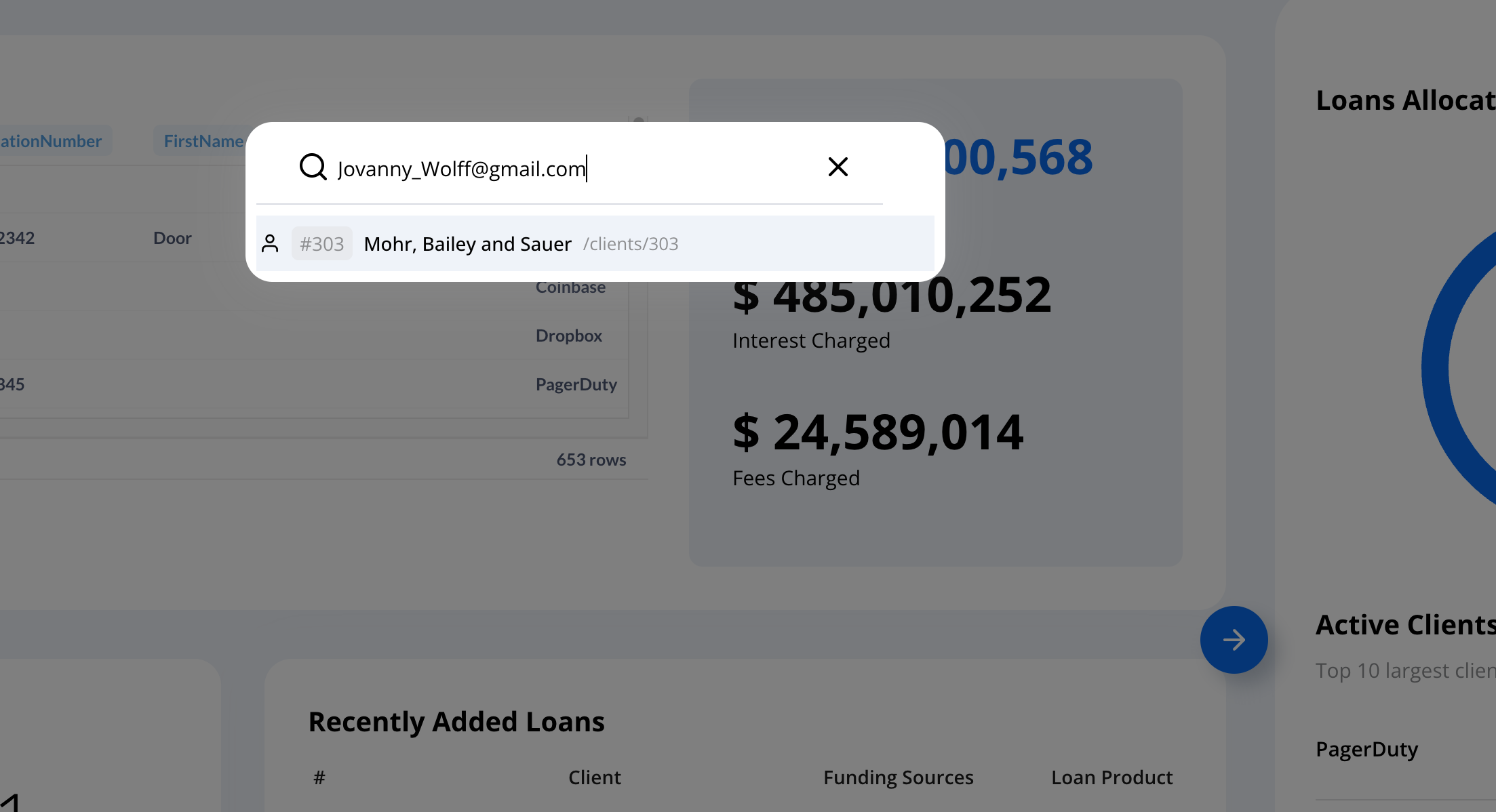
We've expanded search optionality to include emails
Bulk Actions
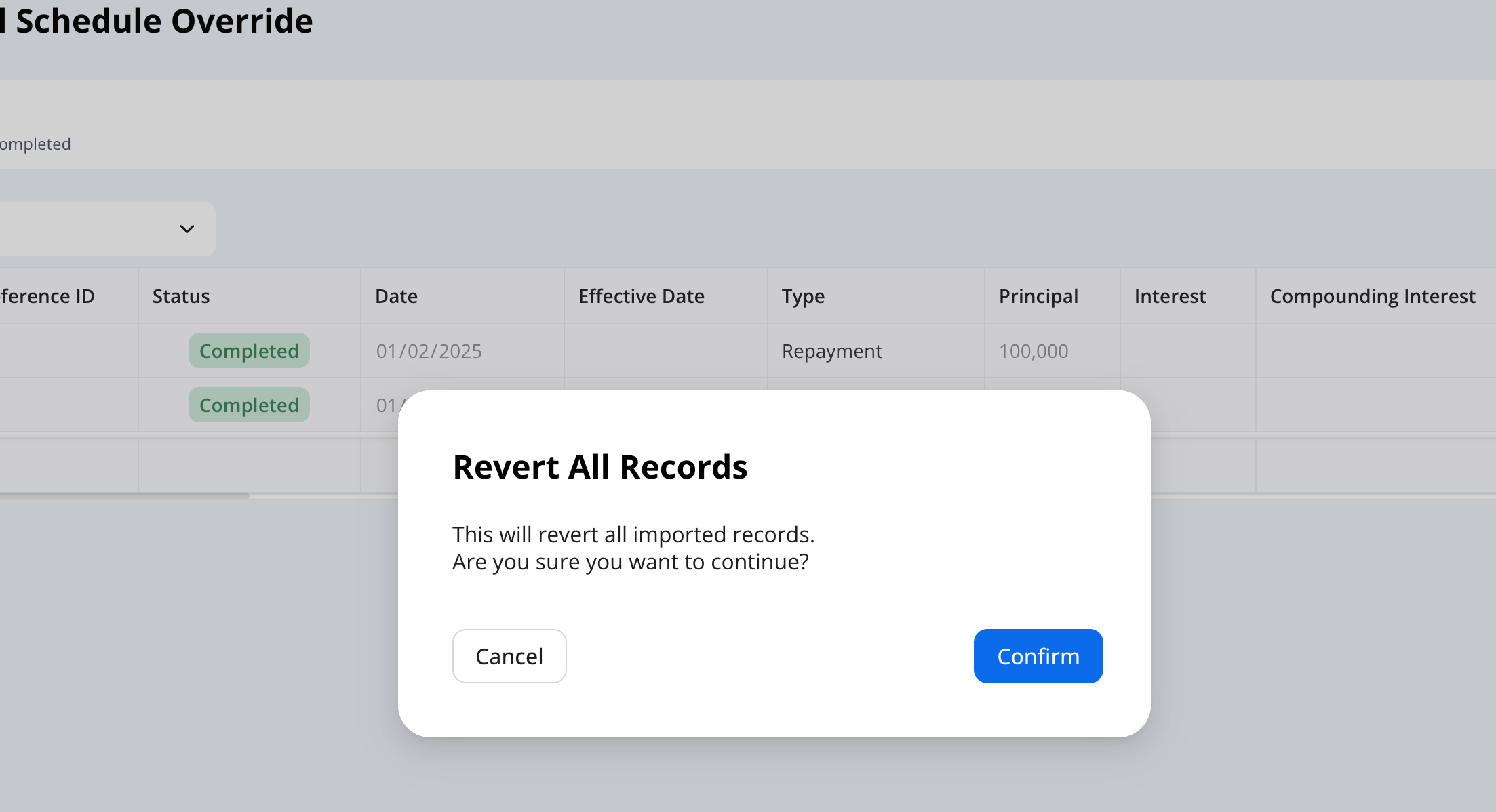
When reverting records the system will prompt you to confirm this action to ensure optimal compliance and record keeping
Questions or thoughts? Let us know.