Funding Source Templates
Last updated: May 14, 2026
Use templates to standardize how funding sources are configured on loans. Templates save time, reduce errors, and make new funding sources consistent by applying predefined settings automatically.
When to use templates
You repeatedly add similar investors or servicers
You want default interest, fee, and repayment rules applied automatically
You manage multiple funding sources and need consistency
Accessing Template Management
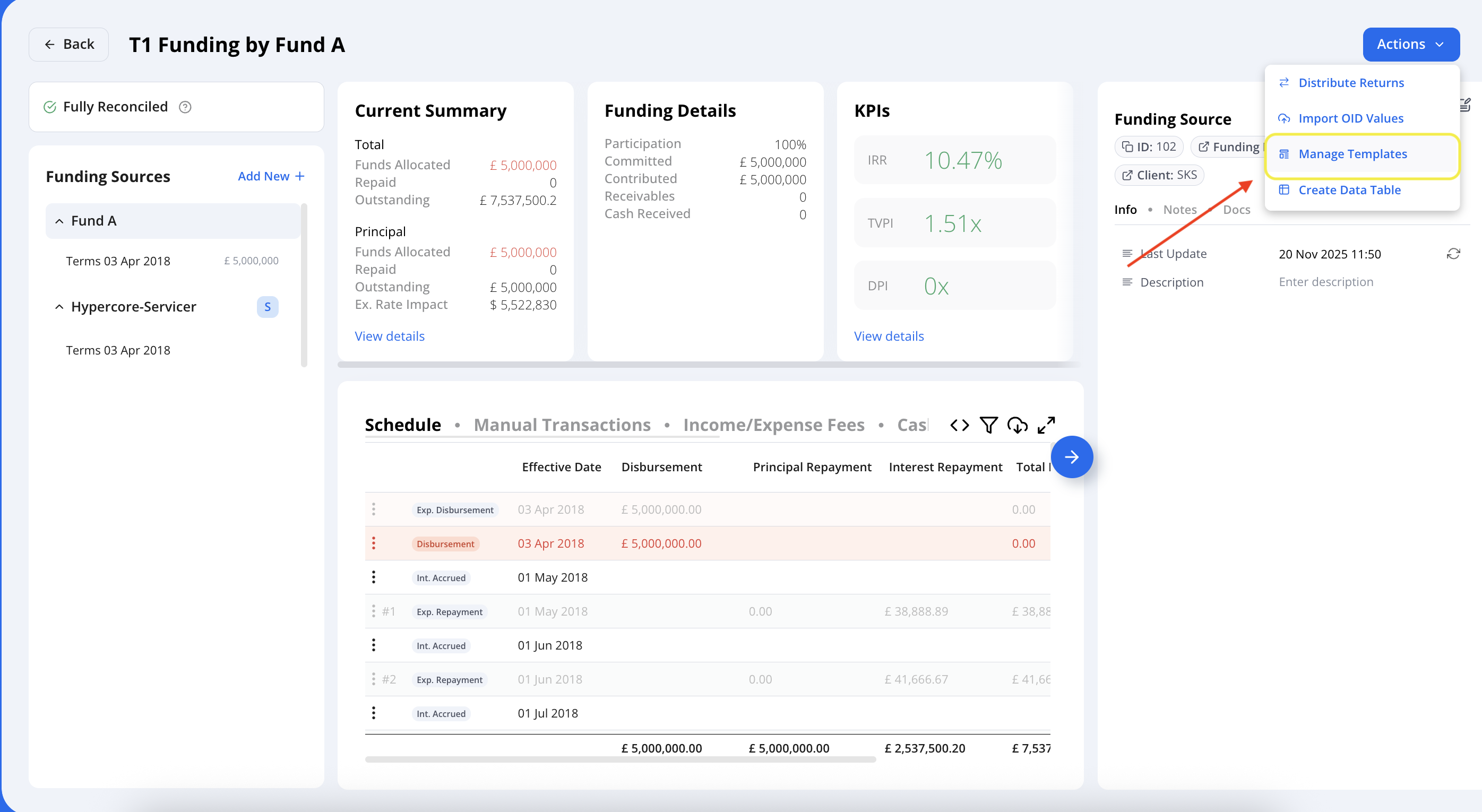
Go to a funding source page → Click Actions
Select Manage Templates to view, create, or edit templates.
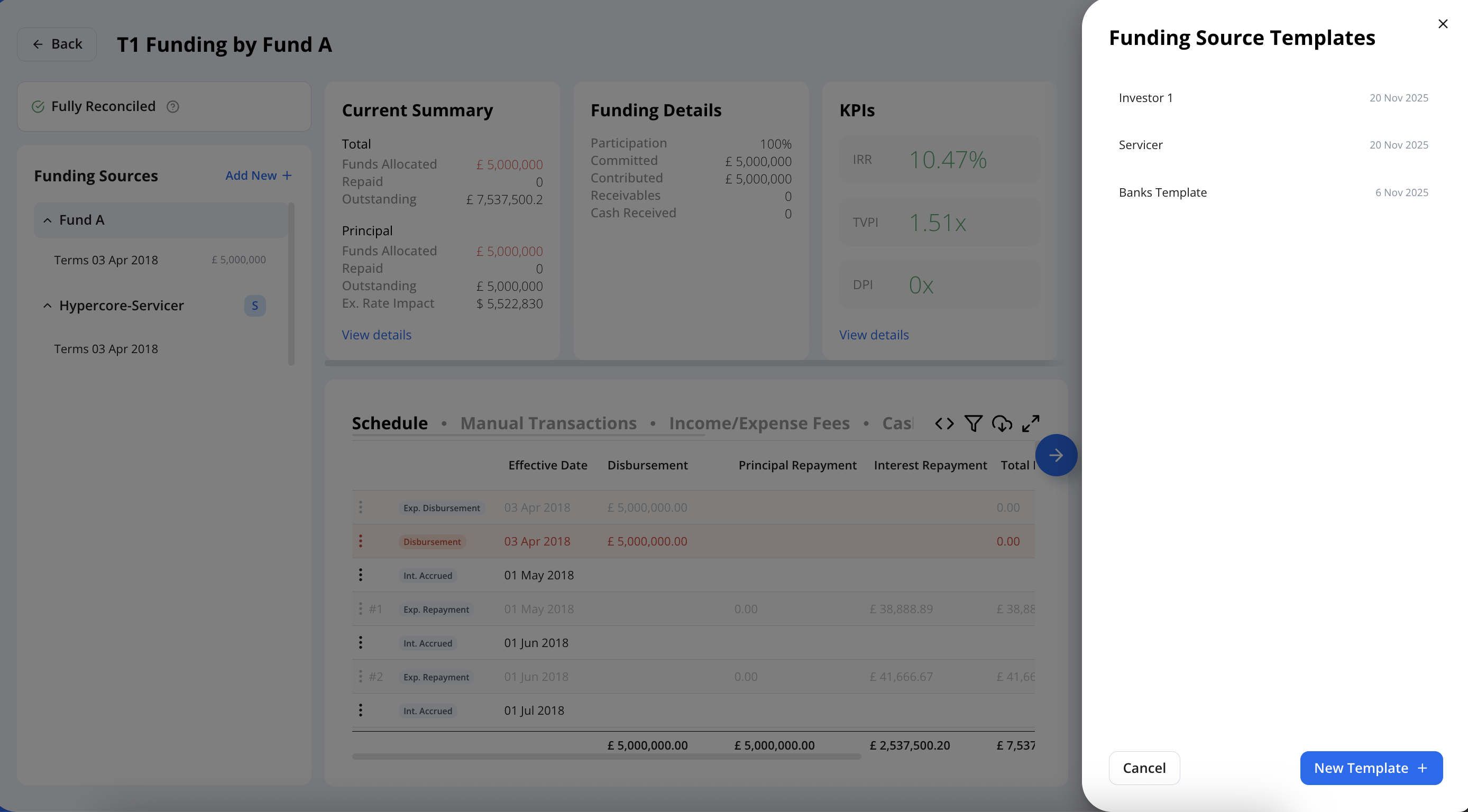
Hover over a template name to edit or delete it.
Click New Template to create a new template.
Create a New Template:
A template stores predefined settings that are automatically applied whenever the template is selected, ensuring consistent configuration across funding sources.
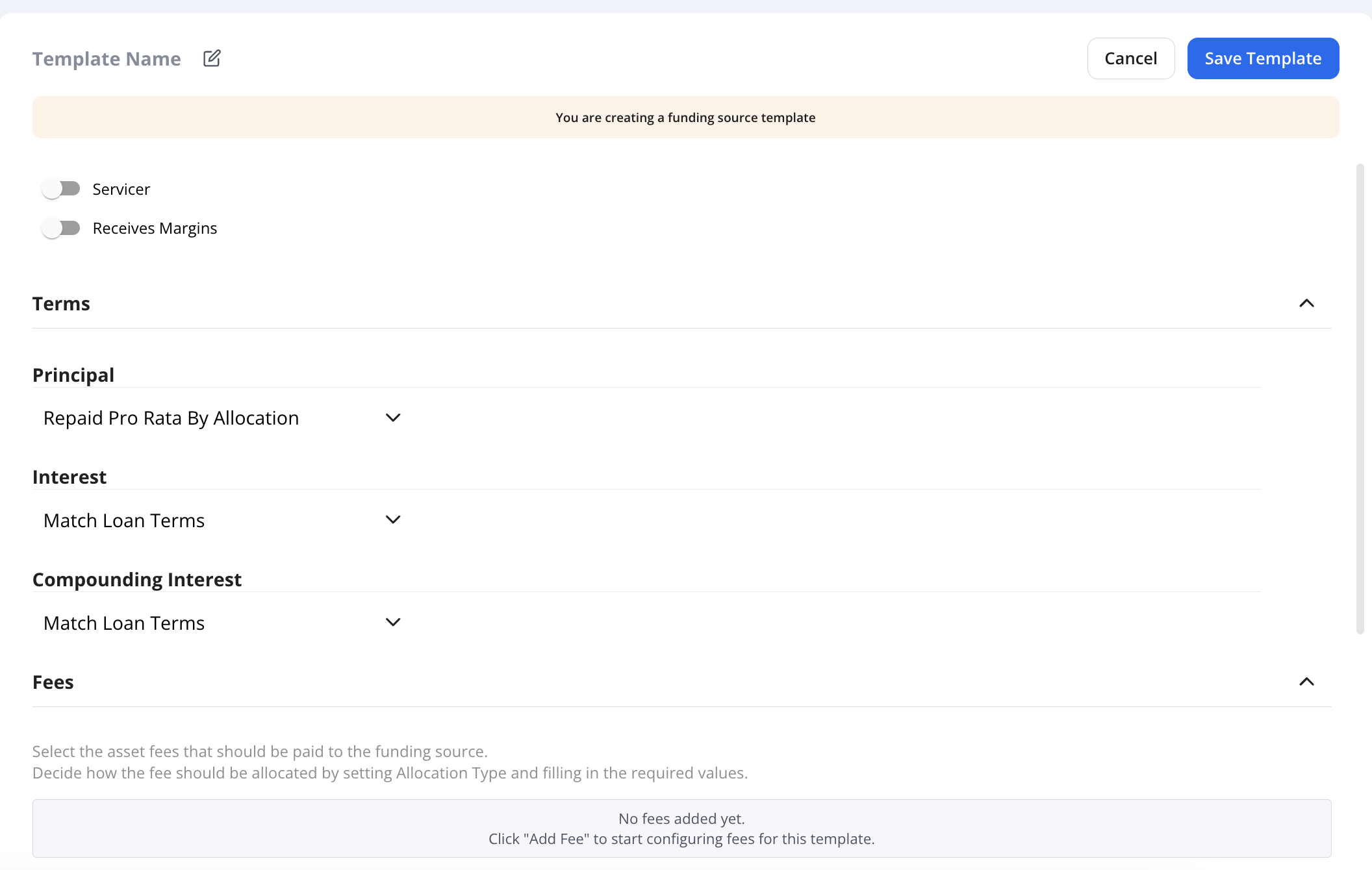
Template’s fees:
When creating a template, all available fee types in your account are displayed so you can choose which to include. If a loan has a fee specified in the template, that fee will automatically appear in the Terms when you select the template during allocation.
Example 1: Create a Servicer Template
For entities that service the loan but don’t participate in principal and receive a portion of fees and interest.
Name: Servicer
Principal: Split by allocation
Interest: Enabled, flat 0.5%, based on loan outstanding balance
Fees: Based on your policy
Settings: Customize to ensure expected or capped repayments as needed
Save the template.
Example 2: Create an Investor Template
For standard funding sources that participate in principal and accrue interest.
Name: Investor
Interest: Pro rata by outstanding principal
Fees: Match the loan’s terms
Save the template.
Apply templates when adding funding sources
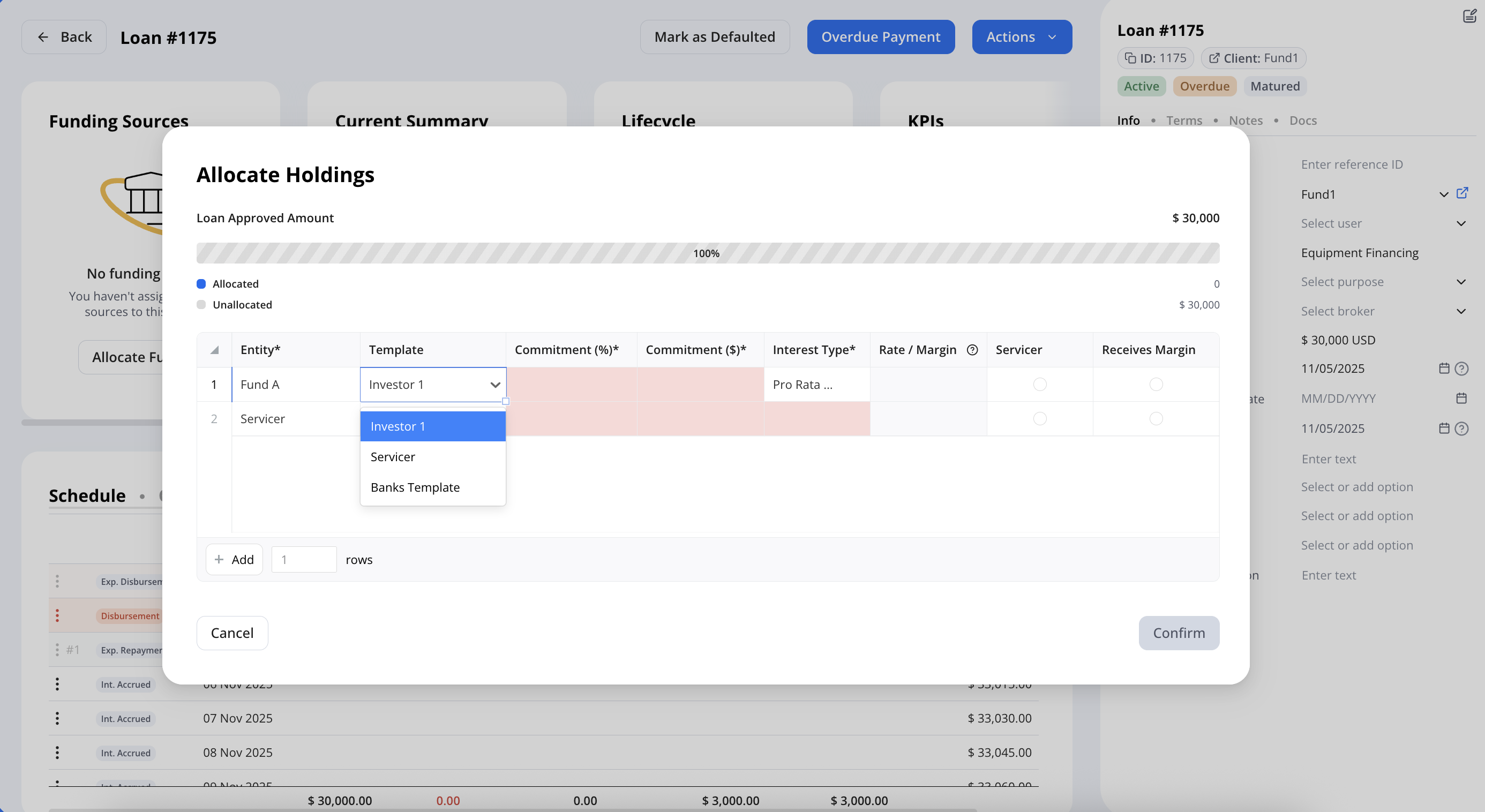
On the target loan, add a funding source and select the entity.
Choose the appropriate template.
All predefined settings apply automatically.
You can mix templates on the same loan, for example:
Servicer template for the servicer with zero commitment and rate
Investor template for participating funds with allocations as needed
Tips and best practices
Create one “servicer” template for all servicers and one or more “investor” templates for common investor patterns.
Review interest and fee rules in templates to match your standard loan terms.
Use templates to speed up onboarding of new funds and minimize manual setup.
Need Help?
For additional support, contact us at support@hypercore.ai.