Debt Sale Guide
Last updated: June 14, 2026
The Debt Sale feature in Hypercore allows you to transfer a portion of one funding entity's investment to another — whether to a new funder entering the deal or an existing funder already on the loan.
Initiating a Debt Sale
Navigate to the relevant funding source on the loan.
Click the three-dot menu on the funding source and select "Sell Debt."

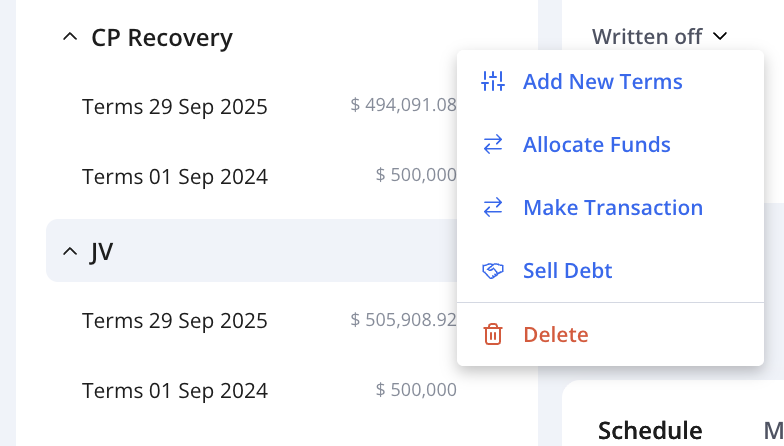
Click the three-dot menu on the funding source and select "Sell Debt."
Configuring the Sale
A configuration window will appear. Fill in the following fields:
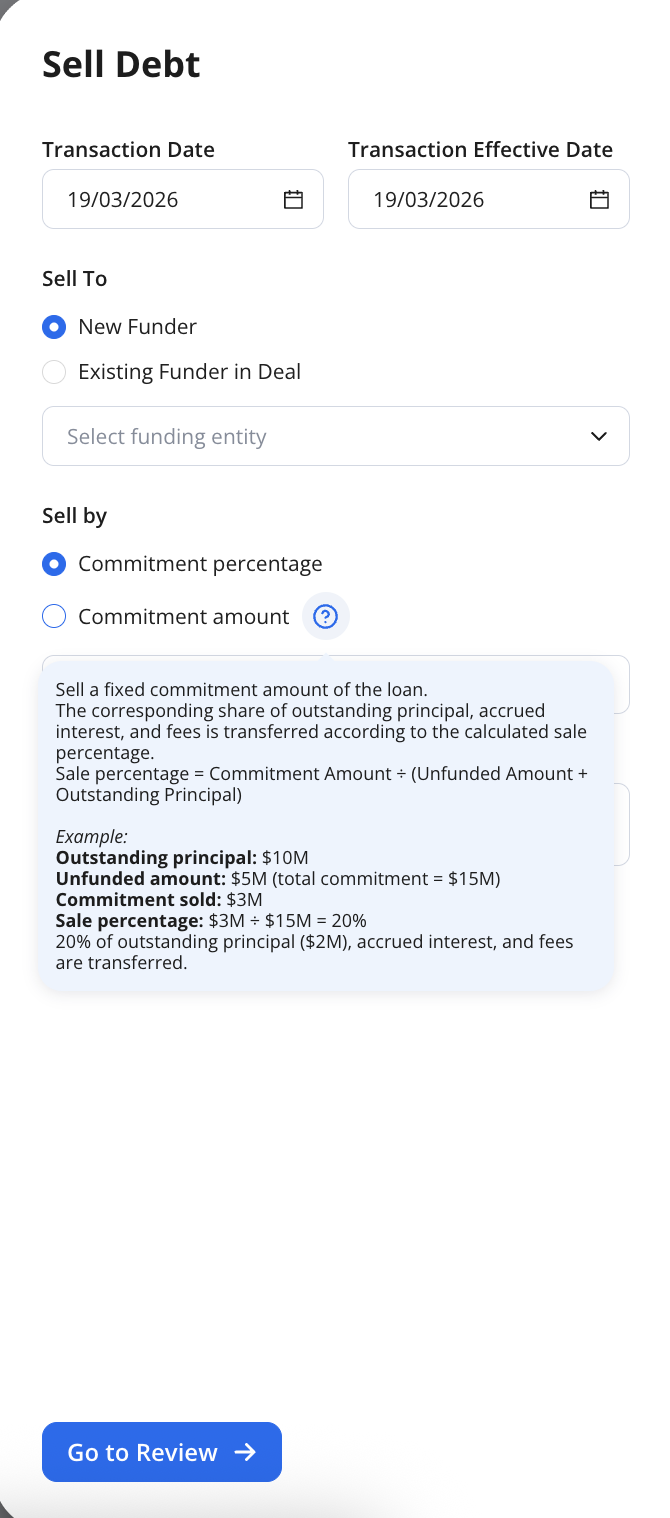
Fill in the following fields:
Sale Date: Select the date you would like the debt sale to take effect.
Sell To: Choose who is receiving the debt — New Funder (an investor entering the deal for the first time) or Existing Funder on Deal (a funder already allocated on the loan).
Sell By: Choose how you would like to define the transfer amount — Commitment Percentage or Commitment Amount:
Commitment Percentage: enter a percentage of the funder's total commitment that you want to sell. The system uses that percentage directly as the sale percentage to determine what share of outstanding principal, accrued interest, and fees gets transferred to the buyer.
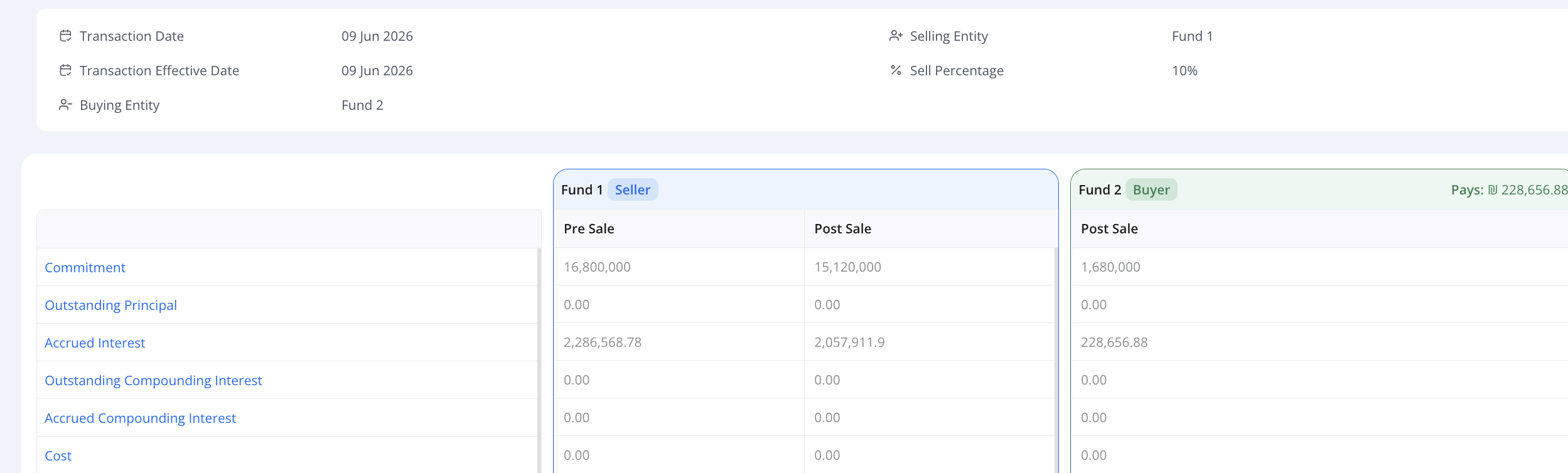
Investor 1: 30%
Investor 2: 70%
Investor 1 sells 10% to investor 2
Hypercore will transfer 10% of the commitment, outstanding principal, accrued interest, and fees from investor 1 (seller) to investor 2 (buyer).
Commitment Amount: This option lets you enter a fixed dollar amount of the commitment to sell instead of a percentage. Hypercore then calculates the effective sale percentage for you.
When selling a fixed commitment amount the corresponding share of outstanding principal, accrued interest and fees are transferred according to the calculated sale percentage per Hypercore.
The sales percentage = Commitment Amount/( Unfunded Amount + Outstanding Principal)
For Example:
Outstanding Principal: $10M
Unfunded amount: $5M ( total commitment= $15M)
Commitment Sold: $3M
Sale percentage: $3M/ ($15M)= 20%
20% of the outstanding principal, accrued interest and fees are transferred to the buyer.
The Commitment Amount method is recommended if doing a historical debt sale whereby there are multiple terms with additional drawdowns. As Commitment Percentage doesn't take into account if there an upsize to the loan.
Reviewing the Sale
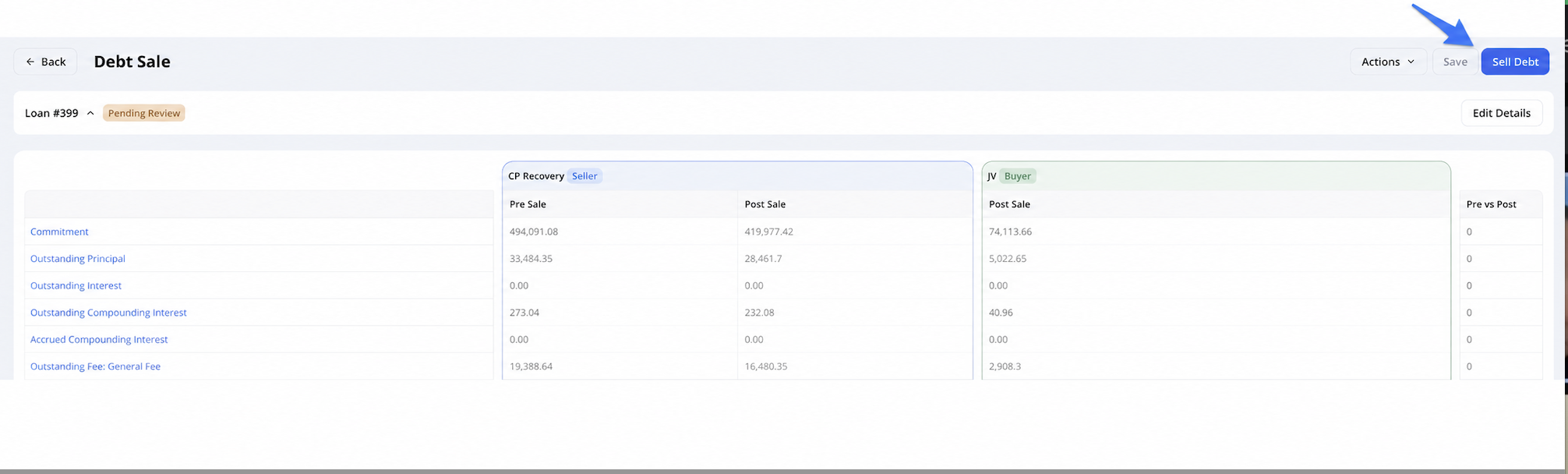
Hypercore will navigate you to the Preview Page, where you can review all components of the debt sale as a draft:
The values in the table are editable.
By selecting "Actions" you can: Delete the debt sale or export it as a csv.
By selecting "Sell Debt" the sale will be executed.
You can also "Edit Details" from the preview page instead of starting the sale process again.
What Gets Sold?
As per the preview above you can see all components of the sale including: the commitment and all outstanding components based on the current balance for the investor (outstanding principal, interest and fees).
Balances across all components (principal, interest, fees).
After the Sale
Once completed, the debt sale will be reflected in the funding source schedule:
Debt Seller:

Debt Buyer:

In the Debt Sales tab on the funding source, you can view a full log of all completed sales.

Revert a Debt Sale
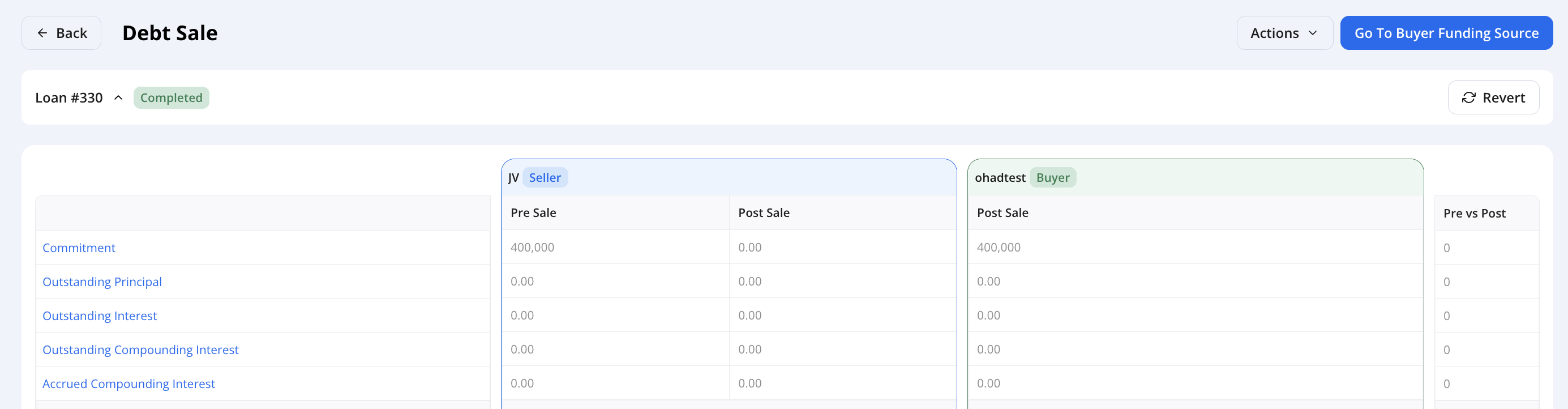
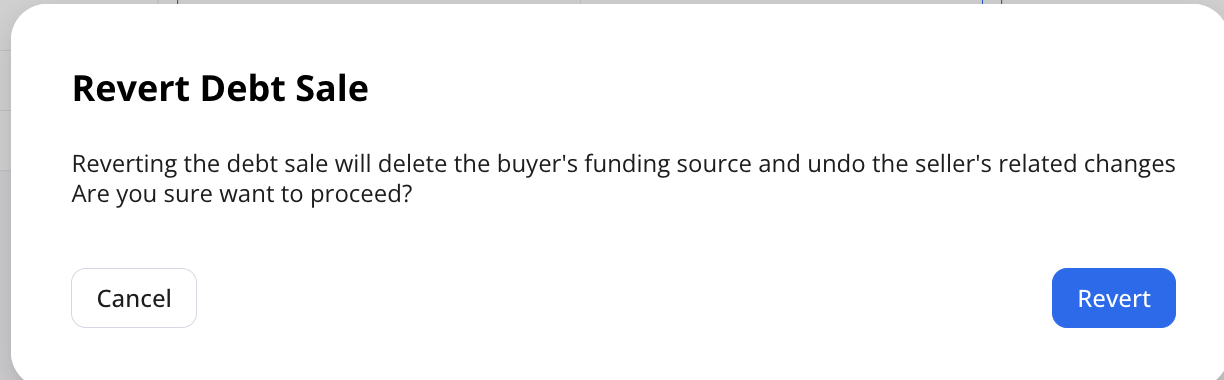
In order to revert a Debt Sale you can select the navigate to the Debt Sales tab in the funding source schedule> select the date > this will bring you to the preview and you can select "Revert".
Editing a Debt Sale
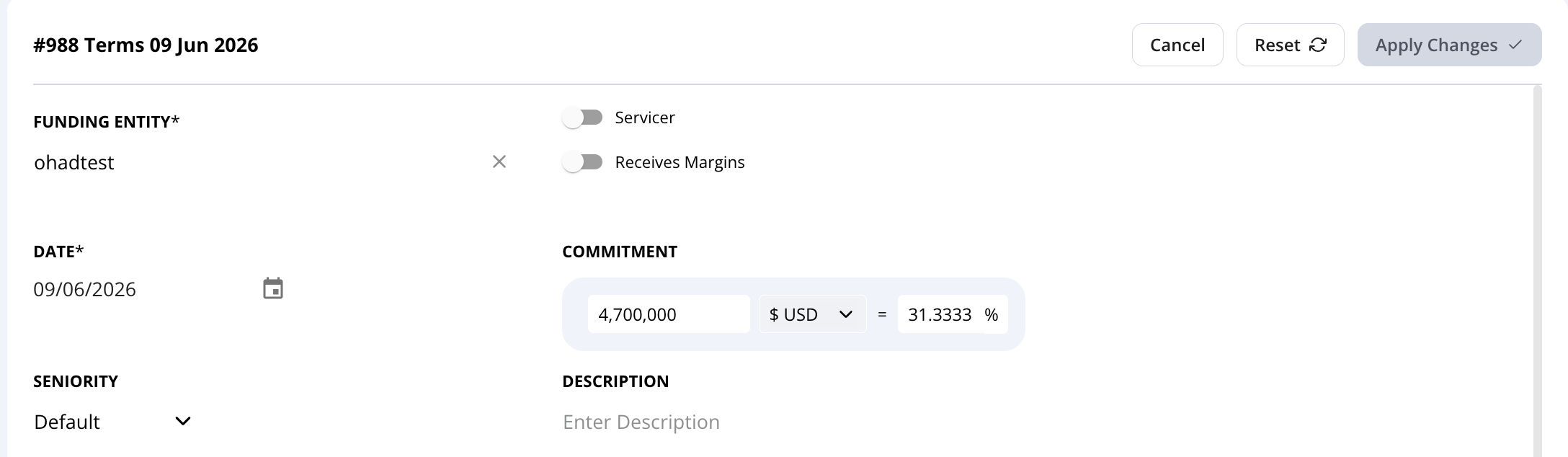
In order to edit a Debt Sale you will need to enter the new terms created upon the date of the debt sale and edit the commitment amount and select "Apply Changes"
Need Help?
For additional support, contact us at support@hypercore.ai.