Product Updates: October 22, 2025
Last updated: May 7, 2026

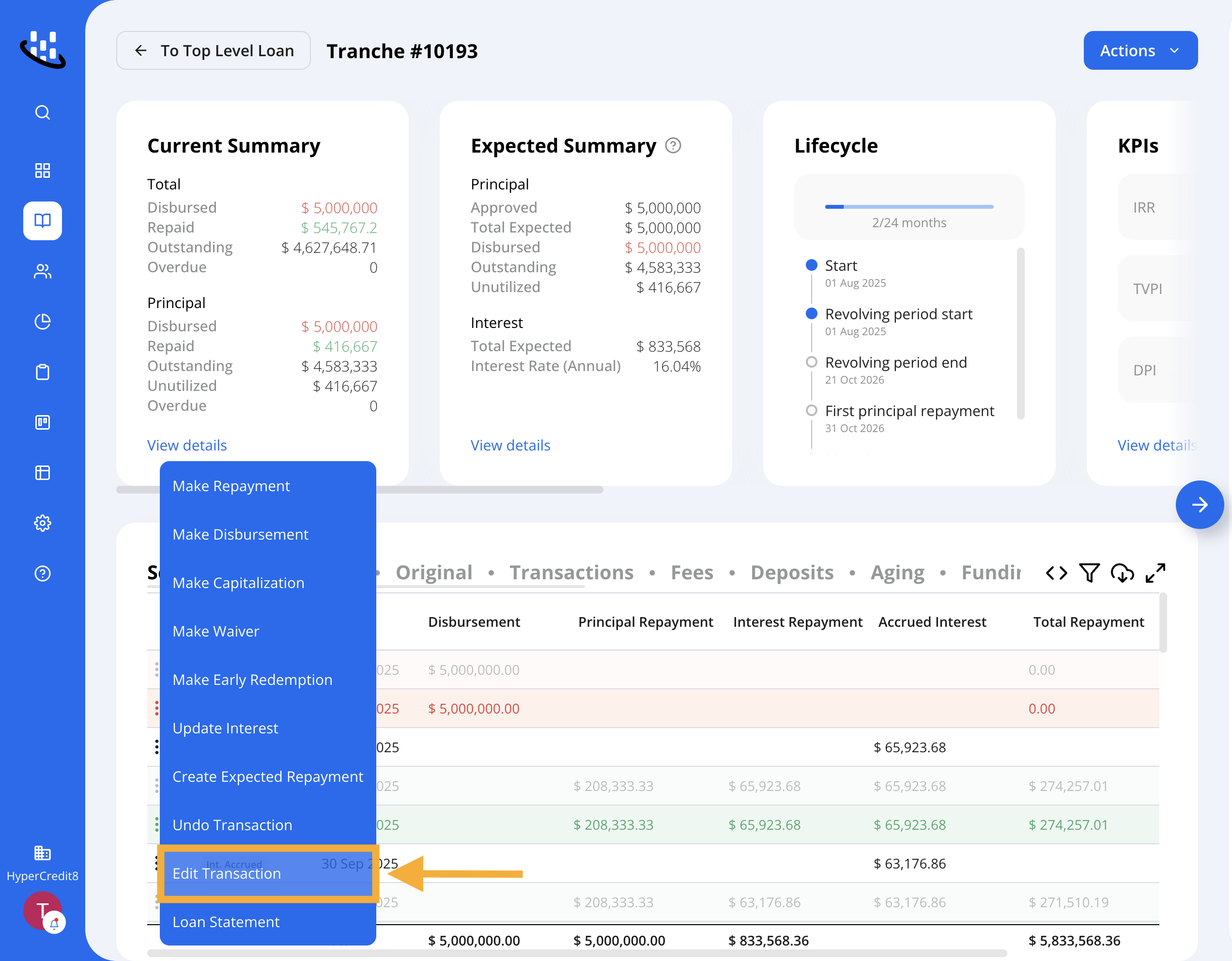
Edit Disbursement Transaction
We've enhanced the Disbursement Transactions feature!
You can now edit disbursement details directly-no more undoing and recreating transactions.
Update amounts, dates, funding source splits, and other relevant fields easily to save time and reduce friction in your workflow.
You can edit a disbursement from the repayments schedule or from the transactions tab using the 3 dots menu => Edit Transaction button
Funding Sources Multi-Tranche Aggregation
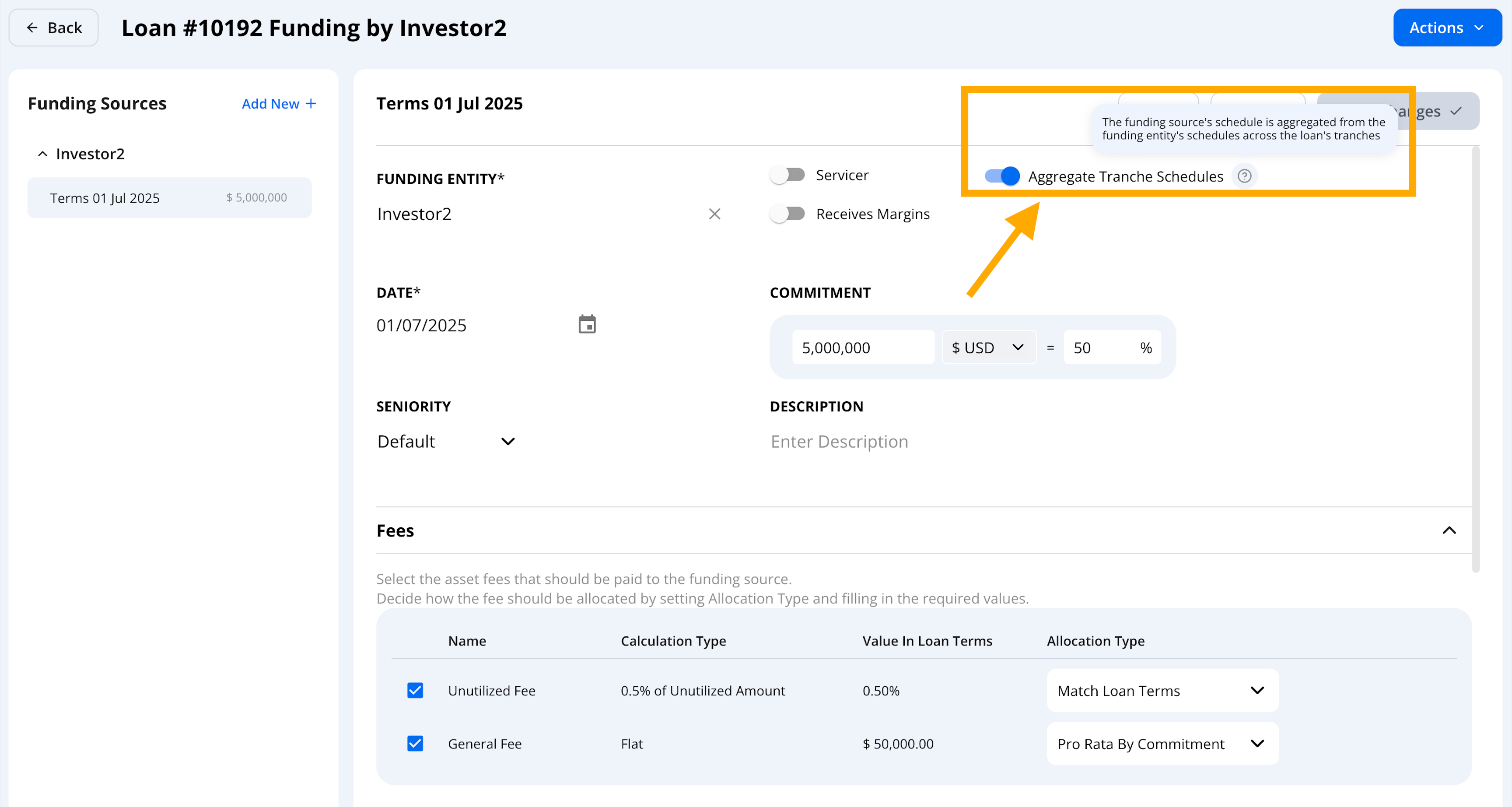
We've introduced a new feature that lets you create a consolidated view for any funding source investing across multiple tranches within the same multi-tranche loan.
Unified visibility: View all investments of a funding source across tranches in a single, aggregated dashboard with key performance metrics (KPIs) and a combined repayment schedule.
Automated fee allocation: Fees defined at the facility level (such as un-utilization fees) are now automatically and accurately distributed across funding sources — reflecting any changes in holdings or transactions between funding sources over time.
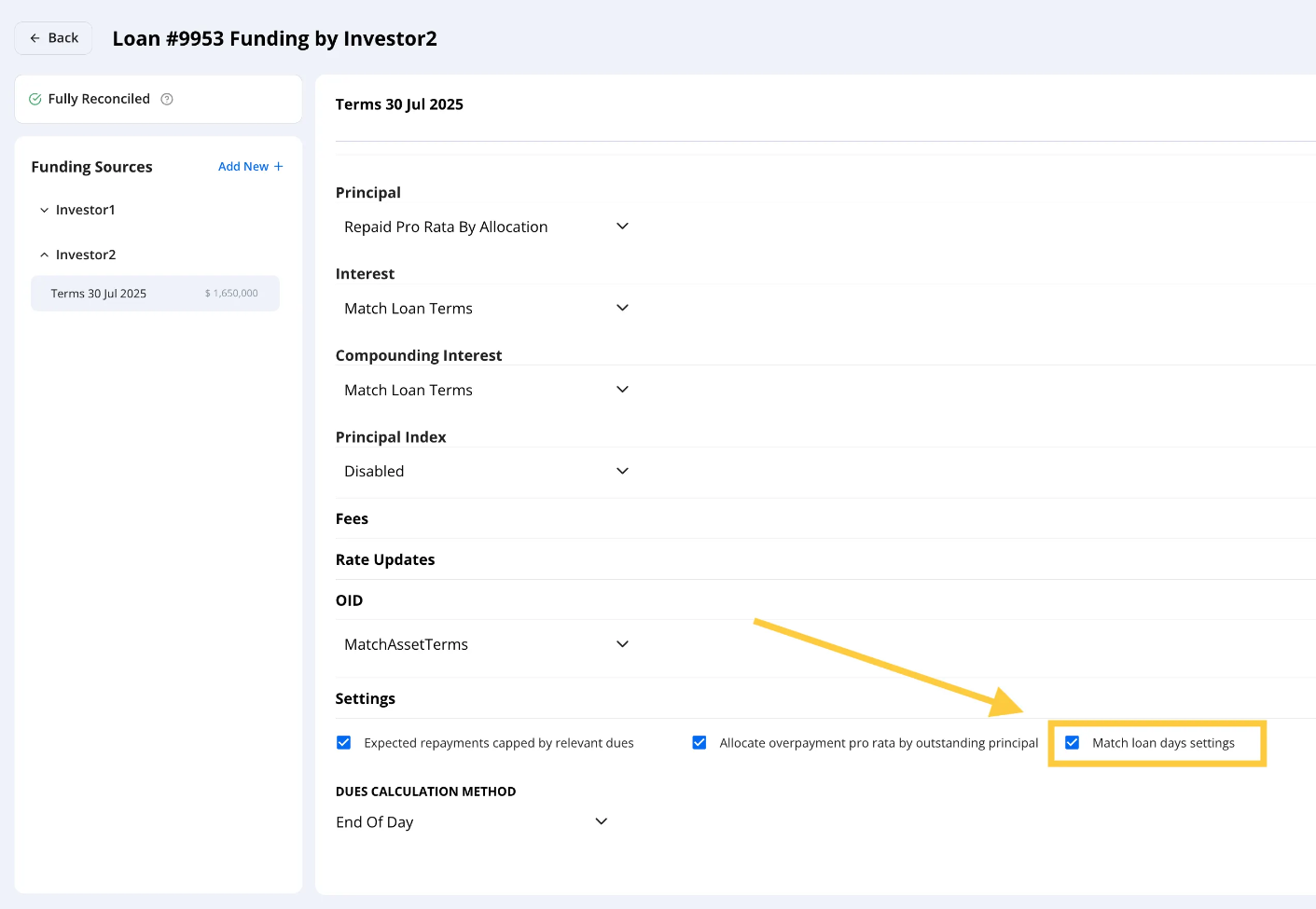
Auto-Match Loan & Funding Source Day Settings
We've added an automated way to keep loan and funding source day-count settings aligned.
A new “Match Loan Days Settings” checkbox (enabled by default for new Funding Sources) ensures that both the Loan and Funding Source share the same day-count convention.
This prevents calculation mismatches and simplifies setup - while still allowing manual changes when needed.