Workflows
Last updated: May 14, 2026
Overview
Workflows in Hypercore provide a flexible way to manage origination, underwriting, and operational processes before a loan is activated.
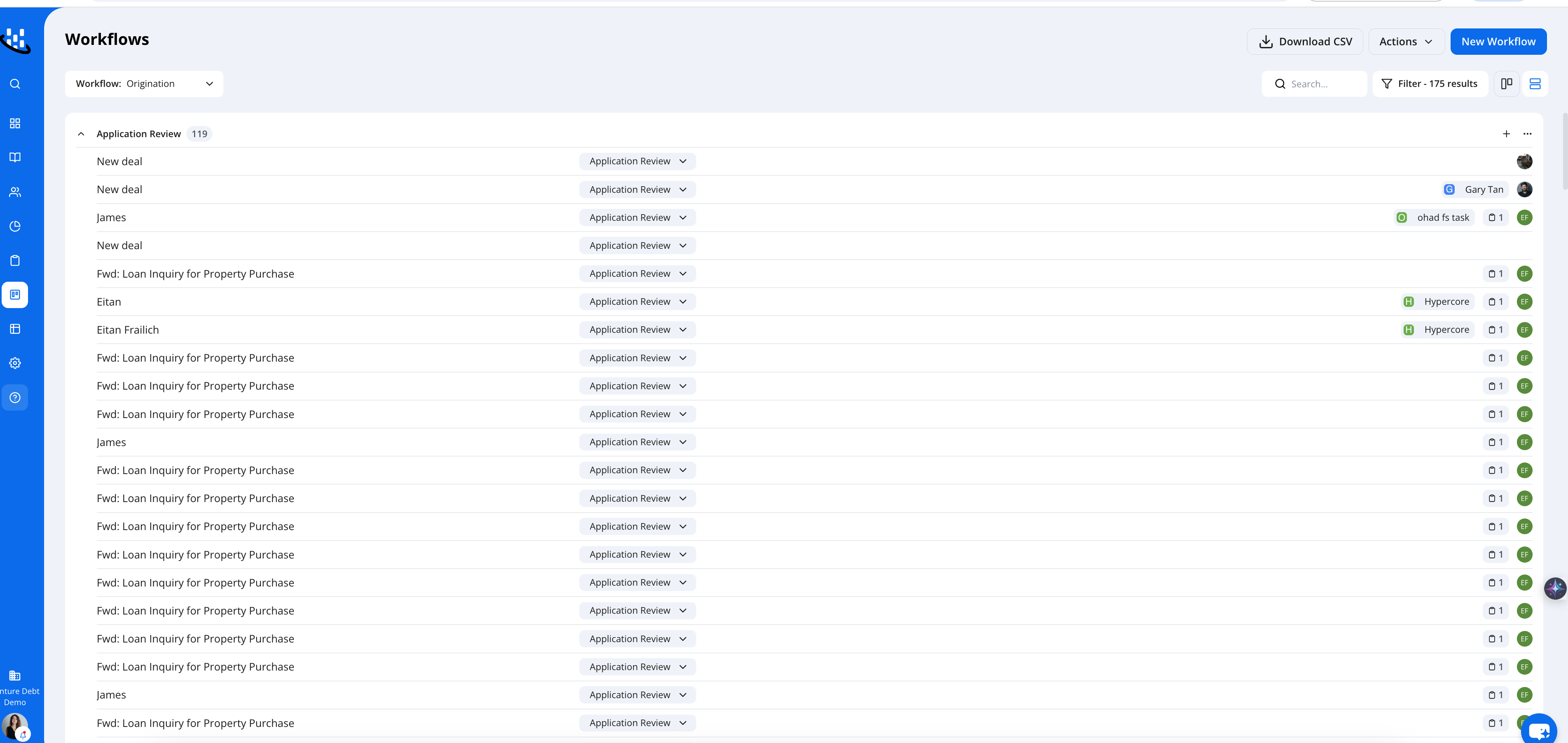
Workflows use a Kanban-style board or List view to track deals, assign tasks, and move opportunities through customizable stages.
This centralizes deal tracking, borrower data collection, and integrates directly with loan creation.
Common Use Cases
Loan Origination- Capture and track deals from lead through proposal to signed agreement. - Manage pipeline stages (e.g., Lead → Proposal → Signed). - Generate loan terms and create Pending Loans directly from deals.
Underwriting- Collect borrower documentation, perform credit analysis, and record internal approvals. - Use Borrower Forms for structured KYC and financial data. - Track approvals, conditions, or credit decisions before finalizing deals.
Compliance & Internal Review- Set up workflows for compliance checks, risk approvals, or internal sign-offs separate from origination or underwriting.
Borrower Onboarding- Use Borrower Forms or public links to let borrowers or brokers submit applications directly - auto-creating deals within workflows.
Key Concepts
Concept | Description |
|---|---|
Deal | Each card on a workflow board represents an opportunity (e.g., client, property, or transaction). |
Client Linkage | Each deal links to an existing or new client - required for borrower engagement. |
Stages | Represent the deal lifecycle (e.g., Lead → Proposal → Signed → Finished). Fully customizable. |
Pending Loan Integration | Convert a deal into a loan and carry forward collected data. |
Borrower Forms (Optional) | Attach forms to deals to collect borrower-provided information. |
Workflow Stages
Stages represent the lifecycle of a deal on a Kanban board.
Example: Lead → Proposal → Signed → Finished
To Navigate:
Go to Workflows in the main menu.
Select an existing board (Origination, Underwriting, or a custom one).

To Create a New Workflow:
Click New Workflow (top-right corner).
Enter a name and confirm to create a new board.

Actions:
Drag and drop deals between stages.
Add, reorder, or delete stages.
Create multiple boards (e.g., Origination, Underwriting, Compliance Review).
Views:
Board View– visual Kanban pipeline.
List View– tabular view with filters, search, and export options.
Creating a Deal
Click + at any workflow stage
Enter various details such as:
Name
Link Client (existing or new).
Optional: Add broker, equity, loan amount.
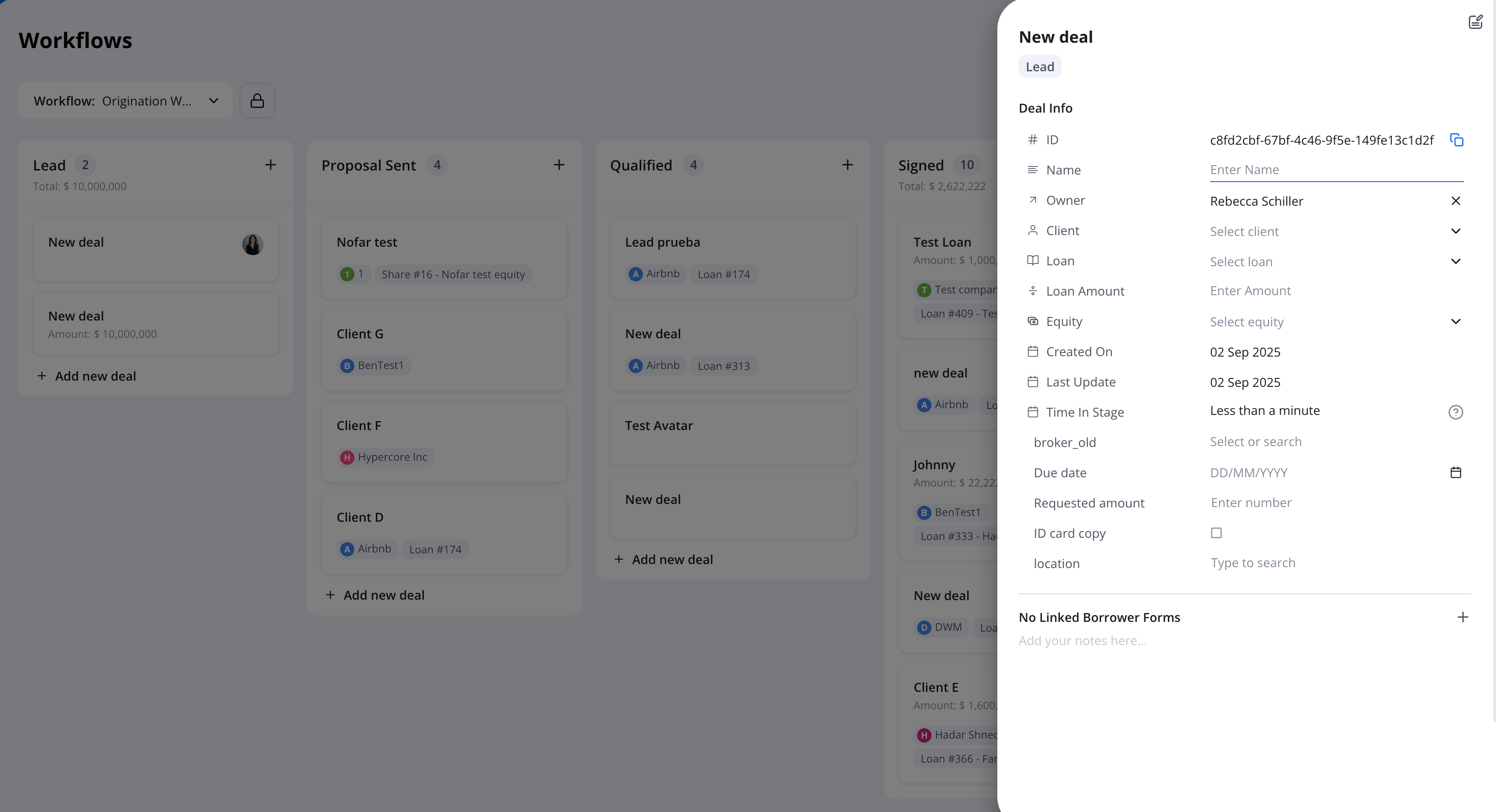
Customize or add deal fields via the Customize icon
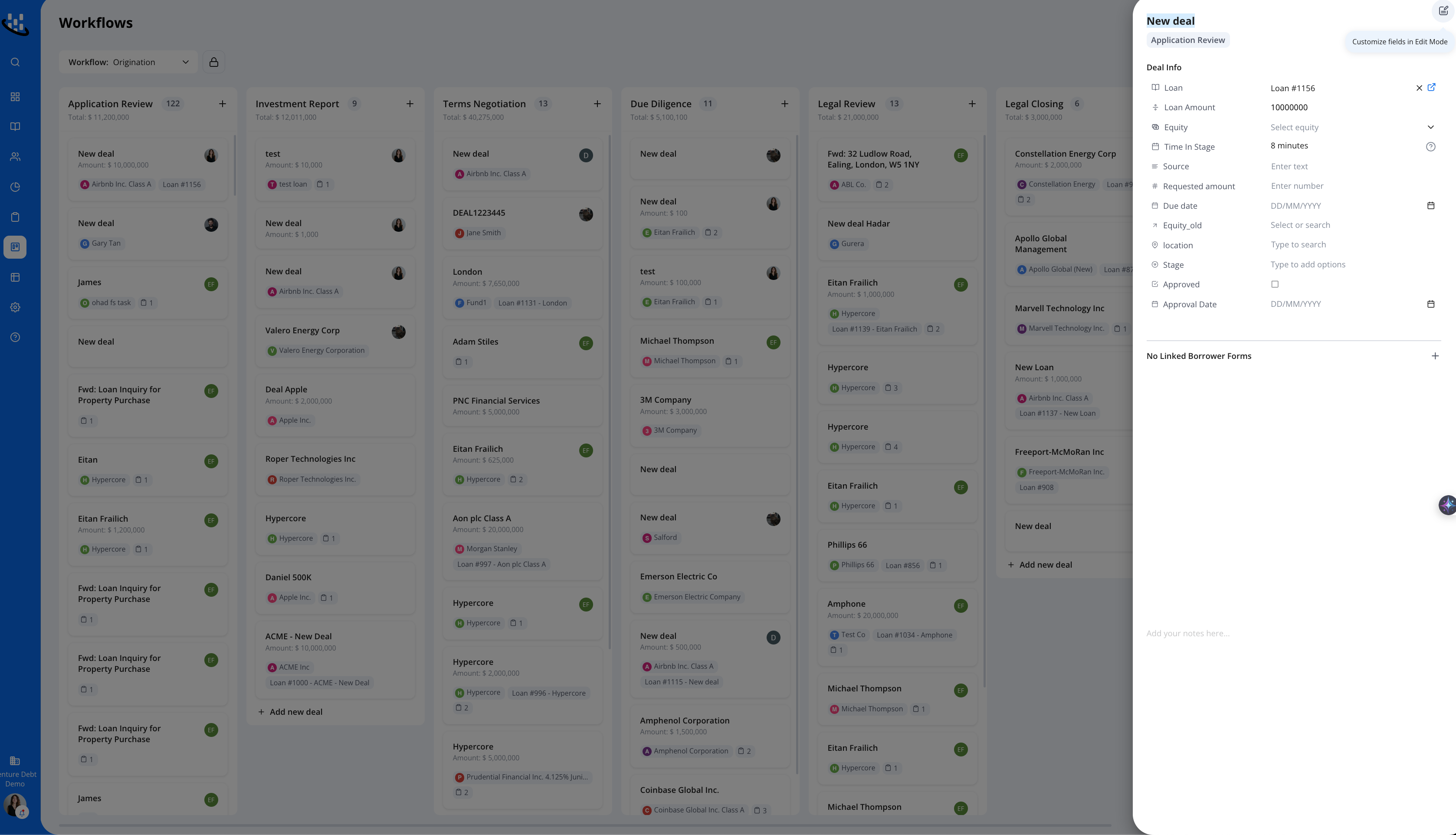
3. Creating a New Loan
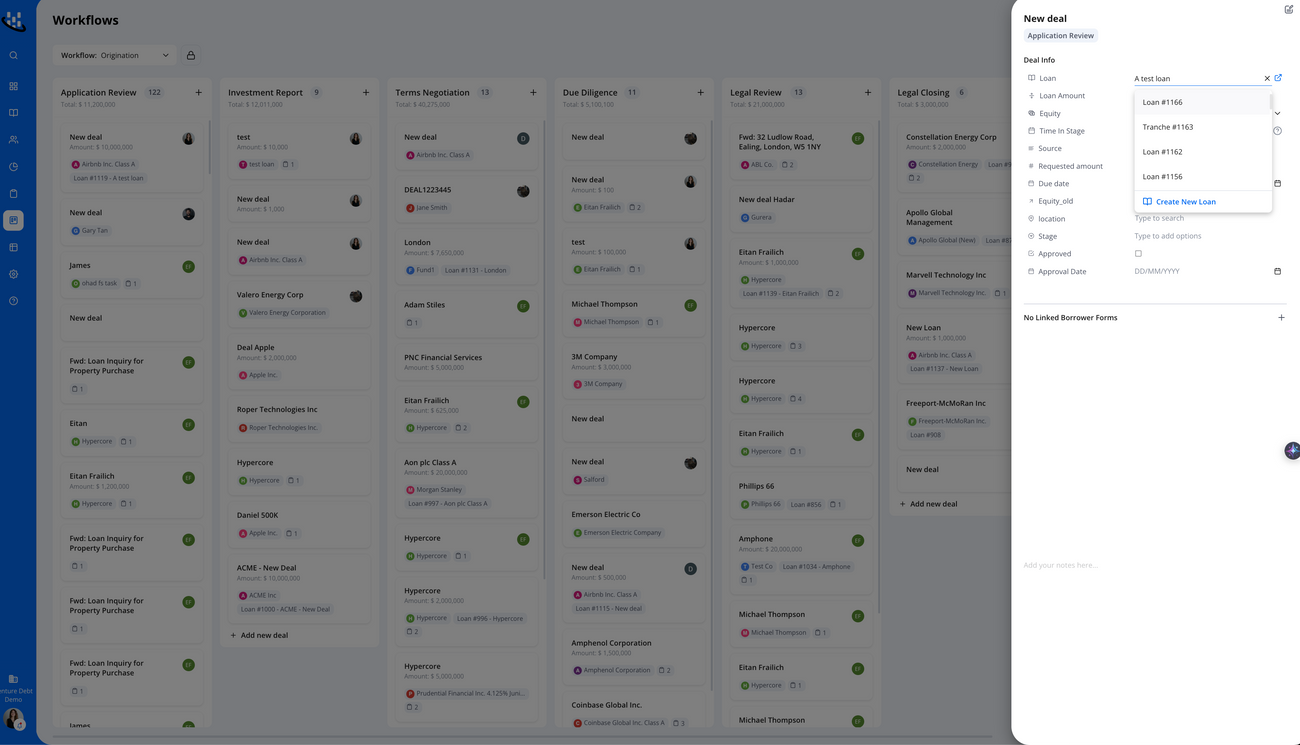
From a Deal Card, click Create New Loan. You'll be redirected to the Loan Template setup page to configure loan details.
4. Borrower Forms (Optional)
Borrower Forms extend workflows by enabling borrowers to provide information directly.
Click + Add Linked Borrower Form from within a deal.

💡 Note: Borrower Forms enhance workflows but are optional. Workflows function independently for teams managing internal origination and underwriting tasks. See full 📄 Borrower Forms guide for more info.
5. Filters, Search & Export
Filters: By owner, stage, borrower, or deal attributes.
Search: Across deals, clients, or attached forms.
Export: Workflows can be exported to CSV for reporting.
Support
If you have further questions about Workflows or Borrower Forms, please contact support@hypercore.ai