Documents Management
Last updated: June 18, 2026
Hypercore centralizes document management across the entire deal structure, allowing users to access, organize, and manage documents from a single location.
Instead of navigating between Loans, Clients, Funding Sources, Funding Entities, Workflow Deals, and Equities, users can view all related documents within a unified document workspace.
Why this matters
Operations, Underwriting, Legal, and Servicing teams often need to review documents stored across multiple records before booking, servicing, amending, or auditing a loan.
With Documents Management, users can:
Access the complete deal package from a single screen
Reduce time spent searching for supporting documentation
Eliminate duplicate uploads across related entities
Improve collaboration between teams
Maintain a single source of truth throughout the loan lifecycle
How Document Ownership Works
Documents always belong to a specific entity, such as:
Loan
Client
Funding Source
Funding Entity
Workflow Deal
Equity
Hypercore displays documents from related entities together so users can access the full deal package without navigating between records.
Example
A user reviewing a loan can access:
Document Type | Stored Under |
|---|---|
Loan Agreement | Loan |
KYC Documents | Client |
Due Diligence Files | Workflow Deal |
Investor Approvals | Funding Source |
Funding Statements | Funding Entity |
All documents remain stored under their original entity while being visible from related records.
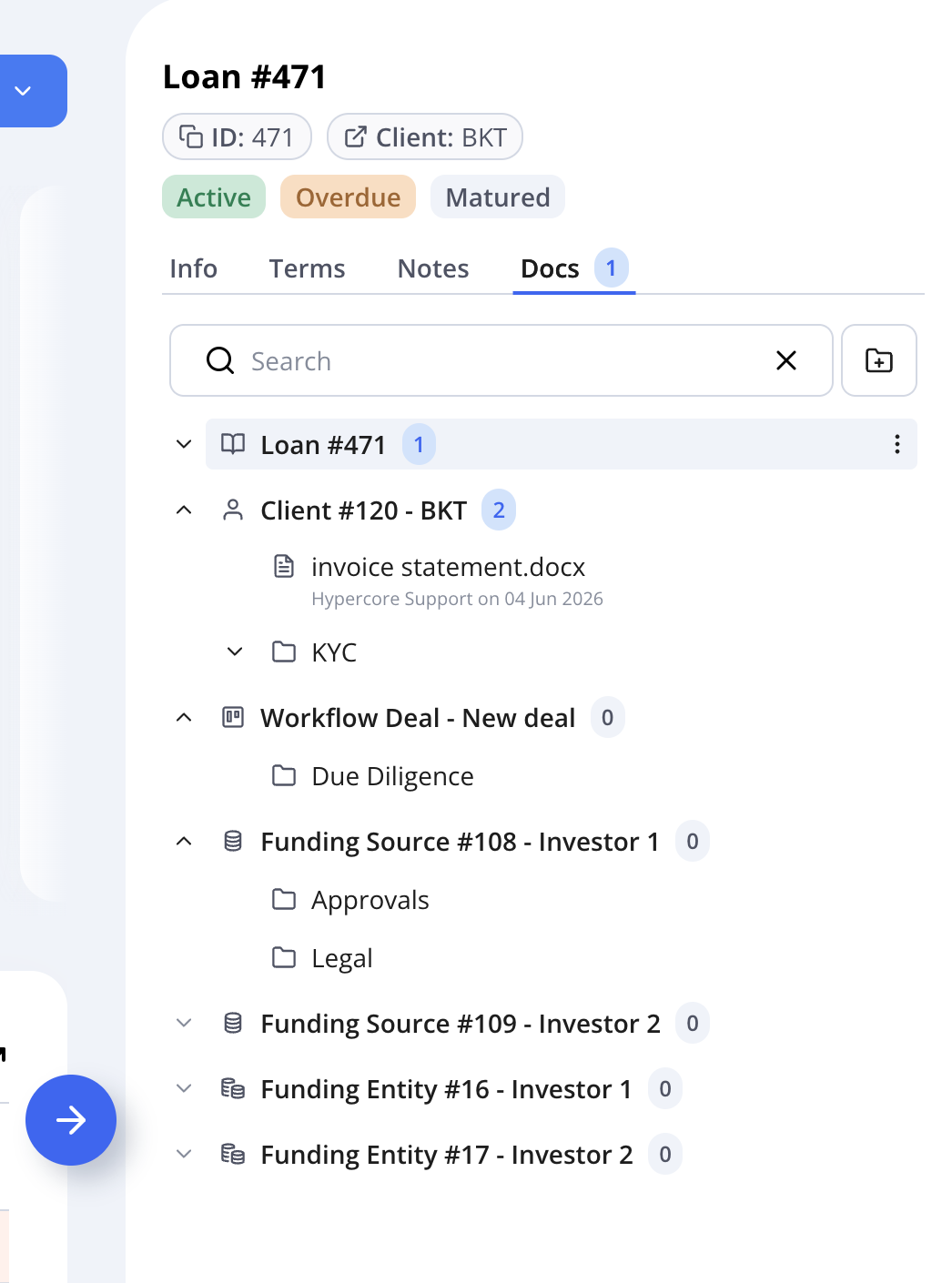
Quick Start
Getting started with Documents Management:
Open a Loan, Client, Funding Source, Funding Entity, Workflow Deal, or Equity.
Navigate to the Documents tab.
Create folders to organize documents.
Upload one or more files.
Search and preview documents.
Move, rename, or delete files as needed.
Access documents from related entities without leaving the page.
Creating and Managing Folders and Documents
Use folders to organize documents and keep deal information structured throughout the lifecycle of a loan.
Create folders
Select an entity or existing folder.
Open the actions menu.
Click Create Folder.
Enter a folder name.
Folders can be nested to create a structure that matches your team's workflow.
Upload documents
Documents can be uploaded directly into:
An entity root
A folder
A subfolder
To upload documents:
Navigate to the Documents tab.
Select the desired destination.
Open the actions menu -> Upload.
Choose one or more files.
Alternatively you can also drag and drop files directly into a folder.
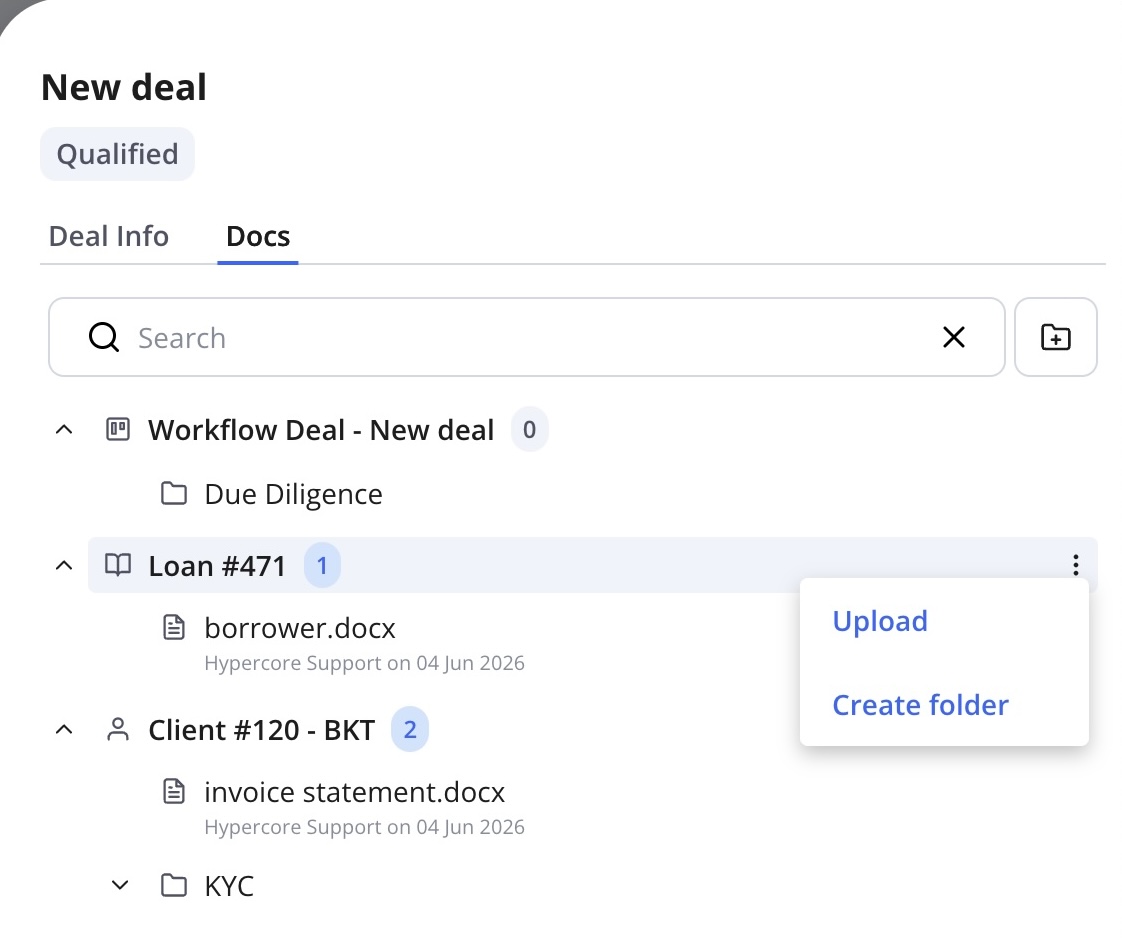
Search documents
Use the search bar to find content quickly.
Search supports:
File names
Folder names
Documents across the current entity
Documents across related entities shown in the document tree
Preview and download documents
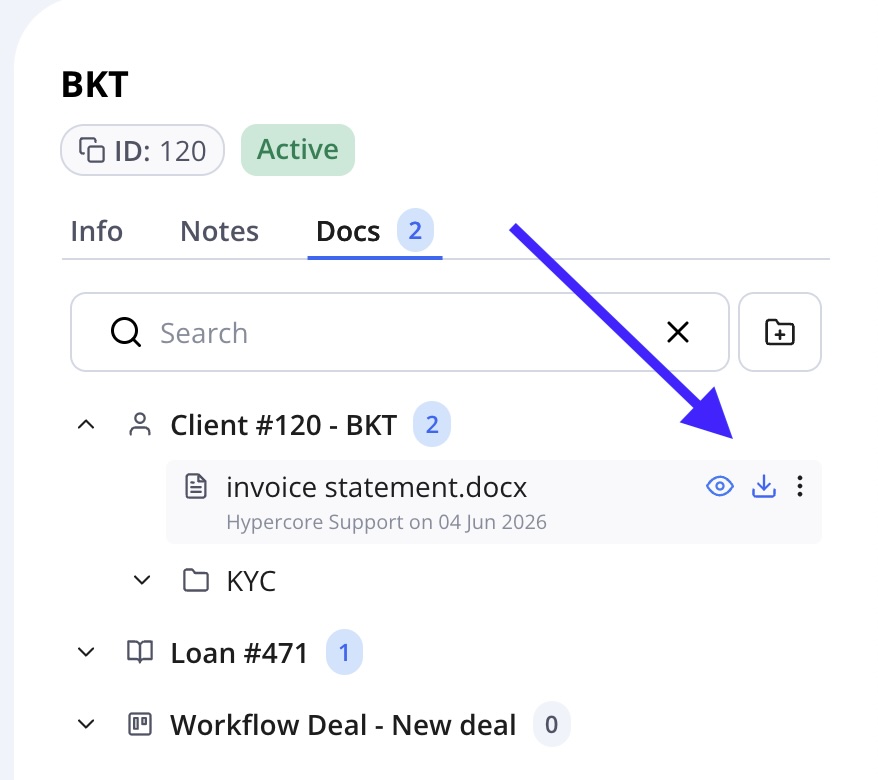
Users can preview documents directly within Hypercore before downloading them.
Hover over a file.
Click the Preview (eye) icon.
Review the document in the viewer.
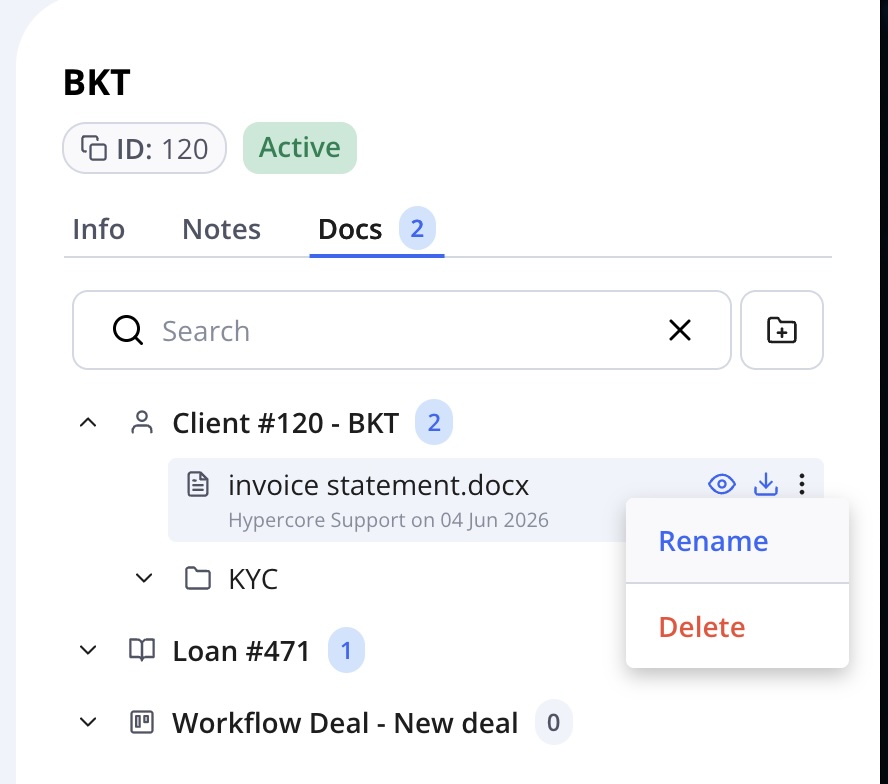
Rename documents and folders
To keep records organized, users can rename:
Hover over a file or folder.
Click the Actions menu (⋮).
Select Rename.
Enter the new name and save.
Move documents and folders
Documents and folders can be reorganized as deal structures evolve.
Users can move content:
Between folders
Across related entities
Into newly created directory structures
This makes it easy to maintain a clean and organized document repository without re-uploading files.
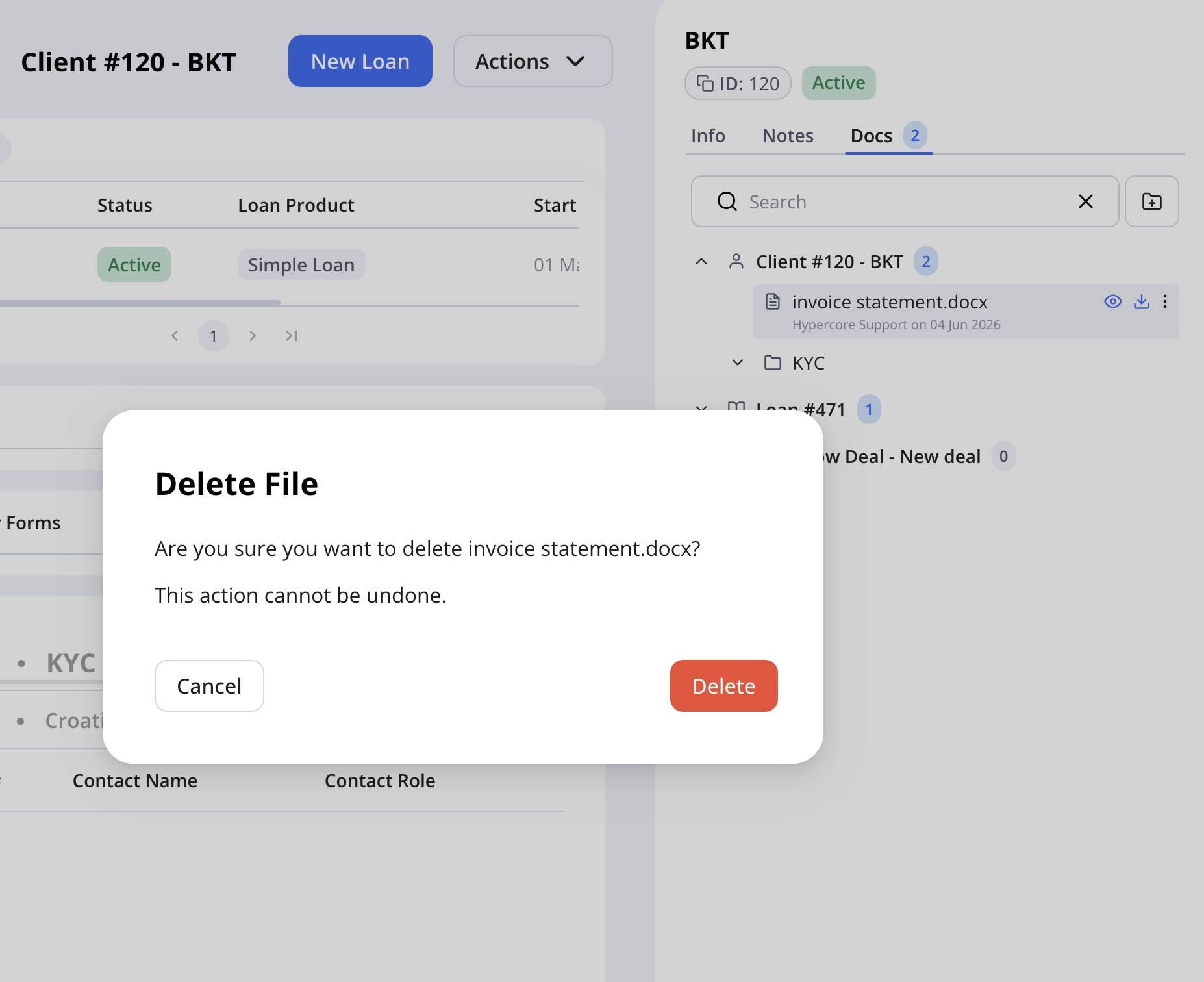
Delete documents and folders
Files and folders can be removed when they are no longer needed.
Hypercore requires confirmation before deletion to help prevent accidental changes.
Frequently Asked Questions
Why do I see documents from other entities?
Hypercore displays documents from related entities so users can access all documents relevant to a deal from a single location.
Can I move files between entities?
Yes. Files and folders can be moved between supported entities while maintaining a structured document hierarchy.
Can I upload multiple files at once?
Yes. Multiple files can be uploaded in a single action.
Will moving a file create a copy?
No. Moving a file changes its location and ownership within the document structure rather than creating a duplicate.
Can I organize documents into folders and subfolders?
Yes. Hypercore supports nested folder structures to help teams organize documents by process, document type, or deal stage.