Loan Lifecycle and Portfolio View
Last updated: October 12, 2026
Tip: To quickly search for a loan by name or ID, press Ctrl + K (Windows) or Cmd + K (Mac).
A loan has tow separate views of where it stands. They answer different questions, and a change in one does not automatically change the others.
Status is the servicing state of the loan: pending, approved, active, closed, and so on. You see it as the badge on the loan page and in the Status column of the loan list.
Loan Lifecycle stage is where the loan sits in its term. The loan list shows the current stage in the Life Cycle column. Open the loan and the same lifecycle appears as the Lifecycle card, with each date on a timeline.
1. Loan status
Status | Description |
Pending | Loan created but not yet approved. |
Approved | Loan approved and ready for disbursement. |
Active | Loan disbursed and now live for transactions and repayments. |
Closed | Loan fully repaid/redeemed. |
Rejected | Loan was not approved. |

2. Loan lifecycle stage
The lifecycle follows the loan from closing through maturity, including a revolving period, the draw window, repayment, and default.
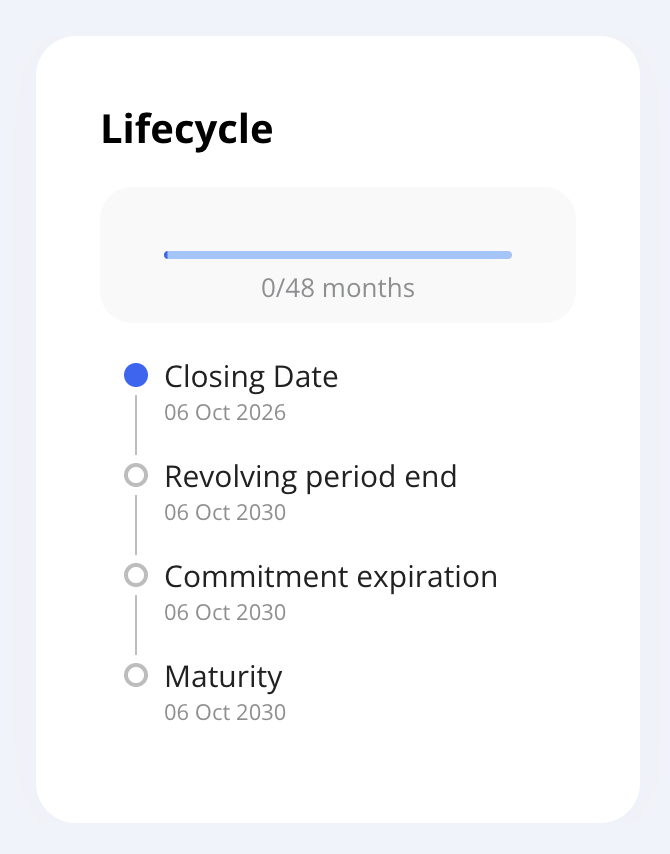
The card appears on loans that are Active.
If the start date is the same day as the closing date, the card shows Closing Date and leaves Start. The same applies to Revolving period start.
Stage in the loan list | What you see on the Lifecycle card |
|---|---|
Pending | The loan is Pending or Approved, so this part of the term has not started. The card is not shown yet. |
Started | Start, the day the loan term begins. |
Contract Closure | Closing Date, the day the loan documents are signed and the terms are agreed. |
Revolving | Revolving period start through Revolving period end. During this window the borrower can draw and repay on a revolving line of credit. |
Withdrawal Period | The draw window, up through Commitment expiration, the last day a disbursement can be made. |
Amortization | The draw period is over and the loan is being repaid, up to maturity. First principal repayment marks the first time principal is repaid. On a revolving loan, that is the first principal repayment after the revolving period ends. |
Matured | Maturity, the contractual end of the loan, once that date has passed. On the loan page this also shows as a Matured tag. |
Defaulted | Defaulted, for as long as the default period is open. When the period ends, the card adds Default Resolved, with the comment recorded at the end. |
The lifecyle card in the loan page can also show two dates that do not have their own stage in the list:
Early redemption is the day the loan was paid off before maturity.
Terms update is each change to the loan terms after the original terms. A note on the row shows the description of that change.
Loans Portfolio View - Filtering and Saving Views
The Loan List can be filtered to help you quickly find and work with specific loans.
You can filter loans by the following categories:
Filter | What you can limit the list to |
|---|---|
Loan Tranches and Facilities | A facility or tranche, or hide tranches, hide multi-tranche facilities, or show groups. |
Loan Product | A loan product. |
Loan Purpose | A purpose, such as acquisition or working capital. |
Funding Sources | Loans funded by selected sources. You can also show only loans with a funding discrepancy. This filter appears when funding sources are in use. |
Borrowers | A borrower. |
Owners | The owner or assigned user. |
Life Cycle Stage | One or more stages from section 2, such as Revolving, Amortization, or Defaulted. |
Loan Date Range | Start On for the origination date, Maturity Date, Next Payment, and Last Payment. |
Loan Balances | A minimum amount, using Commitment (Greater Than), Overdue (Greater Than), Repaid (Greater Than), or Outstanding (Greater Than). |
Using Filters:
Click the Filter Loans button in the Loan List view.
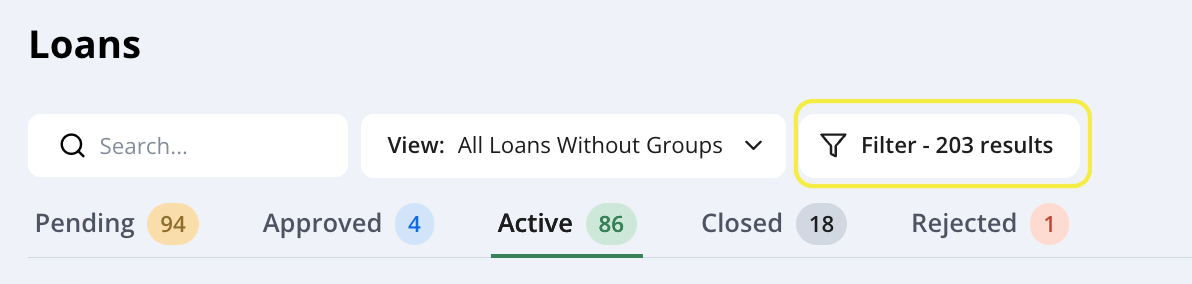
Expand any filter category and choose one or more values.
The loan list will update immediately to show matching loans.
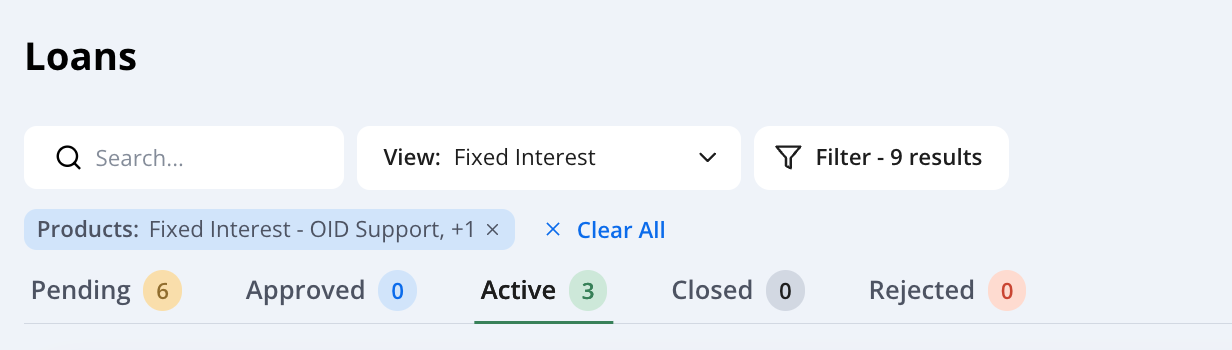
Saving Views:
If you frequently use certain filters (for example, to always see Active loans with a balance over $5 million or all loans for a specific facility), you can save them as a View:
Apply the desired filters.
Click Create View.
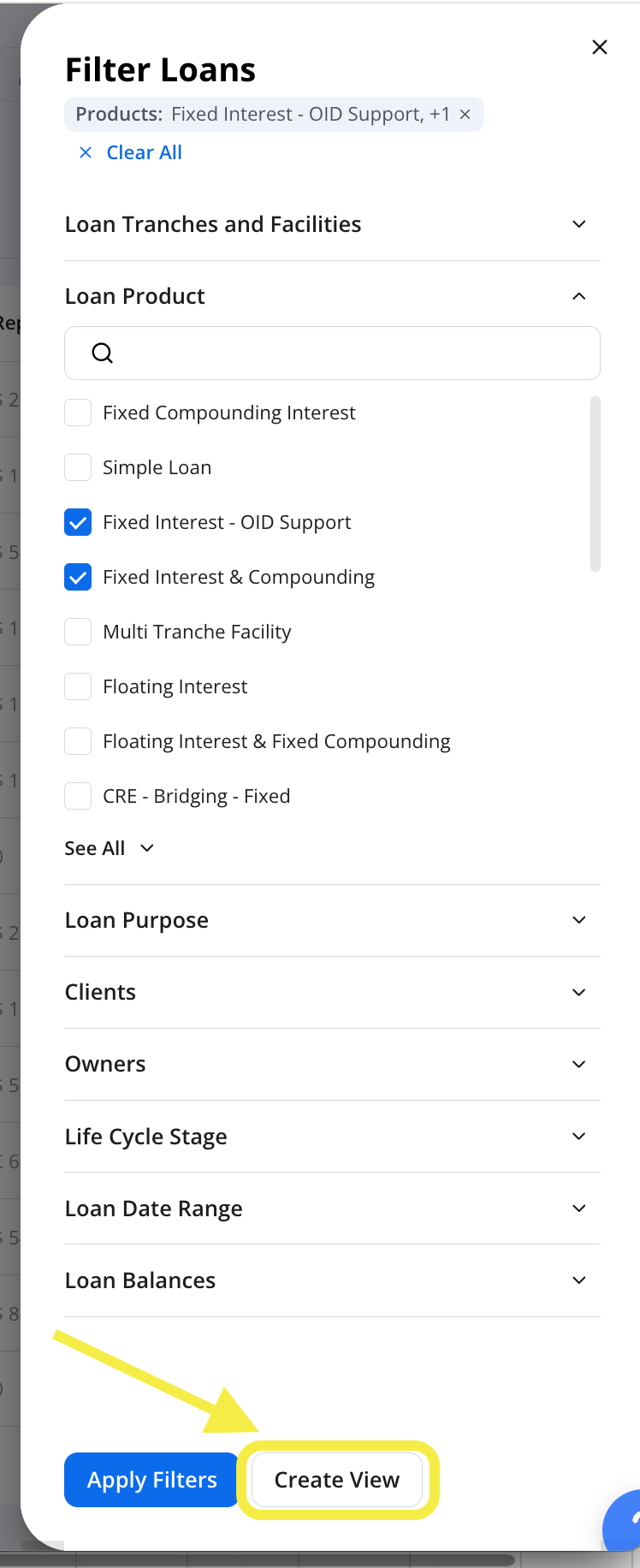
Give the view a name
Your saved views appear in a dropdown so you can quickly load them without reapplying filters.
Tip: Saved views are especially useful for regularly monitoring specific loan segments
Contact support for assistance with complex scenarios or adjustments: Support@hypercore.ai